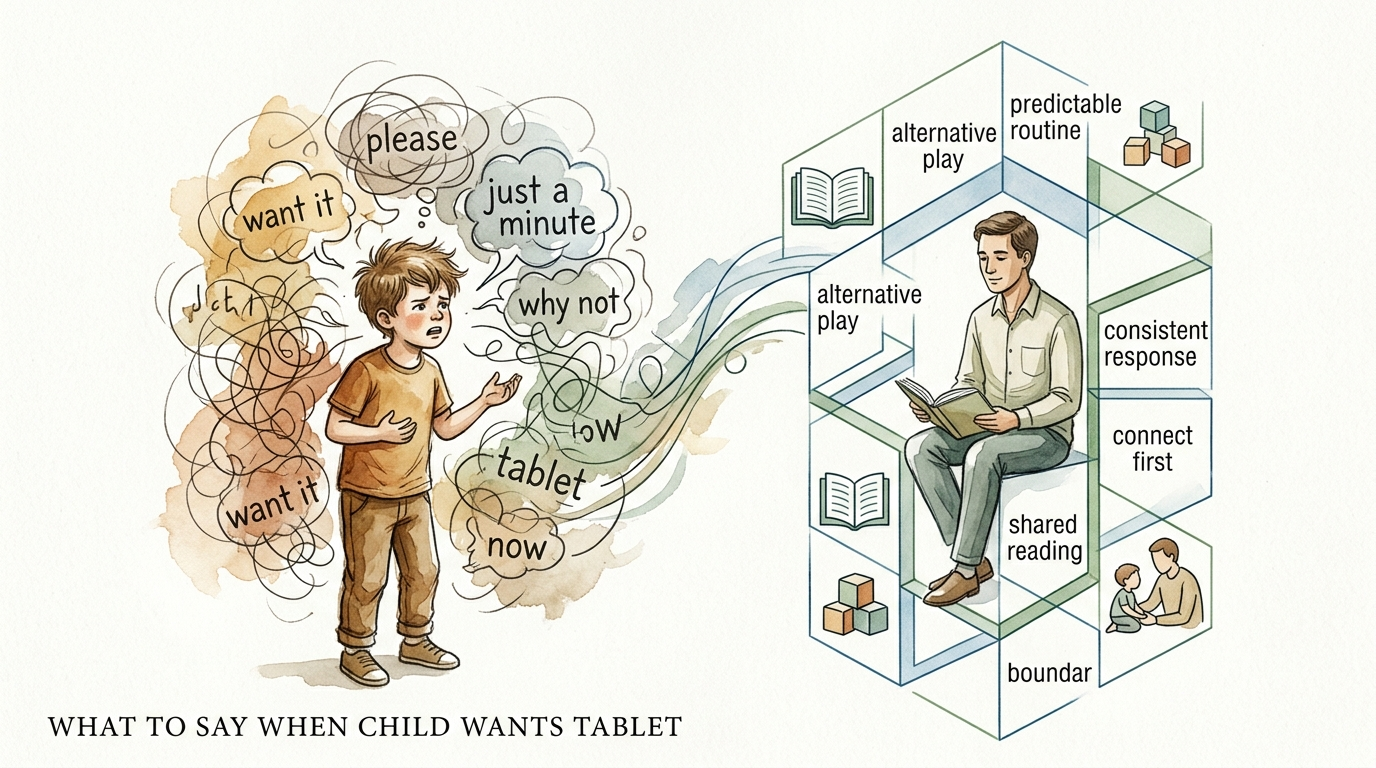
what to say when child wants tablet
Stop the argument before it starts with a clear system. When you have a system, the system says ‘No,’ not you. Take the emotion out of the tablet request by using a visual schedule. Order in the home creates peace in the mind.
Parenting often feels like a series of negotiations. You want your child to eat their broccoli; they want to know when they can play Minecraft. You want them to put on their shoes; they want to watch one more YouTube video. This constant back-and-forth is exhausting. It leads to what experts call Verbal Chaos—a state where rules are fluid, emotions are high, and every request becomes a power struggle.
The solution is not more arguing. The solution is Structural Order. By moving from verbal commands to a visual system, you change the dynamic of your home. You are no longer the “bad guy” who stops the fun. You are simply the guide helping your child follow the map.
what to say when child wants tablet
The next time your child asks for their device, your response should be a question, not a command. Instead of saying “Not now” or “Maybe later,” you point to the wall. You say, “Let’s check the schedule.” This simple shift moves the focus from your authority to a pre-established plan.
A visual schedule is a tool that provides a child with information about the sequence of events in their day. It uses objects, pictures, or words to convey what is happening and when. This tool is widely used in educational and therapeutic settings because it makes time concrete. For a child, “in twenty minutes” is an abstract concept. A picture of a Lego bin followed by a picture of a tablet is a reality they can understand.
Using a schedule as the primary communication tool for screen time helps manage expectations. When children know exactly when their tablet time occurs, they spend less energy asking for it and more energy engaging in the task at hand. It creates a “roadmap” for their day, reducing the anxiety that comes from uncertainty.
How to Set Up a Visual Screen Time System
Creating a system that actually works requires more than just a piece of paper on the fridge. It requires a thoughtful approach to how your child processes information and transitions between activities.
Step 1: Identify the Anchors
Start by identifying the non-negotiable parts of the day. These are your “anchors,” such as mealtimes, school, and sleep. Place these on the schedule first. Once the anchors are set, you can find the logical “windows” for screen time. Usually, these windows work best after a high-effort task, like homework or chores.
Step 2: Use the “First-Then” Principle
For younger children or those who struggle with transitions, use a “First-Then” board. This is the simplest form of a visual schedule. It shows two pictures: “First: Pick up toys” and “Then: Tablet.” This clarifies that the preferred activity is earned through a necessary task. It provides immediate motivation and removes the need for verbal nagging.
Step 3: Make it Physical
A schedule that stays in your head is just another version of verbal chaos. To create structural order, the schedule must be visible and tangible. Use a whiteboard, a magnetic chart, or a laminated strip with Velcro tabs. Allow the child to physically move a “Done” marker or pull a tab when a task is finished. This physical interaction reinforces the sense of progress and accomplishment.
Step 4: Practice the Pivot
When the tablet time is over, the transition is often the hardest part. Incorporate a “Transition Step” into the schedule. This might be a five-minute timer or a specific “wind-down” activity like a puzzle. By making the transition a visible part of the plan, you prepare the child’s brain for the change before it happens.
Benefits of Structural Order Over Verbal Chaos
The move toward a structured system offers measurable benefits for both the child and the parent. Research shows that household chaos—characterized by high noise levels and a lack of routine—is linked to poorer social-emotional functioning and lower executive function in children.
Reduces Anxiety and Stress
Predictability is the enemy of anxiety. When children can see exactly what is coming next, their nervous system settles. They no longer have to live in a state of hyper-vigilance, wondering when the next “No” is coming. This sense of security leads to fewer meltdowns and a more cooperative atmosphere.
Builds Executive Function
Executive functioning skills include planning, organization, and emotional regulation. By following a visual schedule, children practice these skills daily. They learn to prioritize tasks and understand the relationship between effort and reward. These are life skills that extend far beyond the living room.
Fosters Independence
A visual schedule empowers children to manage their own routines. Instead of waiting for a parent to tell them what to do, they can check the board. This reduces the “parent-as-manager” dynamic and allows the child to take ownership of their day. Over time, this builds significant self-reliance and confidence.
Challenges and Common Mistakes
Even the best systems can fail if they aren’t implemented correctly. Understanding the common pitfalls will help you maintain the system long-term.
Lack of Consistency
The most common mistake is failing to follow the schedule yourself. If the system says tablet time is at 4:00 PM, but you give it to them at 3:30 PM because you need a break, the system loses its authority. The child learns that the schedule is “negotiable” through enough pestering. To work, the system must be the final word.
Over-Complication
It is tempting to create a schedule that accounts for every minute of the day. However, a schedule that is too busy becomes overwhelming. Keep it simple. Focus on the major transitions and the times when conflict is most likely to occur. For most families, a 5-to-7 step morning or afternoon routine is sufficient.
The “Set It and Forget It” Trap
A visual schedule is a living document. As your child grows or your family’s needs change, the schedule must evolve. If the system becomes stale or no longer reflects reality, the child will stop looking at it. Review the schedule every few months to ensure it still serves its purpose.
Limitations: When the System Needs to Bend
While consistency is key, rigid adherence to a schedule in every possible scenario can also backfire. There are times when the “system” needs a manual override.
Illness and High Stress
When a child is sick or the family is going through a period of high stress, the usual rules may need to be relaxed. During these times, a child’s emotional capacity is lower. Demanding they follow a strict 10-step routine may cause more harm than good. In these cases, use a “Simplified Schedule” with only the most basic needs.
Special Events and Spontaneity
Life doesn’t always follow a script. Birthdays, holidays, and spontaneous trips to the park are part of a healthy childhood. Use a “Surprise” or “Change of Plan” card on the visual schedule to signal these shifts. This teaches the child that while order is the baseline, they can also handle flexibility when it is communicated clearly.
Environmental Boundaries
A visual schedule works best within a controlled environment. When traveling or visiting relatives, the lack of your usual “Command Center” can lead to a return of verbal chaos. In these situations, a portable version of the schedule—like a small notebook or a digital app—can bridge the gap.
Practical Tips for Design and Implementation
To make your visual schedule as effective as possible, consider these design and tuning adjustments:
- Use Real Photos: For younger children, take photos of them doing the actual tasks (e.g., brushing their teeth, sitting at the table). This makes the connection between the picture and the action immediate.
- Color Coding: Use different colors for different types of activities. Perhaps screen time is always in green, while chores are in red. This helps with quick scanning.
- The “All Done” Pocket: When a task is finished, have the child move the card into a pocket labeled “All Done.” The visual of a shrinking “To-Do” list and a growing “Done” list is highly satisfying.
- Keep it Eye-Level: Place the schedule at the child’s height, not yours. If they have to climb a chair to see it, they won’t use it.
- Pair with a Timer: Use a visual timer (the kind with a red disappearing disk) alongside the schedule. This adds a “how much longer” element to the “what’s next” information.
Advanced Considerations for Long-Term Success
For parents who have mastered the basics and want to deepen the system’s effectiveness, consider these scaling strategies.
Scaffolding for Age
As children reach elementary school age, move from pictures to a mix of pictures and words, and eventually to written checklists. This mirrors the transition they will experience in school. The goal is to move the system from the wall into their own internal planning process.
Incorporating Choice
To increase engagement, offer “Choice Blocks.” For example, the schedule might have a slot for “30 Minutes: Choice Time,” with a sub-menu of options like the tablet, Legos, or drawing. This gives the child a sense of autonomy within the safety of the structure.
The “Parent Check-In”
Build a specific “Check-In” time into the schedule. This is five minutes where you and the child look at the schedule together to see how the day is going. It’s an opportunity for positive reinforcement and to discuss any upcoming changes. It keeps you connected to the process rather than just being the person who points at the board.
Scenario: The “Afternoon Squeeze”
Imagine a typical Wednesday afternoon. Your child comes home from school, drops their bag, and immediately asks for the tablet. In a home with Verbal Chaos, the conversation might go like this:
“Can I have my tablet?”
“No, do your homework first.”
“I don’t have homework!”
“I’m sure you do. Go check.”
“I did check! Just five minutes?”
“Fine, but then you have to eat dinner.”
In this scenario, the parent is worn down, and the child has learned that persistence pays off. Now, look at the same afternoon with a system of Structural Order.
The child walks in and looks at the magnetic board by the door.
1. Hang up bag.
2. Eat snack.
3. 20 minutes of homework or reading.
4. 30 minutes of Tablet.
The child sees exactly where they are in the sequence. When they ask for the tablet, you simply say, “I’d love for you to have your tablet. Where are we on the board?” The child sees they are on “Snack.” They know the tablet is coming, so they eat their snack and do their reading without the need for an argument. The schedule is the authority.
Final Thoughts
Building a system of structural order is an investment in your family’s mental peace. It shifts the burden of “No” from your shoulders to a neutral, visual tool. When the system says ‘No,’ the emotion stays out of the request. You are no longer the source of frustration; you are the partner helping them navigate their day.
This approach does more than just limit screen time. It teaches children how to manage their time, regulate their emotions, and function independently. It replaces the hubbub of constant negotiation with the quiet confidence of a plan.
Start small. Create a “First-Then” board today for the most difficult transition in your house. Once you see the power of a visual system, you will find opportunities to bring order to every part of your home life. Peace in the mind truly begins with order in the home.
Sources
1 healthline.com | 2 yourkidstable.com | 3 occupationaltherapy.com.au | 4 childandfamilydevelopment.com | 5 flourishinglivesmi.com | 6 napacenter.org | 7 coxcampus.org | 8 skidamarinkkids.com | 9 childandfamilydevelopment.com | 10 breakthroughaba.com | 11 buildingallchildren.org | 12 biermanautism.com | 13 biermanautism.com | 14 kidtherapy.org | 15 gentlecaretherapy.com | 16 tumblendots.com | 17 instituteofchildpsychology.com | 18 nih.gov | 19 autismlittlelearners.com | 20 nspt4kids.com | 21 wonderwayaba.com | 22 pbs.org | 23 researchgate.net | 24 trustcarehealth.com