Screen Dependency In Children Vs Digital Autonomy
If the Wi-Fi goes out, does your child’s world come to an end, or does their investigation of the real world begin? Dependency is the hidden cost of the ‘entertainment-first’ screen model. When we use devices as digital pacifiers, we create a fragile child who cannot regulate or engage without a constant external signal. But when we treat the device as an electronic tool—a microscope, a compass, or a camera—we build a resilient explorer. One requires a high-speed connection to survive; the other only requires curiosity to thrive.
In the modern household, screens have become the default solution for boredom, tantrums, and even long car rides. This is the era of the digital pacifier, where a glowing rectangle is handed over the moment a child feels a flicker of frustration. While this provides immediate peace for the parent, it often trades away the child’s future ability to self-regulate and navigate the world with autonomy. Understanding the shift from screen dependency to digital autonomy isn’t just about cutting minutes off a timer; it’s about changing the very nature of the relationship between the child and the machine.
Screen Dependency In Children Vs Digital Autonomy
Screen dependency is a state where a child relies on digital stimulation to manage their internal emotions or occupy every moment of silence. It is often fueled by passive consumption—scrolling through short-form videos or playing repetitive, low-engagement games designed to trigger dopamine loops. Research indicates that when devices are used as “digital pacifiers” to calm a child’s distress, it may hinder their development of emotional regulation skills. Over time, the child loses the ability to handle boredom or frustration without a digital “hit,” leading to what researchers call emotional dysregulation.
Digital autonomy, on the other hand, is the ability of a child to use technology as a purposeful extension of their own curiosity. In this model, the screen is not the destination; it is the vehicle. A child with digital autonomy might use a tablet to identify a bird they saw in the backyard, record a stop-motion animation, or learn how to code a basic game. Here, the child is the master of the device, not its subject. They are creators rather than consumers, and their engagement is driven by internal goals rather than external algorithms.
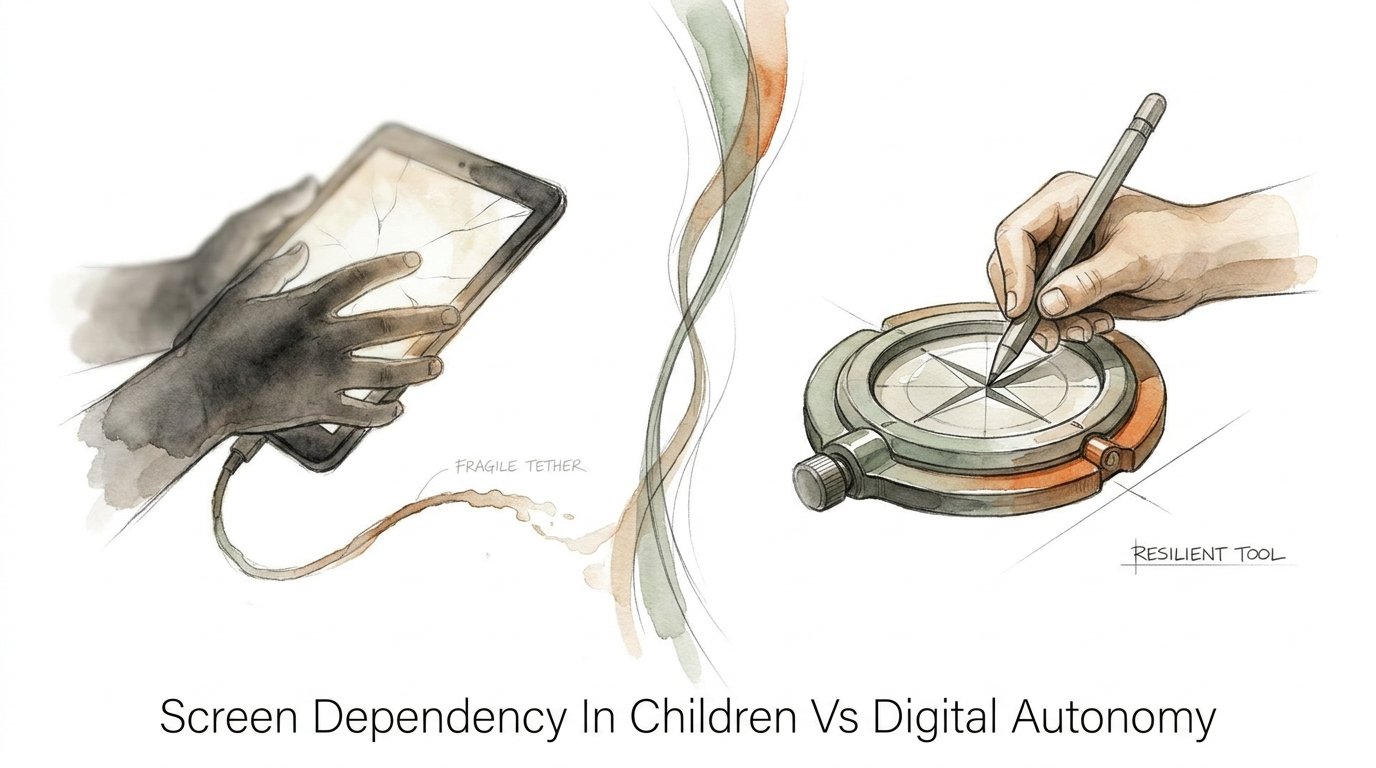
Imagine a child at a restaurant. A screen-dependent child might be handed a phone immediately to keep them “quiet,” staring blankly at a cartoon while food is served. A child practicing digital autonomy might use that same phone for five minutes to take a photo of a strange architectural detail in the building, then spend the rest of the meal discussing it or drawing it on a napkin. One use creates a “fragile tether” to a server; the other uses a “resilient tool” to bridge the gap between the digital and physical worlds.
The existence of dependency often stems from the “entertainment-first” model. This model assumes the primary value of a screen is distraction. Digital autonomy exists where the primary value is utility. This distinction is crucial because dependency leads to a child who is easily overwhelmed by the real world, while autonomy creates a child who sees the real world as a place full of data and inspiration waiting to be captured and processed.
How to Transition: From Passive Consumer to Active Creator
Moving a child from dependency to autonomy requires a tactical shift in how technology is introduced and managed. It starts with the “Why” before the “What.” Instead of asking “How much screen time?” ask “What is the purpose of this session?”
Step 1: Audit the Content
Identify which apps are “consumptive” (passive watching, endless scrolling) and which are “productive” (editing, building, researching). Gradually phase out apps that rely on autoplay and infinite loops. Replace them with tools like GarageBand for music, Procreate for drawing, or Scratch for coding.
Step 2: Implement Co-Regulation
Avoid using the device as a “babysitter.” Instead, practice co-viewing or co-playing. This doesn’t mean hovering, but rather being an active participant in the digital experience. Ask questions like, “Why did you choose that color?” or “What do you think happens if we change this part of the code?” This anchors the digital experience in social interaction.
Step 3: Define Tech-Free Zones
Create physical and temporal boundaries. Meals and the hour before bed should be strictly screen-free. This teaches the child that life has natural rhythms that do not require digital accompaniment. It also prevents the “constant signal” dependency that interferes with sleep and family bonding.
Step 4: Reward Creation Over Consumption
Establish a “produce before you consume” rule. For every 20 minutes of watching videos, the child must spend 20 minutes creating something—writing a digital story, editing a photo, or researching a topic of interest. This flips the power dynamic, making the device a tool for their own output.
Benefits of Fostering Digital Autonomy
Building digital autonomy in children provides measurable advantages that extend far beyond the screen. When a child learns to use technology as a tool, they are developing critical 21st-century skills that passive consumption actively suppresses.
* Enhanced Executive Functioning: Using a device to plan a project, edit a video, or follow a complex tutorial requires organization, focus, and goal-directed behavior.
* Improved Emotional Resilience: Children who aren’t constantly “soothed” by screens learn to sit with their own feelings, developing the “effortful control” needed to manage anger and frustration.
* Increased Creative Confidence: Moving from “watching” to “making” gives children a sense of agency. They realize they can change their environment and share their unique perspective with the world.
* Technical Literacy: Understanding how a camera works or how to navigate a file system is more valuable than knowing how to navigate a Netflix menu. These are transferable skills for their future careers.
* Stronger Parent-Child Bond: Transitioning to a co-use model reduces the “battle” over screen time. Technology becomes a shared interest and a point of conversation rather than a source of conflict.
These benefits create a child who is not only smarter with technology but also more capable when the technology is absent. Because they have learned to use the device to investigate the real world, they are more likely to notice the “real world” even when the device is in their pocket.
Challenges and Common Mistakes
The road to digital autonomy is paved with good intentions but often littered with common errors. Parents frequently fall into the trap of “quantity over quality.”
Focusing Solely on the Clock
Setting a strict one-hour limit is useless if that hour is spent on high-dopamine, addictive social media loops. Total screen time is often less important than the *type* of engagement. A child spending three hours editing a short film is in a vastly different neurological state than a child spending 30 minutes scrolling through addictive “brain-rot” content.
The “Digital Pacifier” Reflex
The biggest challenge is the convenience of the digital pacifier. It is incredibly tempting to hand over a phone during a meltdown in a grocery store. However, doing this reinforces that the way to handle “big emotions” is to escape into a screen. This mistake prevents the child from learning how to calm themselves down, leading to worse tantrums later.
Monitoring Without Trust
Relying solely on parental control apps and tracking software without talking to the child can backfire. If a child feels “policed,” they will find ways to hide their activity. Autonomy is built on a foundation of trust and open communication. Monitoring should be a safety net, not a replacement for guidance.
Failing to Model Healthy Habits
Children are master observers. If a parent preaches about the dangers of screen dependency while constantly checking their own phone during dinner, the message is lost. Modeling “resilient tool” use—like using your phone to check a map or look up a recipe and then putting it away—is the most powerful teaching tool available.
Limitations: When the Tool Approach Faces Hurdles
Treating every digital interaction as a “tool” is an ideal, but there are realistic constraints that parents must acknowledge. Not every child is ready for full autonomy, and not every environment supports it.
Age and Developmental Readiness
Younger children (under 5) have limited capacity for abstract tool use. For them, screens are almost always high-stimulation toys. Research from the American Academy of Pediatrics suggests limiting screen time drastically for this age group because they learn best from live, “serve-and-return” human interaction. Expecting a three-year-old to use a tablet as a “microscope” is often unrealistic; at that age, the “off” button is the best tool.
The Design of the Web
Modern apps are literally engineered to be addictive. Even the most autonomous child is fighting against billion-dollar algorithms designed to keep them clicking. Sometimes, even “creative” apps include social features or in-app purchases that lead back toward dependency. Parents must be vigilant about the “invisible” features of the software their children use.
Socioeconomic and Environmental Factors
Access to high-quality “creator” apps and hardware often requires money and stable internet. Furthermore, if a child’s social circle is entirely based on a specific addictive game or social platform, withdrawing them completely can lead to social isolation. In these cases, the goal isn’t total avoidance but “mitigation”—finding ways to participate socially without succumbing to the addictive loops.
Fragile Tether vs. Resilient Tool
Understanding the difference between these two states is the key to successful digital parenting. Here is how they compare across several critical factors:
| Feature | Fragile Tether (Dependency) | Resilient Tool (Autonomy) |
|---|---|---|
| Primary Goal | Entertainment & Distraction | Utility & Investigation |
| Emotional State | Passive, Reactive, Fragile | Active, Purposeful, Curious |
| Regulation | External (The Device) | Internal (The Child) |
| Social Impact | Isolating or Parallel Play | Collaborative or Communicative |
| Outcome of Power Outage | Crisis and Boredom | Transition to Physical Version |
The “Fragile Tether” model relies on a constant stream of content to keep the child stable. If that stream is interrupted, the child “breaks.” The “Resilient Tool” model uses the device to build skills and gather information that exists even when the battery dies.
Practical Tips for Digital Co-Regulation
If you want to start building digital autonomy today, focus on small, actionable changes that shift the power dynamic in your home.
* Narrate Your Use: When you use your own device, tell your child what you are doing. “I’m using my phone to check the weather so we know if we need jackets,” or “I’m sending a message to Grandma to tell her we love her.” This shows the device as a tool with a specific function.
* Use “Digital-to-Analog” Bridges: If your child is obsessed with a digital character, encourage them to draw that character on paper or build their house out of LEGOs. This pulls the digital interest back into the physical world.
* Set “Downtime” on Devices: Use built-in features like Apple’s Screen Time or Android’s Digital Wellbeing to automatically shut down apps at a certain time. This removes the “parent as the bad guy” dynamic and establishes a hard boundary set by the “tool” itself.
* Create a “Toolbox” Folder: Organize your child’s tablet so that the home screen only contains creative and educational tools. Put the “entertainment” apps in a folder on the second or third screen. This simple friction reduces mindless clicking.
* Teach “Content Literacy”: Watch a video with your child and ask them, “Who do you think made this?” or “Why do they want us to keep watching?” This builds the critical thinking skills needed to resist addictive algorithms.
Advanced Considerations for the Digital Native
For parents of older children or “serious” practitioners of digital autonomy, the focus shifts toward scaling these skills. As children enter their teens, they need more than just “rules”—they need a philosophy of technology.
Algorithmic Awareness
Teach your child how algorithms work. Explain that YouTube or TikTok isn’t showing them what is “best,” but what is most likely to keep them on the app for the longest time. When a child understands they are being “hacked” by an algorithm, their desire for autonomy often kicks in as a form of rebellion.
Digital Portfolio Building
Encourage your child to use their digital skills to build a portfolio. Whether it’s a GitHub repository for code, a YouTube channel for tutorials, or a digital art gallery, having a “product” to show for their time transforms the screen from a time-sink into an asset. This is where digital autonomy meets professional development.
Hardware as a Tool
Move beyond the tablet. Introduce the child to specialized digital tools like DSLR cameras, MIDI keyboards, or Raspberry Pi computers. These devices have a high “skill ceiling” and are almost impossible to use for passive consumption. They demand mastery and focus, which are the ultimate antidotes to dependency.
Example Scenario: The Weekend Project
Consider the difference between a “Dependent Weekend” and an “Autonomous Weekend.”
Scenario A (The Fragile Tether): A child wakes up and immediately asks for the iPad. They spend four hours watching “unboxing” videos and playing a “runner” game that requires no strategy. When told to put the device away for lunch, they have a 20-minute meltdown. They are irritable for the rest of the day and complain that there is “nothing to do.”
Scenario B (The Resilient Tool): A child wakes up and tells their parent they want to make a “nature documentary” about the bugs in the garden. They use the iPad to research which bugs are common in their area. They then take the device outside to use the camera and a “macro lens” attachment to film ants. After lunch, they spend an hour using a simple video editor to add “fun facts” as text overlays. When the battery dies, they simply switch to drawing the “highlights” of their documentary in a sketchbook.
In Scenario B, the device was essential to the project, but the project was driven by the child’s curiosity about the real world. The screen was the tool that made the investigation possible, not the thing that replaced the investigation.
Final Thoughts
Moving from screen dependency to digital autonomy is one of the most important transitions a modern parent can facilitate. It is the difference between raising a child who is a passenger in the digital age and one who is a pilot. Dependency creates a fragile child who is tethered to a signal; autonomy builds a resilient explorer who uses that signal to map the world.
Start small. Stop using the screen to stop a tantrum. Start using the screen to start a project. Focus on the quality of the engagement rather than just the quantity of the minutes. When you treat a device as a tool, you aren’t just managing “screen time”—you are building a child’s capacity for curiosity, creativity, and self-control.
Experiment with these strategies. Watch how your child’s eyes change when they move from the blank stare of consumption to the focused intensity of creation. The Wi-Fi might eventually go out, but a child’s curiosity never has to. Give them the tools to thrive, and they will find a way to explore, with or without a connection.
Sources
1 psychiatrist.com | 2 thewhitehatter.ca | 3 frontiersin.org | 4 nhahealth.com | 5 sueatkinsparentingcoach.com | 6 youtube.com | 7 devorahheitner.com | 8 healthychildren.org | 9 bark.us | 10 communicatingpsychologicalscience.com | 11 nih.gov | 12 digitalchild.org.au | 13 amscope.com | 14 suny.edu | 15 nih.gov