screen?smart kids daily routine
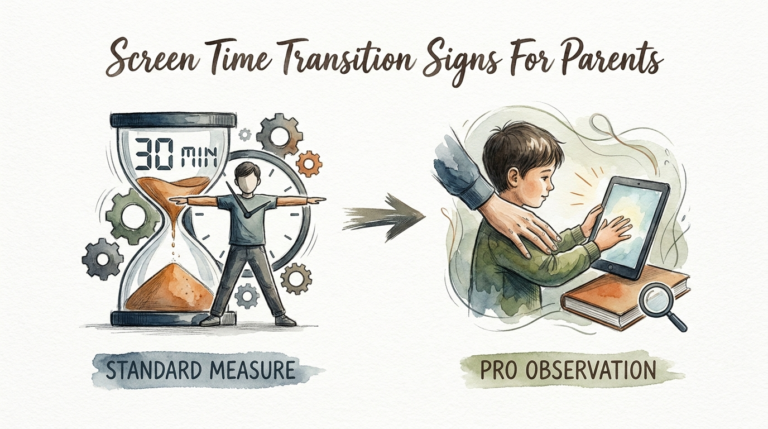
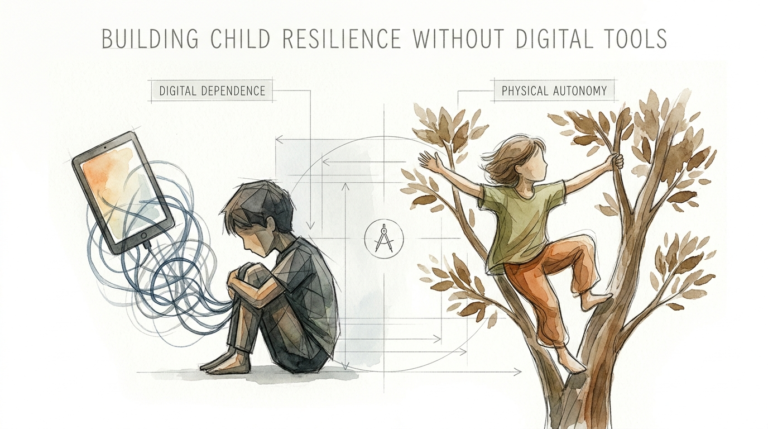
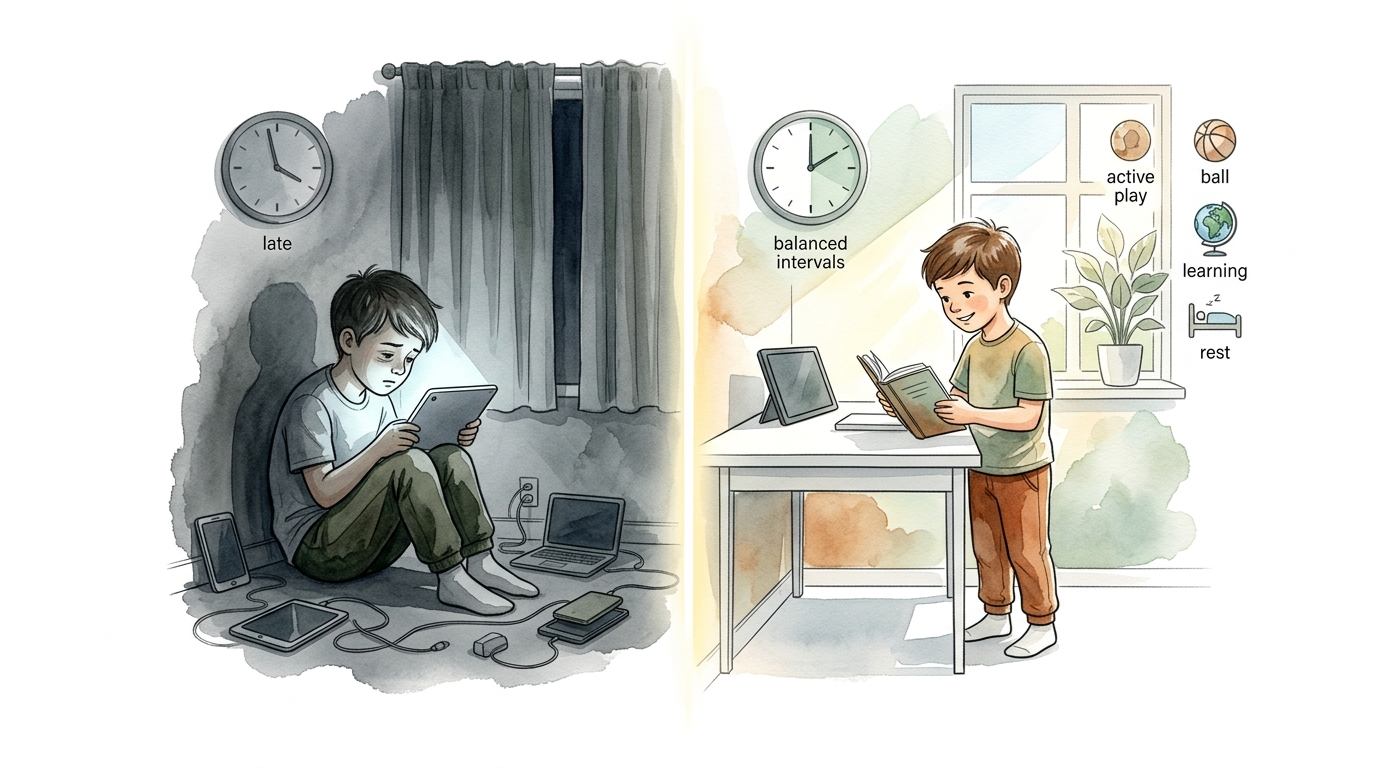
Most kids are ‘consuming’ their day away. Screen-smart kids are ‘investing’ their time instead. It is not about banning the tech; it is about the routine. Swipe to see the difference between a passive digital day and a high-performance routine for kids.
The average child today spends between five and seven hours staring at a screen. For many parents, this feels like a losing battle. We see the “zombie face” look and the irritability when it is time to unplug. But the problem is not the glass and the silicon. The problem is the lack of a system.
Digital wellness is the new literacy. In a world that is hyper-connected, your child needs to know how to use tools, not just be used by them. Transitioning from a “standard consumption” model to a “pro screen-smart” routine changes everything. It turns technology from a distraction into a high-octane engine for growth.
A smart routine does not mean zero fun. It means high-quality interaction. It means moving from being a spectator to being a creator. This guide breaks down exactly how to build that high-performance digital lifestyle for your family.
screen?smart kids daily routine
A screen-smart kids daily routine is a structured approach to technology that prioritizes active engagement over passive consumption. It is not a set of rigid “no” rules. Instead, it is a framework that helps children understand when, why, and how they are using digital tools.
Think of it like a nutritional diet. You wouldn’t let your child eat only candy all day, but you also wouldn’t ban all sugar forever. You balance the “empty calories” of mindless scrolling with the “protein” of educational coding or creative video editing. Real-world experts now emphasize quality, context, and conversation over simple ticking clocks.
In a screen-smart home, devices have a specific “job.” A tablet might be for drawing in the afternoon, while the TV is for a family movie in the evening. This routine exists to protect three critical things: sleep, physical movement, and face-to-face connection. When those are safe, the tech becomes an asset rather than a liability.
This routine is used by high-performing families to foster “digital fluency.” Kids who follow these routines do not just play games; they understand game design. They do not just watch videos; they learn to spot the algorithms trying to keep them hooked. It is about building a child who is “pro” at life in a digital-first world.
How to Build a Pro Screen-Smart Routine
Building this routine requires a shift in your family culture. It starts with the “5 M’s of Digital Wellness”: Model, Mentor, Monitor, Mastery, and Meaning. You cannot expect your child to put down their phone if your face is always buried in yours. Modeling the behavior is step one.
Structure the day around “natural tech breaks.” The human brain, especially a developing one, needs a “reboot” period. The American Academy of Pediatrics suggests that high-quality programming should be the focus, particularly for younger children. Here is how to segment the day for maximum impact:
The “Analog Morning” Rule
Keep the first hour of the day entirely tech-free. Screen-smart kids use this time for “brain priming”—movement, reading, or chores. Starting the day with a dopamine spike from a fast-paced video or social media feed can ruin their focus for hours. Let the brain wake up naturally first.
Deep Work and Educational Tech
During school hours, tech should be a tool for “mastery.” This is where kids use apps for language learning, math challenges, or research. The key here is “active consumption.” If they are using a screen to solve a problem, they are investing their time. If they are just clicking “next” on a video, they are consuming.
Creative Afternoon Blocks
Give them a block of time specifically for “digital creation.” This is the core of the pro routine. Instead of watching Minecraft videos, they should be building in Minecraft. Instead of scrolling TikTok, they should be learning how to edit a video. This shifts their identity from “user” to “creator.”
The “Sunset Shutdown”
Blue light is the enemy of a good night’s sleep. Research shows that screen use in the evening leads to later bedtimes and lower-quality rest. A screen-smart routine mandates a “shutdown” at least one hour before bed. This is non-negotiable. Use this time for reading or family conversation to help the nervous system settle.
Benefits of an Active Digital Routine
A structured routine offers massive cognitive and emotional advantages. When kids engage in “active screen time”—meaning they are thinking, problem-solving, or interacting—it can actually support language and social skills development. This is worlds apart from the developmental delays often linked to excessive passive viewing.
Focus and attention span see the biggest boost. Fast-paced, high-stimulation media can cause overstimulation. By choosing slower-paced, high-quality content and setting clear boundaries, you protect your child’s ability to concentrate on “boring” real-world tasks like schoolwork or reading.
Emotional regulation is another huge win. Most “screen time battles” happen because of the sudden loss of dopamine when a device is taken away. A routine provides “predictable endings.” When a child knows exactly when the tech session ends, their brain starts to self-regulate. They develop the “digital brakes” necessary to stop on their own.
Finally, it prepares them for the future workforce. Simply knowing how to “use” an iPad is not a skill. Knowing how to collaborate on a digital project, troubleshoot software, and protect their digital footprint are high-level skills. A screen-smart routine treats tech as a vocational playground.
Challenges and Common Mistakes
One of the biggest pitfalls is using screen time as a reward or punishment. When you tell a child, “If you finish your homework, you can have 30 minutes of iPad,” you are teaching them that the iPad is the ultimate prize. This makes the tech feel more “valuable” than the learning. A screen-smart routine treats tech as a standard tool, not a holy grail.
Inconsistency is another major hurdle. If the rules change every day based on how tired the parent is, the child will constantly test the boundaries. This leads to the “zombie face” resistance we all dread. The routine must be the “boss,” not the parent’s mood on a Tuesday evening.
Ignoring the “dopamine loop” of certain apps is a frequent error. Some games and social platforms are designed by psychologists to be addictive. They use infinite scrolling and “streaks” to keep kids hooked. A pro routine identifies these “low-quality” apps and either limits them strictly or replaces them with tools that have a clear beginning and end.
Parents often mistake “quiet” for “good.” Just because a child is sitting quietly with a device does not mean they are learning. Passive consumption is a silent drain on their attention. You have to look past the silence and evaluate the quality of what is actually happening on the screen.
Limitations of the Screen-Smart Method
A screen-smart routine is not a magic wand for every situation. It requires significant parental involvement, especially in the “mentor” phase. You cannot just hand over a device and expect a child to stay in the “active” zone. You have to co-view, ask questions, and guide their choices.
Age plays a massive role in what is realistic. For children under 18 months, the consensus remains: no screens at all except for video chatting. For kids aged 2 to 5, the limit is still roughly one hour of high-quality programming. A routine that works for a 12-year-old creator will be completely different from what a 6-year-old needs.
Environmental factors can also get in the way. If a child’s school relies heavily on iPads for every single task, their “digital budget” for the day might be used up before they even get home. You have to be flexible and adjust the home routine based on what the child’s “total digital load” looks like for that week.
Social pressure is a real boundary. As kids get older, their social life lives inside their phones. A routine that is too restrictive can lead to “digital isolation.” The goal is balance, not total withdrawal. You have to negotiate the routine as they grow, moving from “monitor” to “mentor” and eventually to “trusted advisor.”
Standard Consumption vs. Pro Screen-Smart Routine
Understanding the difference between a typical “consuming” day and an “investing” routine is crucial for long-term success. The following table highlights the key shifts in behavior and mindset.
| Feature | Standard Consumption | Pro Screen-Smart Routine |
|---|---|---|
| Morning Start | Immediate screen use (videos/games) | Analog first hour (movement/chores) |
| Activity Type | Passive (scrolling, watching, clicking) | Active (creating, coding, problem-solving) |
| Duration | Unstructured, lasts until a “fight” | Defined blocks with clear goals |
| Engagement | Solo, “zombie” mode | Co-engagement and family discussion |
| Bedtime | Screens used until sleep | 1-hour tech-free “shutdown” period |
| Goal | Distraction and entertainment | Mastery and creative expression |
Practical Tips for Digital Wellness
Start with a “Family Media Plan.” Sit down together and write out the rules. When kids feel they have a say in the process, they are much more likely to follow the routine. Include things like “tech-free zones” (the dinner table and the bedroom) and “tech-free times.”
Use “Pause and Predict” during screen sessions. If your child is watching a show, pause it every 10 minutes and ask, “What do you think will happen next?” This simple act transforms a passive viewing experience into an active cognitive exercise. It forces the brain to stay engaged rather than checking out.
Audit their apps regularly. Delete the ones that are purely designed for mindless scrolling or have aggressive “pay-to-win” mechanics. Replace them with “sandbox” tools like Tynker for coding, Procreate for drawing, or GarageBand for music. Give them the best tools, and they will build better habits.
Set a “Device Hotel.” This is a central charging station in a common area where all devices go at 7:00 PM (or your chosen shutdown time). No phones or tablets in the bedroom. This protects sleep more effectively than any app-based parental control ever could. It is a physical boundary for a digital world.
Advanced Considerations for Digital Fluency
As your child becomes more “screen-smart,” you can move into advanced strategies. This involves teaching them about “algorithmic awareness.” Help them understand that YouTube and TikTok are actively trying to keep them watching. Show them how to “reset their algorithm” by purposefully searching for different topics or clearing their history.
Focus on “Joint Media Engagement.” Research from the Mayo Clinic and other pediatric experts shows that watching *with* your child and discussing the content mitigates many of the negative effects of screen time. For older kids, this might mean playing a video game with them. Ask them to teach you how to play. This flips the power dynamic and forces them to verbalize their strategy.
Encourage “Digital Civility.” A screen-smart kid understands that their digital footprint is permanent. Teach them the “Grandma Rule”: if you wouldn’t want your grandmother to see it on the front page of the news, don’t post it. This is the mastery phase where tech use becomes about building a positive reputation and a meaningful online presence.
Scenario: A Day in the Life of a Screen-Smart Kid
Let’s look at how this works in practice for a 10-year-old named Leo. Leo’s day starts at 7:00 AM. He spends the first hour getting ready, eating breakfast, and walking the dog. No screens. His brain is awake and alert before he ever sees a pixel.
At school, Leo uses his laptop for research and writing. He has learned to use “focus modes” to block distracting websites. After school, he has a one-hour “investing” block. He is currently learning how to edit videos of his skateboard tricks. He is not just “watching” skateboarding; he is analyzing his own footage and learning a new software skill.
At 6:00 PM, the family has dinner. All phones are in the “Device Hotel.” They talk about their day. At 7:30 PM, Leo has 30 minutes of “leisure tech”—he plays an online game with his friends. Because it is a social, high-interaction game, it counts as active engagement. At 8:00 PM, the “Sunset Shutdown” happens. Leo puts his iPad away and reads a book until 9:00 PM. He falls asleep easily because his brain isn’t buzzing from blue light.
Final Thoughts
The transition from a passive consumer to a screen-smart investor does not happen overnight. It is a process of small, consistent changes to the daily routine. By focusing on “active” use and protecting the essentials of sleep and movement, you turn technology into a powerful ally for your child’s development.
You do not need to be a tech expert to raise a screen-smart kid. You just need to be an intentional parent. Use the tools available, stay curious about what they are doing, and keep the conversation open. The goal is not to hide them from the digital world, but to give them the map and the compass to navigate it successfully.
Start today by choosing one “analog” hour for your family. Build from there. Experiment with creative apps, set up a central charging station, and watch as the “zombie face” disappears. Your child has a world of potential at their fingertips—help them invest it wisely.
Sources
1 techhealthyfamilies.com | 2 mmguardian.com | 3 digitalwellnesslab.org | 4 ny.gov | 5 nsw.gov.au | 6 choc.org | 7 digitalwellbeing.org | 8 mayoclinic.org | 9 mayoclinic.org | 10 wonjo.kids | 11 cbwchc.org | 12 avidopenaccess.org | 13 mumlyfe.com.au | 14 instrucko.com | 15 ledscreenparts.com | 16 nih.gov | 17 medium.com | 18 reddit.com | 19 youtube.com