screen time tracker kids
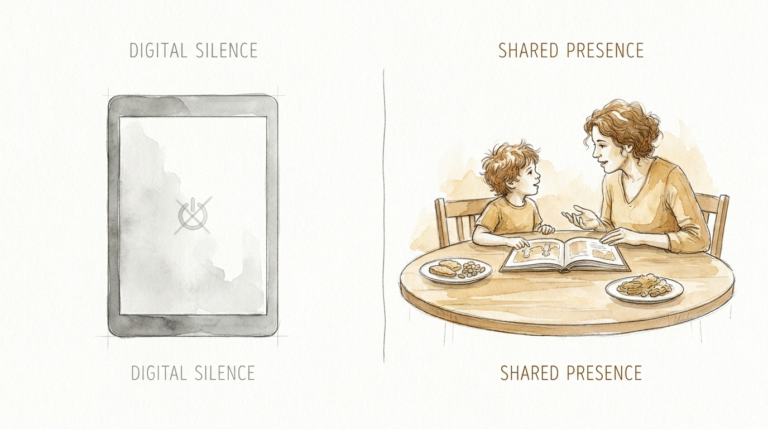
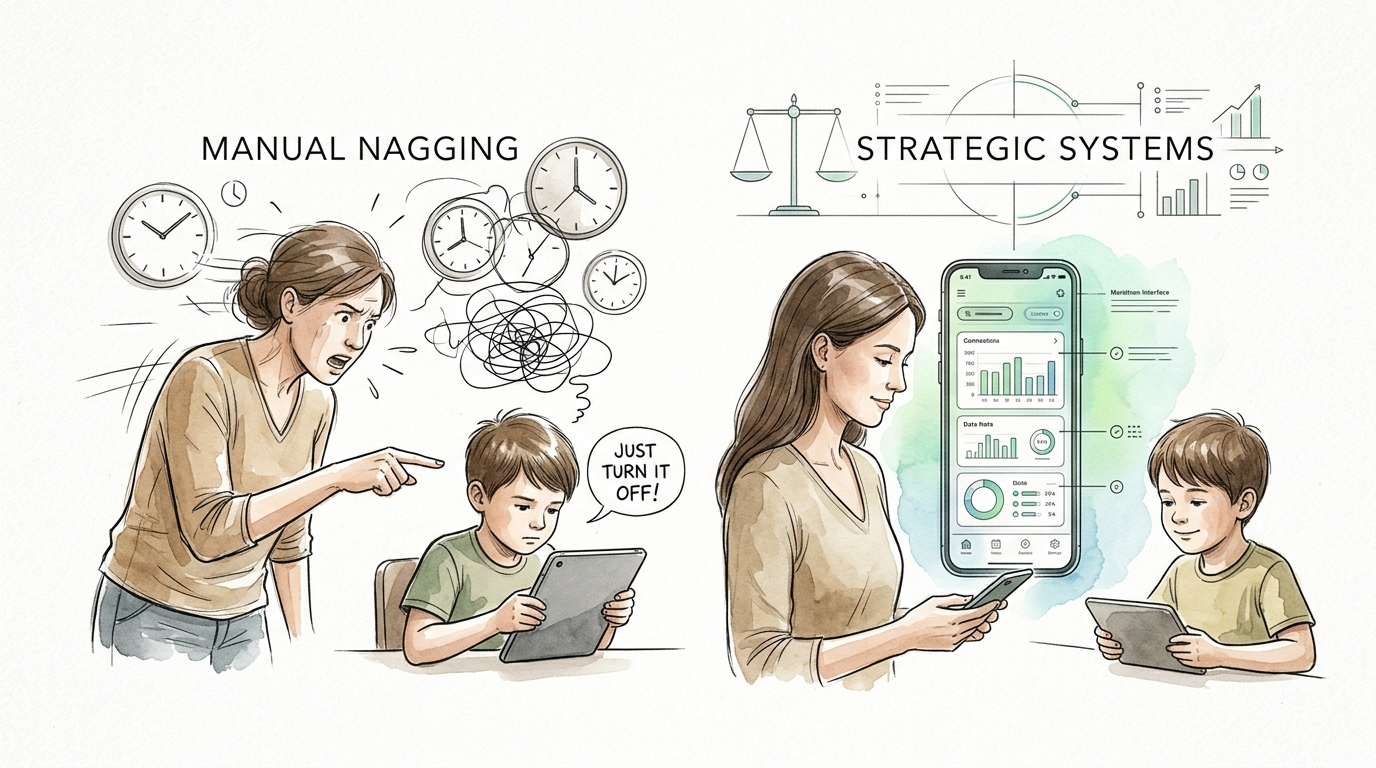
Your voice isn’t the remote control. Use a strategic tracker to let the system do the parenting for you. Manual parenting is exhausting. Strategic systems—like a physical screen time tracker—allow kids to self-govern. When the tracker says time is up, the system wins, not the ‘mean’ parent.
Stop the shouting matches. End the “just five more minutes” loop. You need a way to make time visible, tangible, and non-negotiable. This isn’t about being a strict warden. It is about building a framework where your child learns the value of their most precious resource: attention.
Moving from constant verbal reminders to a physical system changes the family dynamic. You stop being the enforcer. You become the observer of a system that works on its own. It is time to replace your nagging with a structure that actually sticks.
screen time tracker kids
A screen time tracker kids system is a physical tool used to visualize and manage how much time a child spends on digital devices. Unlike digital apps that hide in the background, these trackers are prominent, physical objects in the home. Think of them as a “budgeting tool” for a child’s digital life. They can take many forms, from simple printed charts and magnetic boards to token jars or visual sand timers.
These trackers exist because children, especially those under age 10, often struggle with “executive function” and abstract concepts like time. A digital clock saying “30 minutes” doesn’t mean much to a first-grader. A physical jar with three marbles, where each marble represents 20 minutes, is something they can touch, feel, and understand. This physical representation helps bridge the gap between their desire for the screen and their ability to regulate their behavior.
In real-world situations, families use these trackers to create a “currency” for entertainment. A child might earn “screen tickets” by completing homework or chores. They then “spend” those tickets to get access to the tablet or console. This turns screen time into a reward for positive behavior rather than an entitled right. It moves the conversation from “Can I play now?” to “I have two tickets left; I think I’ll use one after dinner.”
How to Build Your Strategic Screen Time System
Creating a system that works requires more than just a piece of paper on the fridge. You need a process that involves the child and sets clear, unbreakable boundaries. Follow these steps to build a high-energy, high-compliance system.
1. Choose Your Physical Medium
Select a tracker that fits your child’s age and developmental stage. For toddlers and preschoolers, visual timers with a disappearing red disk are excellent because they show time “vanishing” in real-time. For elementary-aged kids, a token jar or ticket system works best. They can physically hold the time they have earned. For older kids, a checklist-style chart allows them to track multiple responsibilities before “unlocking” their tech.
2. Define the Currency
Decide how time is earned or allocated. Some parents prefer a “daily allowance” model. In this setup, every morning the child gets three 30-minute tokens. Once they are gone, the screen stays off. Other parents prefer a “work-for-hire” model. In this version, screen time is a bonus earned for completing specific tasks like reading for 20 minutes, practicing an instrument, or cleaning their room.
3. Set the “House Rules”
Establish the non-negotiables before you start. Common rules include “no screens at the dinner table,” “no screens 60 minutes before bed,” and “the system is the boss.” Make sure everyone knows what happens if someone tries to bypass the tracker. Usually, a simple “lose tomorrow’s tokens” rule is enough to keep things on track.
4. The Hand-Off
This is the most important step. Give the child the tracker. Let them be the one to drop the token in the jar or flip the timer. When they take the action, they take ownership of the decision. You aren’t “turning off” the TV; they are “finishing their token.” This subtle shift in psychology reduces meltdowns and increases their sense of autonomy.
The Psychological Benefits of Physical Visuals
Why choose a physical board over a sophisticated app? The answer lies in how the human brain develops. Digital parental controls often feel like a “trap” to a child—the screen just goes black without warning. A physical tracker provides a constant, looming reminder of the limit.
Self-regulation is a muscle that needs exercise. When a child sees their token jar getting low, they have to make a choice. “Do I use my last token now, or save it for later when my friend is online?” This is the beginning of time management. Research shows that children who practice these self-regulation skills early on are better able to handle the complex digital landscapes of their teen years.
Physical trackers also reduce parental burnout. You no longer have to remember if they started playing at 4:15 or 4:30. The tracker holds the record. This eliminates the “gaslighting” that often happens when kids claim they just started playing. The tracker doesn’t lie, and it doesn’t get tired of repeating itself.
Common Pitfalls and Why Systems Fail
Most systems fail because parents treat them as a “set it and forget it” tool. A tracker is a living part of your home culture. If you aren’t consistent, your kids won’t be either.
One major mistake is using screens as a “pacifier” during stressful moments. Handing a tablet to a fussy toddler to keep them quiet in a restaurant might work in the short term, but it completely undermines the tracker system. It teaches the child that if they are loud enough, the “system” doesn’t apply.
Another error is over-complicating the tracker. If your child needs a PhD to understand how to earn a 15-minute ticket, they will give up. Keep the “earning” activities simple and the “spending” process fast. The goal is clarity, not complexity.
Finally, watch out for inconsistency across devices. If the tracker applies to the PlayStation but not the iPad, your child will simply migrate to the unregulated device. The system must be a blanket rule for all recreational tech.
When Physical Trackers Reach Their Limits
Physical trackers are powerful, but they aren’t magic. There are specific environments and age groups where they might struggle to keep up.
As kids enter their teen years, their tech use becomes more complex. It isn’t just “playing a game” anymore; it is doing homework, socializing, and pursuing hobbies like coding or digital art. A simple token jar often feels patronizing to a 14-year-old. At this stage, the tracker needs to evolve into a collaborative “Family Media Plan” where the focus shifts from “counting minutes” to “monitoring impact.”
Travel and transitions also pose a challenge. It is hard to bring a magnetic board on an airplane. For these situations, you need a “portable version” of your system—perhaps a digital log or a simplified verbal agreement—to bridge the gap until you get back to your home base.
Strategic Systems vs. Manual Nagging
The difference between a successful home and a high-stress home often comes down to the choice between a system and a person.
| Feature | Manual Nagging | Strategic System |
|---|---|---|
| Primary Enforcer | The Parent (“Mean Mom/Dad”) | The Physical Tracker |
| Consistency | Low (Varies by parent’s mood) | High (The rules don’t change) |
| Child Motivation | Avoidance of conflict | Ownership and reward |
| Stress Level | High (Constant fighting) | Low (Expected routine) |
| Long-Term Goal | Obedience | Self-Governance |
Practical Tips for a Frictionless Launch
Ready to start? Don’t just spring the new tracker on your kids on a random Tuesday. Use these best practices to ensure a smooth transition.
- Hold a Family Meeting: Introduce the tracker as a tool for the whole family, not a punishment for the kids. Explain that it helps *everyone* make sure they have time for fun things like playing outside or reading.
- Make it Interactive: Let the kids decorate the tracker. If it’s a jar, let them pick the marbles or tokens. If it’s a chart, let them choose the stickers. Ownership starts with the physical object.
- Start Small: Don’t try to track every minute of every day at first. Start with a specific block of time, like the “After School Tech Window.” Once that system is stable, expand it.
- Model the Behavior: If you are constantly on your phone while the kids are “off tokens,” the system will breed resentment. Have a “parent basket” where you put your phone during their screen-free time.
- Use “Transition Cues”: Even with a tracker, some kids struggle to stop. Use a 5-minute verbal warning or a physical “transition object” (like a snack or a different toy) to help their brain shift gears.
Advanced Habit Building for Older Kids
As kids get more responsible, the goal of the screen time tracker kids system should shift from “restricting” to “optimizing.” Serious practitioners of this method use it to teach digital literacy.
Consider introducing “Quality Categories.” Not all screen time is equal. You might decide that “Creating” (coding, digital art, video editing) is “free” or costs fewer tokens than “Consuming” (scrolling TikTok or watching mindless YouTube shorts). This teaches kids to value active participation over passive consumption.
You can also integrate “Educational Multipliers.” If a child spends 30 minutes on a language learning app or a math game, they might earn a “bonus token” for a recreational game. This turns the screen into a tool for growth, not just an escape.
Scenario: The Monday-Friday Token Exchange
Let’s look at how this works in a real house. The Robinson family has two kids, ages 7 and 10. They use a “Token Board” in the kitchen.
Every Monday morning, each child is given five 30-minute tokens for the week. These are their “Guaranteed Minutes.” They can use them whenever they want, provided their homework is done.
However, the kids want more time. They can “earn” extra tokens by doing things that aren’t part of their basic chores. For example, reading a book for 20 minutes earns one 15-minute token. Going for a family walk earns a 30-minute token.
Last Wednesday, the 10-year-old wanted to play a new game with friends. He had used all his “Guaranteed Minutes” by Tuesday. Instead of begging his parents, he spent Wednesday afternoon reading and helping in the garden. By 5:00 PM, he had earned 45 minutes of game time. He put his tokens in the “Exchange Jar,” set his own timer, and played without a single argument from his parents. The system worked.
Final Thoughts
The transition from manual nagging to a strategic system is the single best move you can make for your sanity. A physical screen time tracker isn’t about being “anti-tech.” It is about being “pro-balance.” It gives your children a tangible way to understand their digital habits and the power to control them.
When you let the tracker be the enforcer, you preserve your relationship with your child. You are no longer the enemy who takes the fun away; you are the coach helping them manage their day. This shift builds trust, reduces stress, and creates a more peaceful home environment.
Experiment with different types of trackers. See what resonates with your kids. Remember, the best system is the one that actually gets used. Start today, put down the remote control, and let the tracker do the work for you.
Sources
1 teacherspayteachers.com | 2 timetimer.com | 3 nyp.org | 4 aacap.org | 5 aacap.org | 6 mumlyfe.com.au | 7 kidswellhealth.com | 8 medlineplus.gov