gentle screen time limits without fights
Stop fighting the screen and start managing the system. Here is the gentle way to set limits. When screens are a ‘nuisance,’ everyone loses. Turn tech into a managed asset with visual boundaries and clear expectations.
Every household today feels the pull of the digital world. It starts with a simple “five more minutes” and often ends in a full-blown living room showdown. If you find yourself constantly negotiating, pleading, or feeling like the “bad guy” every time a device comes out, you are not alone. Most families are stuck in a reactive loop where technology is treated as a nuisance to be tolerated rather than a tool to be mastered.
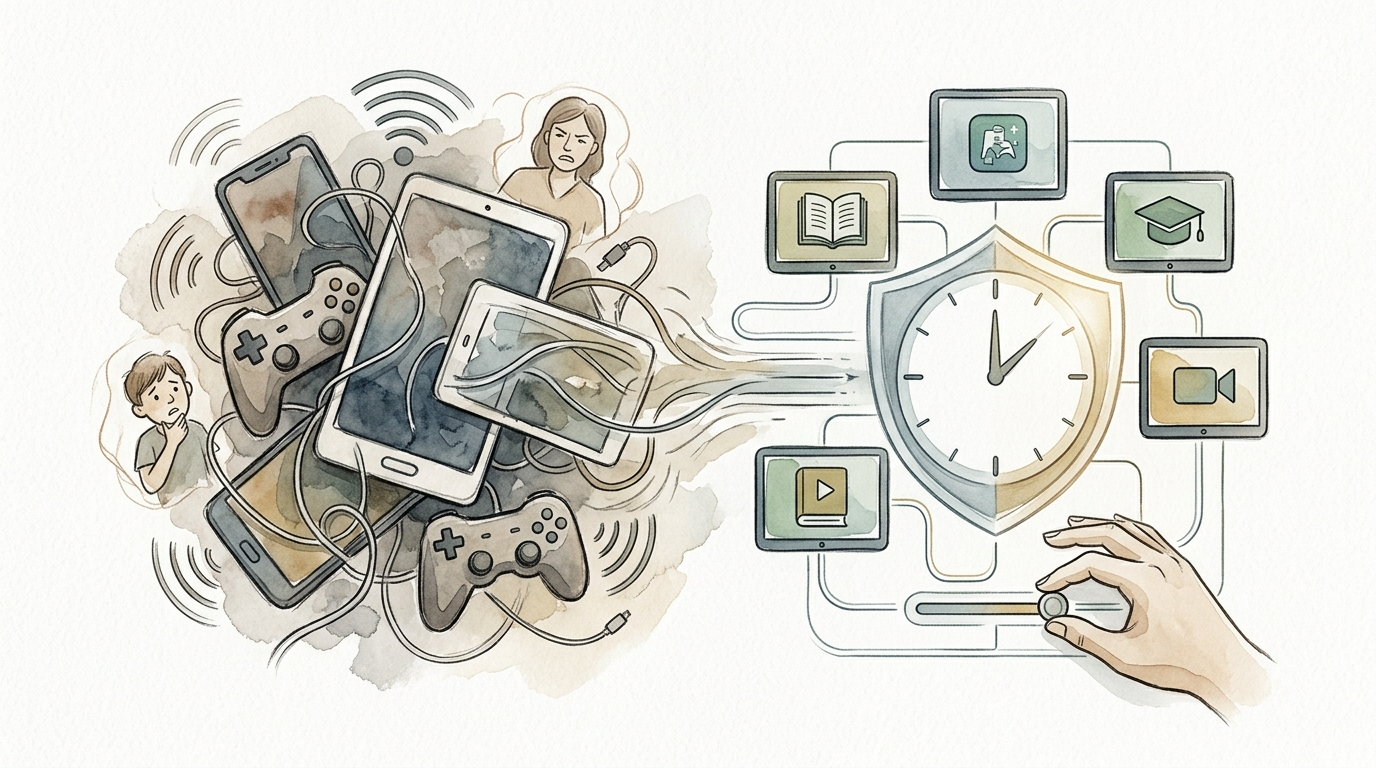
The secret to ending the struggle is not more discipline or stricter punishments. The answer lies in shifting your perspective. Instead of viewing screens as a constant threat to your family’s peace, you can view them as a managed asset. This shift requires a system—a clear, visual, and collaborative framework that removes the emotion from the equation and replaces it with predictable boundaries.
Managing tech as an asset means setting up an environment where the rules are visible and the expectations are known before the first app is opened. It is about moving away from “firefighting” daily crises and moving toward a proactive strategy that respects both your child’s developmental needs and the reality of our digital lives. Here is how to reclaim your home from the screen-time struggle and build a sustainable digital culture.
gentle screen time limits without fights
Gentle screen time limits are a collaborative approach to technology use that prioritizes relationship over rigid control. Unlike traditional “black and white” rules that often lead to power struggles, gentle limits focus on clear communication and the biological reality of how screens affect the brain. It is about creating a “system of yes” within a “framework of no.”
In the real world, this looks like setting expectations before the device is even touched. Research shows that children (and adults) struggle to transition away from screens because of the sudden drop in dopamine—the “feel-good” chemical—when the stimulation stops (1.4.1, 1.4.7). Gentle limits acknowledge this biological hurdle by using bridges and transitions rather than abrupt “yanking” of devices.
This approach exists because modern parenting requires a middle ground. We know that total bans on technology are often impractical and can leave children ill-equipped for a digital future. However, unfettered access is linked to issues with attention, sleep, and emotional regulation (1.1.1, 1.3.5). Gentle limits provide the structure kids need to feel safe and the autonomy they need to develop self-regulation skills.
Think of it like a swimming pool. You wouldn’t throw a child into the deep end without a fence around the perimeter or a lifeguard on duty. Gentle limits are the fence. They don’t stop the fun, but they keep the environment safe so that everyone can enjoy the water without the constant fear of a disaster.
How to Move From Tech Nuisance to Managed Asset
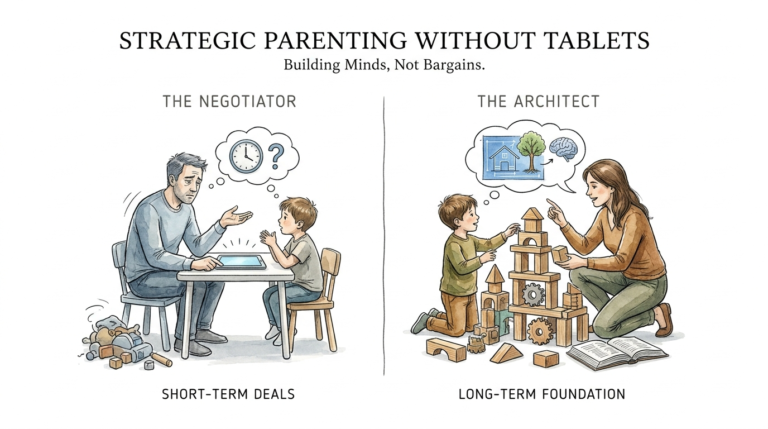
To change the dynamic in your home, you must first stop treating the screen as an intruder. When we view tech as a nuisance, we tend to react to it with frustration. We snap, “Put that thing away!” or “You’ve been on that too long!” This puts the child on the defensive and creates a “me vs. you” scenario. Instead, treat technology like any other valuable home asset, like a car or a kitchen appliance—it has specific uses, maintenance requirements, and safety protocols.
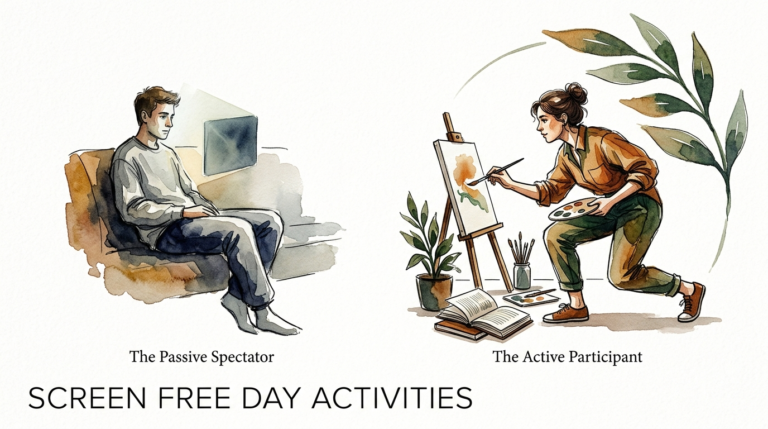
Phase 1: The Audit and The Menu. Start by observing how tech is currently used. Is it mostly passive (watching videos) or active (coding, creating, or social play)? (1.5.3, 1.5.8). Create a “Screen Menu” that categorizes apps and activities. This allows you to say “Yes” more often to “High Value” tech (like learning a language or creative drawing) and “Not right now” to “Low Value” tech (like mindless scrolling).
Phase 2: Establish Visual Boundaries. The brain processes visual information much faster than verbal commands. If the only way your child knows their time is up is when you yell from the kitchen, the system is failing. Use physical timers, visual schedules on the fridge, or color-coded clocks (1.3.2, 1.4.4). When the boundary is visible, the timer—not the parent—becomes the “enforcer.”
Phase 3: The Collaborative Agreement. Sit down with your children and draft a Family Tech Agreement. Ask them questions: “How do you feel when you’ve been on the tablet for three hours?” or “What are three things we should always do before we use screens?” When children have a voice in the creation of the rules, they are statistically more likely to follow them (1.3.2, 1.4.5). This isn’t a lecture; it’s a negotiation.
Phase 4: Low-Dopamine Transitions. Never end screen time during the most exciting part of a game. Teach your child to find a “natural break,” such as the end of a level or a video. Use a 5-minute warning, then a 2-minute warning. When the screen goes off, immediately move to a “sensory bridge”—an activity like jumping on a trampoline, drinking a cold glass of water, or doing twenty jumping jacks to help the brain reset its dopamine levels (1.4.1, 1.4.7).
The Benefits of Proactive Screen Management
Implementing a managed asset system offers more than just a quieter afternoon. The benefits ripple through every part of a child’s development and the family’s health. By shifting from reactive to proactive management, you are essentially building a protective buffer around your child’s mental well-being (1.5.1, 1.5.7).
Emotional Regulation: One of the most immediate benefits is a reduction in “screen-time meltdowns.” When expectations are clear and transitions are managed, the child’s nervous system isn’t shocked by the sudden loss of stimulation. They learn how to down-regulate their own emotions, a skill that translates to school, sports, and social interactions (1.1.1, 1.4.4).
Improved Cognitive Function: Quality of content matters. By managing tech as an asset, you prioritize active screen time over passive consumption. Studies indicate that active digital play—where kids are problem-solving or creating—can actually support critical life skills like resilience and empathy, whereas excessive passive scrolling is linked to decreased attention spans (1.5.3, 1.5.9).
Restored Family Connection: “Technoference”—the interruption of face-to-face time by digital devices—is a major stressor in modern relationships. A proactive system creates “Screen-Free Zones,” such as the dinner table or bedrooms, which forces the family to reconnect. This leads to better communication and a stronger sense of belonging for everyone involved (1.2.3, 1.2.7).
Better Sleep Hygiene: Perhaps the most measurable benefit is sleep quality. By implementing a “Digital Sunset”—shutting down all screens 60 to 90 minutes before bed—you allow the body to naturally produce melatonin. This leads to faster sleep onset and deeper, more restorative rest for both children and parents (1.1.1, 1.1.5).
Common Challenges and Mistakes
Even the best-designed systems face hurdles. Understanding where most parents stumble can help you stay on track when the initial “new system” excitement wears off. Many challenges arise not from the technology itself, but from the way we handle the human element (1.5.1, 1.5.7).
Inconsistency: This is the number one system-killer. If the rule is “no screens before chores” on Monday, but you allow it on Tuesday because you’re tired, the child learns that the boundaries are negotiable. Inconsistency breeds persistence. If there is a chance the “No” might turn into a “Maybe,” a child will fight ten times harder (1.1.5, 1.4.1).
Using Tech as a Bribe or Punishment: While it is tempting to use an iPad as a reward for eating broccoli, it elevates the device to a “super-prize” status. This makes the screen even more addictive and gives it undue emotional weight. Instead, keep screen time as a neutral, scheduled part of the day that is simply one of many available activities (1.1.4).
The “One More Minute” Trap: When a child asks for “one more minute,” they are often testing the system’s integrity. While a gentle approach allows for ending at a natural break, it should not be an open-ended extension. If you find yourself granting “one more minute” five times in a row, the visual boundary has lost its power.
Modeling the Wrong Behavior: Children are mirrors. If you are constantly checking your phone during conversations or scrolling at the dinner table, no amount of rules will stop them from wanting to do the same. Nearly half of teens report that their parents are distracted by phones when they are trying to talk to them (1.1.6). Your own digital habits are the loudest part of the system.
Limitations and When This May Not Be Ideal
While a managed asset system is highly effective for most, it is important to recognize realistic constraints. Technology management is not a one-size-fits-all solution, and there are times when even the best system needs to be adapted or temporarily set aside.
Neurodivergent Considerations: For children with ADHD, Autism, or sensory processing disorders, screen transitions are significantly harder. Their brains may hyper-focus on digital stimuli, making a “gentle warning” feel like a physical jolt to their system. In these cases, you may need more intensive “sensory bridges” or much longer transition periods than neurotypical children (1.1.4, 1.4.4).
High-Stress Periods: During family crises, illnesses, or major life transitions, sticking to a rigid system may cause more stress than it relieves. It is okay to have “Emergency Screen Time” rules, provided you communicate to the children that this is a temporary exception and not the new permanent standard.
Age-Appropriate Autonomy: As children move into their teen years, the level of parental “management” must shift. A system that is too restrictive for a 16-year-old can lead to secrecy and a lack of digital literacy. The goal of the system is to eventually work yourself out of a job, transitioning from a “Manager” to a “Consultant” (1.2.6, 1.3.8).
Environmental Constraints: If you live in a small space with multiple people, “Screen-Free Zones” might be harder to enforce. You may have to rely more on “Screen-Free Times” or use headphones to manage the sensory load of multiple devices running at once.
Nuisance vs. Asset: How the Approach Changes Everything
To truly understand why this system works, compare the two different ways of managing technology in the home. One leads to constant friction; the other leads to growth and clarity.
| Feature | Tech as a Nuisance (Reactive) | Tech as a Managed Asset (Proactive) |
|---|---|---|
| Core Mindset | Screens are a distraction or a bribe. | Screens are a tool and a skill-builder. |
| Boundary Setting | Random, based on parent’s mood or “vibe.” | Visual, predictable, and pre-agreed. |
| Transitions | Abrupt shutdowns or “Yanking” the device. | Planned bridges and dopamine resets. |
| Child’s Reaction | Defensive, argumentative, and anxious. | Cooperative (mostly) and aware of limits. |
| Parent’s Role | Police officer / Enforcer. | Coach / System Administrator. |
| Long-Term Goal | Survival and immediate silence. | Digital literacy and self-regulation. |
Practical Tips for Immediate Implementation
Ready to start? You don’t need to overhaul your entire life tonight. Pick two or three of these “Quick Wins” to begin shifting your home’s digital culture today.
- The “First/Then” Rule: Use a simple sequence. “First 30 minutes of outside play, then 30 minutes of Minecraft.” This teaches delayed gratification and ensures that physical needs are met before digital ones (1.3.2).
- The Physical Timer: Buy a “Time Timer” or a kitchen egg timer. Set it and place it in the child’s line of sight. When the red disappears or the bell dings, the “time is up” message comes from the clock, not from you.
- The “Tech Basket”: Create a designated parking spot for all devices. When they aren’t being used, they are in the basket—out of sight, out of mind. This prevents “reflexive reaching” where kids (and adults) pick up a phone just because it’s nearby (1.4.2).
- Pre-Agreed Endings: Instead of “30 minutes,” try “one episode” or “one round.” Digital content is rarely 30 minutes long. Agreeing on a “Natural Stopping Point” reduces the frustration of having to stop in the middle of a story or game (1.4.5, 1.4.7).
- The Activity Menu: On a piece of paper, list 10 things your child loves to do that don’t involve screens. When they say, “I’m bored” after the tablet is off, point to the menu. Don’t solve the boredom for them; provide the options (1.3.2, 1.3.9).
Advanced Considerations for Serious Practitioners
For those who have the basics down, you can take your “Managed Asset” system to the next level. This involves teaching your children not just when to use tech, but how the tech is trying to use them.
Algorithm Literacy: Talk to your kids about why YouTube or TikTok keeps showing them “one more video.” Explain the business model of attention. When kids understand that a platform is designed to make it hard to stop, they gain a sense of “us vs. the machine” rather than “me vs. my parents” (1.2.8).
The 5 C’s Framework: As kids get older, move from strict time limits to the 5 C’s: Child (Who is using it?), Content (What are they watching?), Context (Where and when?), Connection (Does it help or hurt relationships?), and Community (Is it social or isolated?) (1.1.9, 1.4.6). This develops their internal compass for healthy use.
Co-Viewing and Co-Playing: Research shows that “active mediation”—sitting with your child and discussing what is on the screen—dramatically increases the educational value of tech and reduces its negative behavioral impacts. Use this time to build shared vocabulary and experiences (1.1.3, 1.5.8).
Digital Wellness Challenges: Occasionally do a “Digital Detox” as a family for a weekend. This isn’t a punishment; it’s a recalibration. Use the time to notice how your moods, sleep, and interactions change when the “noise” of the system is turned down.
Real-World Scenario: The YouTube Transition
Imagine a typical Saturday. 7-year-old Leo has been watching YouTube for 45 minutes. Usually, when his mom says, “Time’s up,” Leo screams and refuses to move. Here is how it looks using the Managed Asset System.
Step 1: Prep. Before Leo starts, they agree: “Two videos, then we go to the park.” Mom puts a physical timer on the table. Leo helps press the ‘start’ button (1.3.2, 1.4.4).
Step 2: The Warning. When the second video starts, Mom says, “Last video, Leo. Remember, when this is done, the screen goes in the basket.” She doesn’t wait for him to acknowledge; she just makes the statement and walks away (1.4.7).
Step 3: The Bridge. The video ends. Leo looks sad and starts to whine. Mom says, “I see that ‘dopamine drop’ hitting! Quick, let’s do ten big jumps to wake up your brain!” She starts jumping with him. The physical movement breaks the “trance” (1.4.1).
Step 4: The Pivot. After jumping, Mom hands him his shoes. “Park time. Do you want to take the blue ball or the red one?” By offering a choice for the next activity, she engages his “thinking brain” and moves him away from the “reactive brain” (1.4.7).
In this scenario, Leo might still be a little grumpy, but the “battle” never happens because the system handled the heavy lifting.
Final Thoughts
Managing technology as an asset is a marathon, not a sprint. It is about building a sustainable environment where screens have a designated place, but they don’t occupy the center of the home. By moving away from reactive “nuisance” management and toward a proactive, visual system, you are giving your children the greatest gift of the digital age: the ability to self-regulate.
Start by identifying one area where you are currently “fighting the screen” and apply a visual boundary. Whether it is a kitchen timer, a written agreement, or a “Screen-Free” dinner table, every small step reinforces the system. You are not just setting limits; you are teaching your children how to live a balanced, intentional life in a world that will always be vying for their attention.
Experiment with these tools and be patient with yourself. Systems take time to calibrate. As you stop fighting the screen and start managing the system, you’ll find that the tension in your home begins to lift, replaced by a new sense of clarity and connection. The technology hasn’t changed—but your family’s relationship with it has.
Sources
1 daar.com.au | 2 thevoiceofearlychildhood.com | 3 thenoteninjas.com | 4 brightpinepsychology.com | 5 aspergerparaasperger.org | 6 digitalwellnessresources.com | 7 high5inc.org | 8 childandfamilydevelopment.com | 9 ifstudies.org | 10 avidopenaccess.org | 11 dextronet.com | 12 freedom.to | 13 fosi.org | 14 trustcarehealth.com | 15 facilethings.com | 16 osu.edu | 17 childmind.org | 18 nulab.com | 19 howstuffworks.com