family screen time rules
Don’t fight the behavior; change the environment that allows it. Stop the constant ‘No!’ by designing your home to make screens less convenient. A few simple environmental shifts can replace a dozen rules you’re tired of repeating.

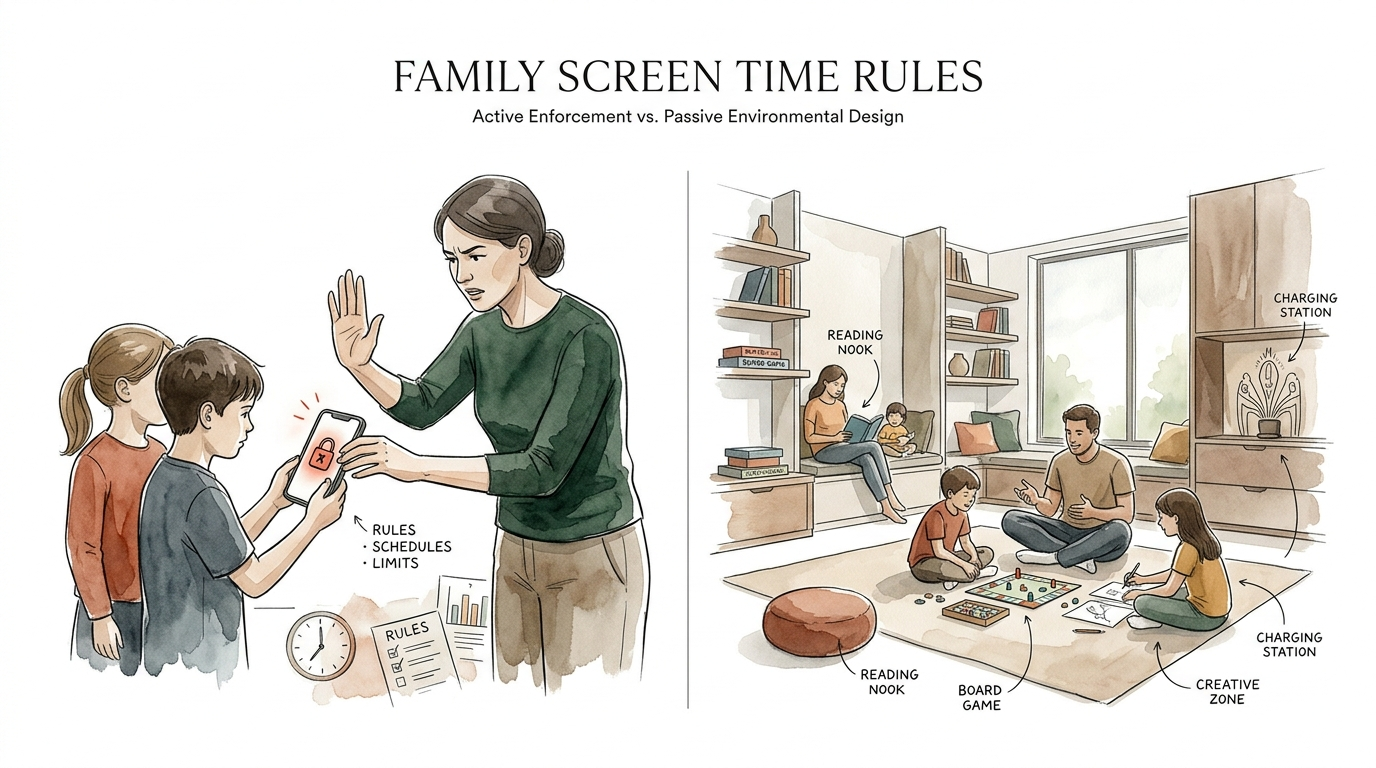
Traditional parenting often feels like a constant battle of wills. You set a timer, the timer goes off, and the negotiation begins. This cycle drains your energy and creates a home atmosphere defined by restriction rather than connection. Shifting your focus from active enforcement to passive environmental design changes the game entirely. Instead of using your willpower to police every minute of digital usage, you can structure your physical space to naturally encourage the behaviors you want to see.

This approach relies on the psychology of friction. When an activity is easy and right in front of us, we do it. When we add small obstacles—friction—to that same activity, our brain often decides it isn’t worth the effort. Designing a home that prioritizes human connection over digital consumption is not about being “anti-tech.” It is about being “pro-human.”
family screen time rules
Family screen time rules are the formal or informal guidelines parents establish to govern how, when, and for how long children use digital devices. These rules act as a framework for digital citizenship. In the past, these guidelines were often rigid and focused solely on minute-counting. Modern recommendations have shifted toward a more nuanced approach that prioritizes quality, context, and conversation over strict time limits.
Today, experts suggest that the “what” and “how” of screen use matter more than the “how long.” For example, a child using a tablet to video chat with a grandparent is engaging in a fundamentally different cognitive task than a child mindlessly scrolling through autoplaying short-form videos. Current pediatric guidance generally suggests avoiding screens entirely for children under 18 to 24 months, with the exception of video calls. For children aged two to five, the recommendation is often around one hour of high-quality, educational programming viewed alongside a caregiver. For older children, the goal is balance, ensuring that digital life does not crowd out sleep, physical activity, or face-to-face social interaction.
These rules exist because the developing brain is highly plastic. Excessive exposure to high-stimulation digital environments during sensitive periods can impact attention spans and impulse control. Recent longitudinal studies from 2025 and 2026 indicate that high screen exposure in infancy is linked to accelerated maturation of certain brain networks, which can lead to slower decision-making and increased anxiety by adolescence. Rules provide the guardrails necessary to protect this development while allowing children to gain the digital literacy they will need as adults.
In a real-world setting, these rules often take the form of a “Family Media Plan.” This is a written agreement that outlines clear expectations, such as “no phones at the dinner table” or “all devices must be in the charging station by 8:00 PM.” Having these rules in writing reduces ambiguity and helps move the conversation away from emotional outbursts toward objective standards.
How Passive Environmental Design Works
Passive environmental design focuses on the physical layout and systems of your home to nudge behavior in a specific direction. It operates on the principle that humans are prone to following the path of least resistance. If the television is the focal point of the living room, people will naturally sit down and turn it on. If the first thing a child sees in the morning is a tablet on the kitchen counter, they will ask for it.
Friction is the primary tool in this system. Adding a ten-second delay to an action can reduce the frequency of that action by over 20%. You can apply this by moving chargers to an out-of-the-way closet or placing a decorative cover over a wall-mounted TV. These small physical barriers force a conscious decision. Instead of acting on an impulse, the child (or adult) must stop, move to a different location, or perform a task to access the screen. This brief pause is often enough to break the habit loop.
Another key principle is the “out of sight, out of mind” rule. Visual cues are powerful triggers for habits. Removing the visual cue of a device removes the immediate urge to use it. This might mean keeping gaming consoles inside a closed cabinet or storing tablets in a dedicated “parking spot” that is not in a high-traffic area.
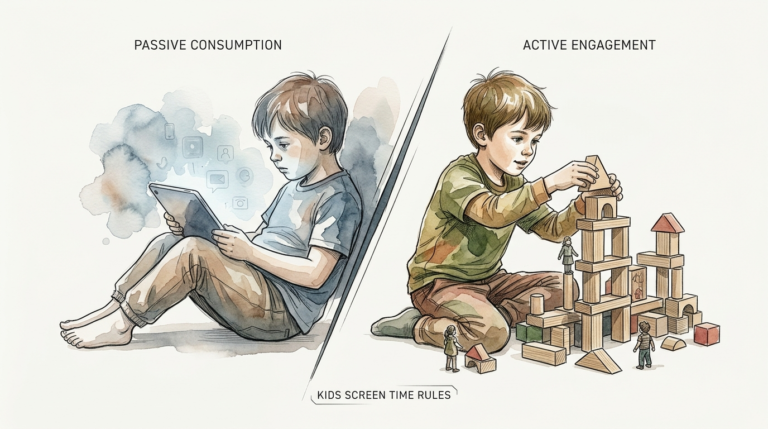
Designing for movement is the final pillar of this approach. When the environment offers compelling analog alternatives, the allure of the screen fades. A well-stocked craft table, a basketball hoop in the driveway, or a cozy reading nook with enticing books provide immediate, low-friction alternatives to digital entertainment. The goal is to make the desired behavior—like reading or playing—easier to start than the undesired behavior.
Benefits of an Environment-First Approach
Shifting to environmental design offers measurable benefits for family harmony and child development. One of the most immediate advantages is the reduction of “parental burnout.” When the house is designed to limit screen access naturally, you stop being the “bad guy” who is always saying “no.” The environment does the heavy lifting for you.
Conflict reduction is a significant secondary benefit. Power struggles over devices often stem from the sudden transition from a high-dopamine activity to a low-dopamine one. By using environmental cues, such as lighting that dims as bedtime approaches or a physical “transition station” where devices are dropped off, these shifts feel less like a personal attack from a parent and more like a natural part of the day’s rhythm.
Cognitive development also sees a boost. Children who spend less time in passive, high-stimulation digital environments have more opportunities for “deep work” and creative play. Boredom is often the precursor to imagination. When a child cannot easily reach for a tablet, they are forced to engage with their surroundings, solve problems, and invent games. This builds executive function and resilience.
Finally, this approach improves sleep quality. Most screens emit blue light that suppresses melatonin production. Research consistently shows that removing screens from bedrooms 30 to 60 minutes before sleep leads to faster sleep onset and deeper REM cycles. By making bedrooms a “screen-free sanctuary,” you ensure that the primary environment for rest is not compromised by digital distraction.
Challenges and Common Pitfalls
Implementing an environment-first strategy is not without its hurdles. The most common challenge is the initial “extinction burst.” When you first introduce friction or remove devices from sight, children (and sometimes adults) may react with increased frustration or even tantrums. This is a natural response to the removal of a high-reward stimulus. Consistency during this phase is vital for long-term success.
Another pitfall is the “hidden screen” problem. In a modern home, screens are ubiquitous. Even if you hide the tablets, a child might find the smart fridge or an old smartphone in a drawer. Comprehensive environmental design requires a thorough audit of every potential portal to the internet. Missing even one “easy” access point can undermine the entire system.
Convenience often wars with design. For example, keeping all chargers in one central closet might feel inconvenient for the adults in the house. There is a temptation to make exceptions “just for today.” However, inconsistent environments are confusing. If the environment changes day to day, the habit never becomes automated, and you return to the world of active enforcement.
Over-complication is a final mistake. You do not need to renovate your home or buy expensive furniture to make this work. Sometimes, the most effective environmental shift is as simple as putting a piece of fabric over the TV or moving a chair to face a window instead of the screen. Focus on the high-impact changes first rather than trying to create a perfect “analog museum.”
Limitations: When the Environment Isn’t Enough
Environmental design is a powerful tool, but it has practical boundaries. It cannot replace the need for open communication and digital literacy. As children grow into their teenage years, they will inevitably spend more time in environments you do not control, such as school or friends’ houses. A child who has only ever been limited by physical barriers, without understanding the “why” behind those limits, may struggle to self-regulate when the barriers are gone.
Age plays a major role in these limitations. For toddlers, the environment is everything. For teenagers, the digital world is a central part of their social identity. Designing a home that completely hides screens from a 16-year-old is often unrealistic and can even be counterproductive, leading to secrecy. At older ages, the environment should facilitate “intentional use” rather than “total restriction.”
School-required technology is another hurdle. Many students are now issued laptops or tablets for homework. These devices are necessary, but they often come with all the distractions of a personal device. It is difficult to use environmental design to separate “homework screen time” from “entertainment screen time” when they happen on the same piece of glass. In these cases, you must supplement physical design with software-based tools or dedicated “work-only” zones.
External influences, such as peer pressure and social trends, also limit the effectiveness of home-based design. Even the most perfectly designed analog home cannot stop the cultural pull of a new viral game or social media platform. The home environment can provide a much-needed reset, but it exists within a larger digital ecosystem that is constantly evolving.
Comparison: Active Enforcement vs. Passive Environmental Design
| Feature | Active Enforcement (Rules) | Passive Environmental Design |
|---|---|---|
| Primary Driver | Parental Willpower | Physical Friction |
| Mental Energy Cost | High (Constant monitoring) | Low (Set it and forget it) |
| Family Atmosphere | Potential for high conflict | Nudge-based, lower friction |
| Consistency | Variable (Depends on mood) | High (Structure doesn’t change) |
| Long-term Skill | Obedience | Habitual Self-Regulation |
Practical Tips for a Screen-Reduced Home
Implementing these changes starts with a room-by-room assessment. Look for the “default” behavior in each space. If you walk into your living room and the first thing you see is the TV, you are being nudged to watch it.
- Reorient your furniture. Arrange seating to face a fireplace, a bookshelf, or each other rather than the television. This encourages conversation as the default social activity.
- Create a “Device Parking Lot.” Place a basket or charging station near the front door or in a common area. Make it a rule that phones “sleep” there during family meals or after a certain hour.
- Use “TV Jackets.” Cover wall-mounted screens with a decorative cloth or a sliding art panel when they are not in use. This removes the “black hole” effect that draws people toward the screen.
- Set up “Analog Activity Trays.” Keep rotating trays of LEGOs, puzzles, or art supplies in easy-to-reach places. If these items are visible and the tablet is hidden, the child is more likely to choose the physical activity.
- Designate “No-Tech Zones.” Bedrooms and dining rooms should be strictly screen-free. This creates a psychological boundary that helps the brain switch from “active/digital” mode to “rest/social” mode.
- Introduce “Micro-Hobbies.” Set up a dedicated space for activities like model building or crocheting. Keeping a long-term project visible provides a reason to engage physically rather than scrolling mindlessly.
Small changes to your lighting can also serve as an environmental nudge. Using warm, dimmable lights in the evening signals to the body that it is time to wind down. This makes the high-brightness, fast-paced world of a screen feel jarring and out of place, naturally encouraging people to put devices away.
Advanced Considerations: Network-Level Controls
For those who want to go beyond physical layout, the “digital environment” can also be redesigned. Network-level controls provide a layer of friction that individual device settings often lack. By managing the internet at the router level, you can create a home environment where certain types of content or specific apps simply do not work during designated times.
Using a DNS filtering service or a dedicated device like a Pi-hole allows you to block advertisements and tracking across every device in the house. This reduces the “stickiness” of many websites and apps. When the constant barrage of targeted ads and notifications is removed, the digital environment becomes less addictive.
Automated scheduling is another advanced technique. Many modern routers allow you to set “internet bedtimes.” When the Wi-Fi shuts off automatically at 9:00 PM, the environment has made the decision for you. This removes the need for a parental reminder (and the subsequent argument) because the technology itself has transitioned to an “off” state.
Performance optimization is also a factor. Setting up your home network to prioritize high-value activities—like video calls or educational resources—while throttling the speed of low-value activities like high-definition video streaming can create a subtle form of friction. If a game takes too long to load or a video keeps buffering, the user is more likely to give up and do something else.
Example Scenario: A Saturday Without the Fight
Consider the difference in a home designed with these principles on a typical Saturday morning. In a standard environment, a child wakes up, sees a tablet on the nightstand, and begins playing immediately. The parent eventually comes in, tells them to stop, and a “screen-time struggle” ensues before breakfast even starts.
In a designed environment, the bedroom is a “screen-free sanctuary.” The tablets were placed in a “parking lot” in the kitchen closet the night before. When the child wakes up, the first things they see are their books and a small box of building blocks. They spend 30 minutes playing quietly in their room.
When they come to the kitchen, the dining table is set with the morning’s breakfast and a new, half-finished puzzle. The TV in the living room is covered with a colorful textile, making it invisible. Because the “visual cue” for the tablet is missing and a high-interest analog activity (the puzzle) is right in front of them, the child joins the parent in working on the puzzle. The typical morning “No!” has been replaced by a natural, quiet transition into the day.
Final Thoughts
Don’t fight the behavior; change the environment that allows it. This philosophy is the key to moving from a state of constant digital policing to a state of intentional family living. By understanding the psychology of friction and the power of visual cues, you can create a home that supports the development of healthy digital habits without the need for constant conflict.
Passive environmental design is not a one-time project but an ongoing practice of observation and adjustment. As your family’s needs change, your space should evolve to meet them. The goal is not to live in a world without screens, but to ensure that screens occupy their proper place—as useful tools rather than the center of your domestic life.
Focus on making your desired behaviors the path of least resistance. Start with one small shift today, whether it is moving a charger or reorienting a chair. These small changes, compounded over time, will reshape your family’s digital landscape and create the space needed for real connection to flourish. Give yourself permission to stop the constant “No!” and start designing a “Yes” into the very walls of your home.
Sources
1 avarchitectsbuild.com | 2 maccelerator.la | 3 jelson.co.uk | 4 navilize.com | 5 nowlocked.com | 6 houzz.com.au | 7 childhealthassociatespc.com | 8 choc.org | 9 jfcs.org | 10 aacap.org | 11 allkidzurgentcare.com | 12 greendesignconsulting.com | 13 ocpsychologycenter.com | 14 tiddzy.com | 15 harvard.edu | 16 epccinc.org | 17 nashvilleparent.com