screen time schedule
A schedule shouldn’t just take things away; it should add value. If your schedule only tells kids when they *can’t* use tech, you’re inviting a fight. A multi-use schedule focuses on the richness of the whole day, making the tech window just one small piece of the puzzle.
Think of your child’s day as a plate. If the plate is empty, they’ll fill it with the easiest, most high-dopamine “junk food” available—usually a tablet or a console. A well-designed routine acts as a healthy buffet. It ensures they get their “protein” from movement and learning, their “fiber” from chores and responsibilities, and saves the “dessert” of screen time for the right moment.
This isn’t about being the “tech police.” It’s about building a framework where your child learns to manage their own digital life. Most parents fall into the trap of reacting to screen time rather than planning for it. This article will show you how to move from constant negotiation to a system that runs on autopilot.
screen time schedule
A screen time schedule is a structured framework that defines when, how, and why a child interacts with digital devices. It is not just a timer that cuts off the Wi-Fi at 7:00 PM. Instead, it is a component of a larger “digital ecosystem” that balances technology with other developmental needs.
Recent guidance from the American Academy of Pediatrics (AAP) has shifted away from strict hourly limits for older children. They now emphasize “balanced screen use” that prioritizes quality, context, and conversation over a simple stopwatch approach. A modern schedule treats screen time like a budget. It accounts for schoolwork, social connection, and pure entertainment, ensuring that none of these activities displace essential needs like sleep or physical play.
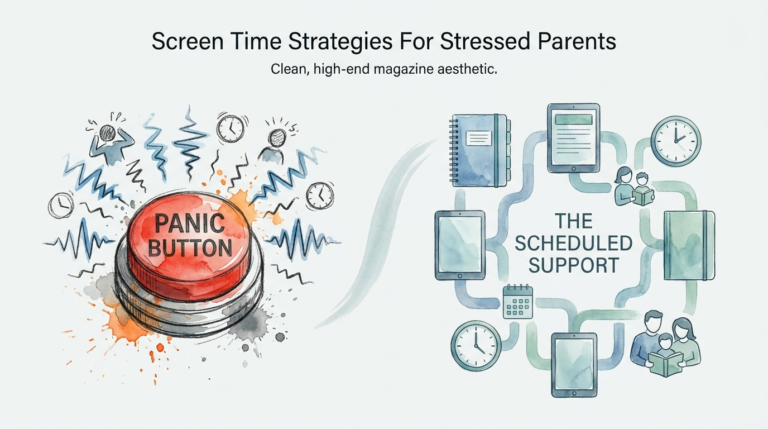
In the real world, a schedule helps families avoid the “digital cliff.” This is the moment a child is forced to stop a high-arousal activity—like a fast-paced video game—without a transition. Without a schedule, these transitions often lead to meltdowns. With a schedule, the child knows exactly when the “tech window” opens and closes, reducing the cognitive load of constant uncertainty.
How the Multi-Use Development Routine Works
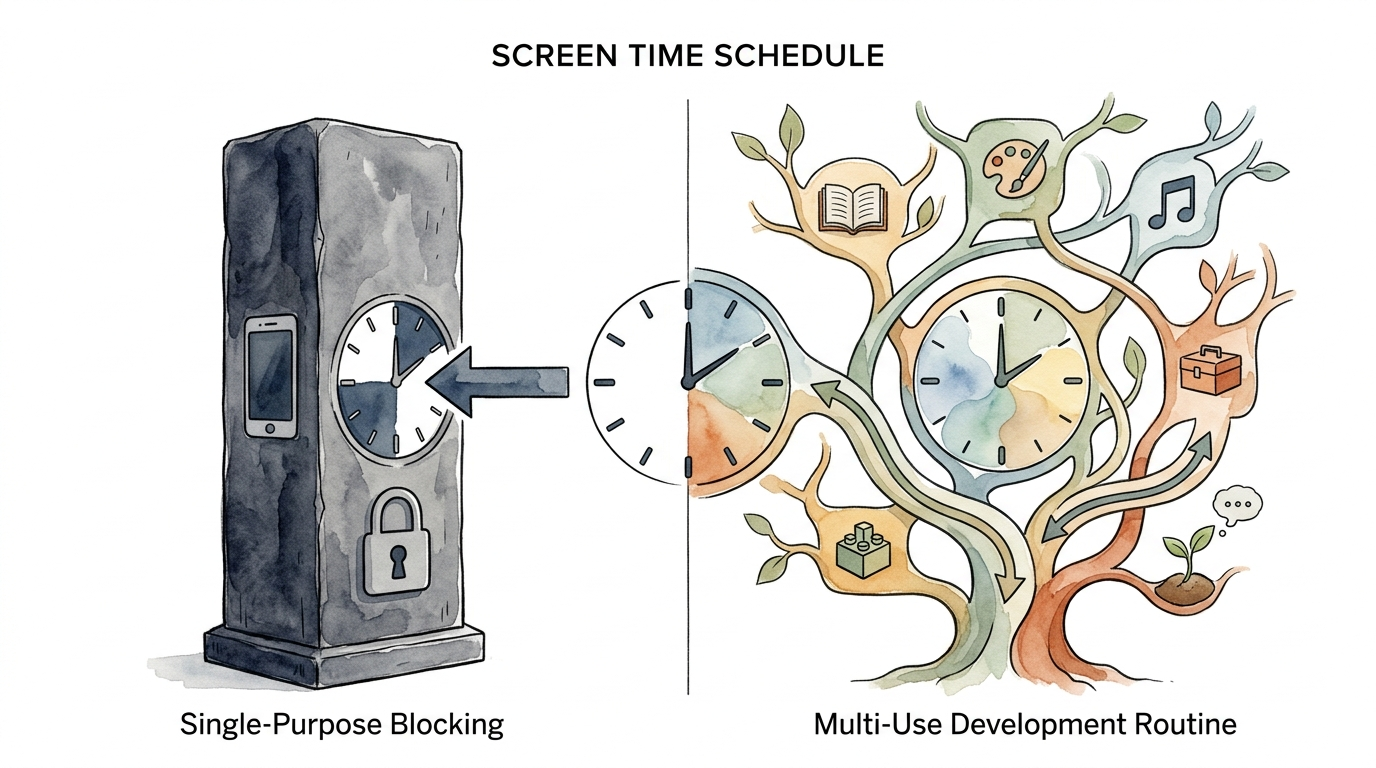
Building a routine that actually sticks requires moving away from “Single-Purpose Blocking.” While app blockers are helpful for safety, they don’t teach a child how to live with technology. A “Multi-Use Development Routine” focuses on what a child *should* be doing throughout the day.
Start by identifying the “non-negotiables.” These are the activities that must happen for a child to thrive. Experts suggest these pillars should include at least 8-12 hours of sleep (depending on age), one hour of physical activity, and dedicated time for face-to-face family interaction.
Once the non-negotiables are set, you can find the natural “tech windows.” These are times when screen use doesn’t interfere with brain development or family harmony. For many, this is after chores and homework are finished, but before the “digital sunset”—the hour before bed when all blue-light-emitting devices should be put away.
Create a “Screen Time Earned” system if your child struggles with motivation. Instead of giving screen time as a default, make it a reward for completing developmental tasks. This teaches the relationship between effort and reward. It also helps them view technology as a tool or a treat rather than a basic right.
Benefits of a Structured Digital Framework
A structured schedule does more than just stop arguments. It actually protects the architecture of the developing brain. Research shows that excessive, unstructured screen time can lead to “brain rot”—a cultural term for the cognitive fatigue and attention fragmentation that occurs after hours of endless scrolling.
One major benefit is dopamine regulation. High-arousal apps and games are designed with “engagement-based designs”—features like autoplay and infinite scrolling that keep the brain in a constant state of reward-seeking. A schedule breaks this loop. It forces the brain to practice “low-dopamine” activities like reading or drawing, which builds patience and executive function.
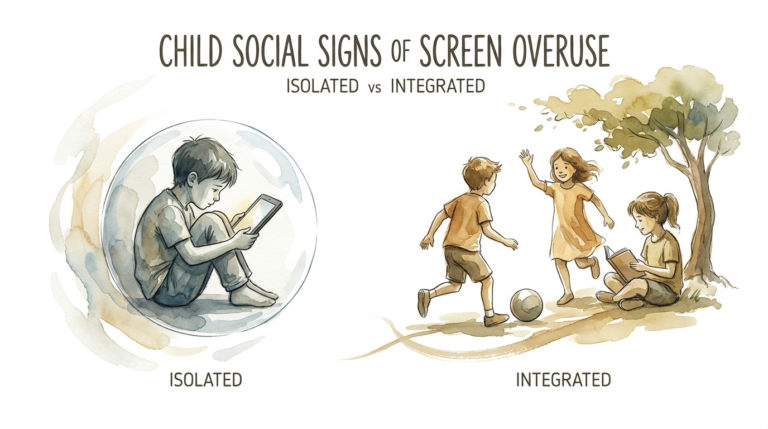
Family harmony is another measurable advantage. When rules are predictable, the “power struggle” disappears. The schedule becomes the “bad guy,” not the parent. Children who grow up with these routines often develop better social skills because they aren’t constantly distracted by notifications during dinner or family outings.
Challenges and Common Mistakes
The biggest mistake parents make is being inconsistent. If the rule is “no screens at dinner” on Tuesday, but you’re scrolling through emails at the table on Wednesday, the system collapses. Children are expert observers of hypocrisy. You must model the digital habits you want to see.
Another pitfall is using screens as a “pacifier” or “babysitter.” While it’s tempting to hand over a phone to stop a tantrum, this teaches the child that big emotions are solved by digital distraction. This can delay the development of emotional regulation skills.
Finally, avoid the “hard cutoff” without a warning. Imagine being pulled out of a deep work session or a movie right at the climax. That’s how a child feels when you suddenly take the iPad. Always provide a “5-minute warning” or use a visual timer to help them prepare for the transition.
Limitations of Rigid Scheduling
A schedule is a tool, not a cage. There are situations where a rigid plan may not work well. For example, neurodivergent children—those with ADHD or on the autism spectrum—may use technology as a vital tool for executive function or social connection. In these cases, a strict time limit might actually be counterproductive.
Environmental factors also play a role. During a week of heavy rain or a period of illness, physical play might be limited. A flexible schedule allows for “bonus” tech time for educational documentaries or creative digital art, preventing the family from feeling trapped by their own rules.
Age is the most significant constraint. A plan for a 4-year-old involves high-quality, co-viewed content for about an hour. A plan for a 16-year-old is much more about digital literacy and helping them manage their own social media use. You cannot use a “one-size-fits-all” approach as your children grow.
Comparison: Blocking vs. Routine Development
Many parents wonder if they should just use a “Single-Purpose Blocker” app or invest the time in a “Multi-Use Development Routine.” Both have their place, but they serve very different goals.
| Feature | Single-Purpose Blocking | Multi-Use Development Routine |
|---|---|---|
| Primary Goal | Restriction and Safety | Habit Formation and Balance |
| Parental Role | Enforcer / Tech Police | Coach / Mentor |
| Long-term Effect | Compliance (Ends when block ends) | Internalized Self-Regulation |
| Complexity | Low (Set it and forget it) | Moderate (Requires active coaching) |
Practical Tips and Best Practices
Implementing a schedule is easier when you use the right tactics. Start by creating “Tech-Free Zones.” The bedroom and the dining table should be the first places you protect. Keeping devices out of the bedroom is the single most effective way to improve a child’s sleep quality and mental health.
Use a “Digital Sunset” ritual. At least 60 minutes before bed, all screens go to a central charging station in a common area. This allows the brain to begin producing melatonin without the interference of blue light. Replace the screen with a book, a puzzle, or a family board game.
Focus on “Active” vs. “Passive” screen time. Passive use is mindlessly watching YouTube Shorts. Active use is learning to code, editing a video, or video chatting with a grandparent. Encourage your child to spend at least half of their “tech budget” on creative or connective activities.
Advanced Considerations: The Engagement Trap
As your child gets older, they need to understand how the apps they use are built. Most platforms use “Engagement-Based Designs.” These are algorithms specifically tuned to keep users on the app for as long as possible. Features like “streaks,” “likes,” and “infinite scrolling” are not accidental; they are designed to hijack the brain’s reward system.
Teaching your child about these “dark patterns” turns them from a consumer into a savvy user. When they realize that a “streak” on Snapchat is a psychological trick to keep them opening the app, they gain the power to resist it. This is a critical part of digital literacy that goes far beyond a simple timer.
Consider “Co-viewing” and “Co-playing.” Instead of letting screens be a solo activity, join them. Play the game they love. Watch the show they are obsessed with. This allows you to “serve and return”—talking about the content, asking questions, and connecting through their digital world rather than being a distant critic of it.
Examples and Scenarios
How does this look in daily life? Let’s look at two different age-based scenarios.
Scenario A: The Elementary Schooler (Ages 6-10)
The child wakes up and has a “Low-Dopamine Morning”—no screens before school. After school, they have a snack and 30 minutes of outside play. Homework and chores come next. Once finished, they get 45 minutes of “Active” tech (like Minecraft or a coding app). Dinner is tech-free. After dinner, they get 30 minutes of “Passive” tech (like a favorite show). All devices are docked by 7:30 PM.
Scenario B: The Teenager (Ages 13-17)
The routine focuses on “Focus Blocks.” During homework hours (4:00 PM – 6:00 PM), social media apps are blocked on the phone to allow for deep work. The teen has a “Daily Attention Budget” of 2 hours for entertainment. They are responsible for tracking this themselves. If they stay under the budget, they earn more “digital freedom” on the weekends. The bedroom remains a phone-free zone to ensure sleep quality.
Final Thoughts
Creating a screen time schedule is not about winning a war against technology. It is about winning a future for your child where they are in control of their tools, rather than the tools being in control of them. Technology is a permanent part of our world, but it doesn’t have to be the centerpiece of our homes.
Focus on the “Yes” before you focus on the “No.” When you provide a day filled with movement, connection, and real-world challenges, the pull of the screen naturally weakens. You aren’t just managing minutes; you are building a lifestyle that values presence over pings.
Start small. Pick one tech-free zone today. Discuss the plan with your kids and make it a collaboration. When children feel like they have a seat at the table, they are much more likely to follow the rules you set together. Experiment, adjust, and remember that progress is better than perfection.
Sources
1 informandempower.com.au | 2 mayoclinic.org | 3 bklynlibrary.org | 4 parentingnow.org | 5 healthychildren.org | 6 choc.org | 7 slideshare.net | 8 bestself.co | 9 aacap.org | 10 ourtinythinks.com | 11 childmind.org | 12 reddit.com | 13 screenpup.app | 14 wi.gov | 15 healthychildren.org | 16 developmentalbehavioralpediatricsaz.com