healthy screen time aesthetic
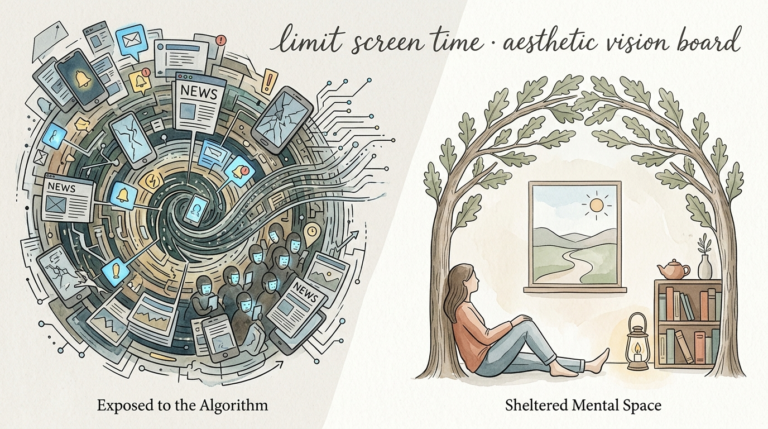
Your screen’s aesthetic is either fueling your anxiety or calming your mind. Visual clutter is mental clutter. Applying the ‘Mindful Order’ aesthetic—grayscale mode, minimalist icons, and notification pruning—allows you to turn your phone from a stress-box into a tool.
You likely spend hours every day staring at a glowing rectangle. Most of that time isn’t spent on intentional tasks; it is lost in the friction of bright colors, red badges, and infinite scrolls. We have reached a point where our digital environments are designed by some of the world’s most brilliant engineers to hijack our attention.
Mindful Order is a philosophy of digital architecture. It is the intentional design of your smartphone interface to promote focus, reduce dopamine-driven cravings, and restore a sense of calm to your daily life. This guide will walk you through the transformation of your device from a source of chaos into a sanctuary of utility.
healthy screen time aesthetic
A healthy screen time aesthetic is a visual configuration of digital devices prioritized for utility over entertainment. It removes the “gamified” elements of modern UI design that trigger addictive behaviors. In the real world, companies like Apple and Google use saturated colors—particularly red for notifications—because they demand immediate biological attention.
This aesthetic exists as a rebellion against the attention economy. It is used by high-performance professionals, digital minimalists, and individuals struggling with phone addiction to regain cognitive control. An analogy often used is the toothbrush: you use it for a specific purpose, for a specific duration, and you put it away when you are finished. A healthy aesthetic makes your phone function more like a toothbrush and less like a slot machine.
Visual simplicity reduces “cognitive load,” which is the amount of mental effort required to process information. When your home screen is filled with fifty colorful icons, your brain is forced to process fifty different brand signals every time you unlock your device. A minimalist aesthetic collapses that noise into a singular, calm interface.
How to Architect Your Digital Sanctuary
Building a Mindful Order setup requires a series of technical and psychological adjustments. These steps are designed to increase “friction” for distracting apps and decrease friction for essential tools.
Step 1: Enabling Grayscale Mode
Grayscale mode is the single most effective setting for reducing screen time. It removes the dopamine rewards associated with vibrant images and bright notification badges. Research indicates that users in grayscale mode spend significantly less time on social media because the content is objectively less “rewarding” to the brain.
To enable this on an iPhone, navigate to Settings > Accessibility > Display & Text Size > Color Filters. Toggle the switch on and select “Grayscale.” For an Android device, look under Settings > Digital Wellbeing > Bedtime Mode or search for “Color Correction” in the accessibility menu.
Step 2: Notification Pruning
Most notifications are interruptions from machines, not humans. Your goal is to disable everything that isn’t a direct communication from a real person or a time-sensitive alert. Go through your app list and turn off all “Badges” (those tiny red numbers). These badges create a sense of unfinished business that triggers low-grade anxiety.
Step 3: Minimalist Icon Kits and Launchers
Replacing brand-heavy icons with minimalist versions breaks the subconscious “click-habit.” Your brain recognizes the Instagram “gradient” or the YouTube “red” before you even consciously think about the app. Using text-only launchers like minimalist phone or Olauncher on Android, or custom minimalist icon sets on iOS, forces you to read the name of the app before you open it. This one-second delay is often enough to stop a mindless scroll before it starts.
The Benefits of Visual Discipline
The advantages of a Mindful Order aesthetic are both physiological and psychological. Users often report an immediate “lightness” in their mental state after cleaning their digital environment.
- Reduced Decision Fatigue: A cluttered home screen forces you to scan and choose from dozens of options. A minimalist setup with only 3–5 essential apps removes this daily mental drain.
- Disruption of Dopamine Loops: Grayscale mode makes “feeds” look dull. This helps break the cycle of seeking visual novelty in apps like TikTok or Instagram.
- Improved Sleep Quality: Reducing the visual intensity of your phone—especially the blue light and high-contrast colors—helps your brain transition into a rest state more effectively.
- Increased Deep Work Capacity: Without constant pings and vibrant distractions, your “recovery time” from interruptions decreases, allowing you to stay in flow states for longer periods.
Practical results show that these changes can save the average person between 30 and 60 minutes of lost time every single day. Over a year, that is hundreds of hours reclaimed for meaningful work or hobbies.
Challenges and Common Pitfalls
The most common mistake is going “too cold turkey.” Many people delete every social media app and turn their phone entirely gray, only to revert back within 48 hours because the change was too jarring.
Another pitfall is “notification leakage.” This happens when you turn off app notifications but leave them on for your Apple Watch or tablet. Digital chaos is persistent; it will find a way to reach you if you don’t secure all your entry points.
You might also find that “muscle memory” is your greatest enemy. For the first few days, your thumb will automatically drift toward where the Instagram icon used to be. Do not be discouraged; this is simply proof of how deeply the previous aesthetic had conditioned your behavior.
Limitations of the Minimalist Aesthetic
Grayscale and minimalist setups are not ideal for every situation. Professional photographers, designers, or anyone who uses their phone for visual work will find grayscale mode unusable during work hours.
Environmental limitations also play a role. Using a minimalist, text-based launcher can be difficult if you are driving and need to glance at your screen quickly for navigation. In these cases, the high-contrast “chaotic” icons actually serve a functional purpose for rapid recognition.
Furthermore, these settings are tools, not cures. A beautiful, minimalist phone is still a phone. If the underlying cause of your screen time is a desire to avoid real-world stress or boredom, a cleaner aesthetic will only help so much. It must be paired with an intentional lifestyle.
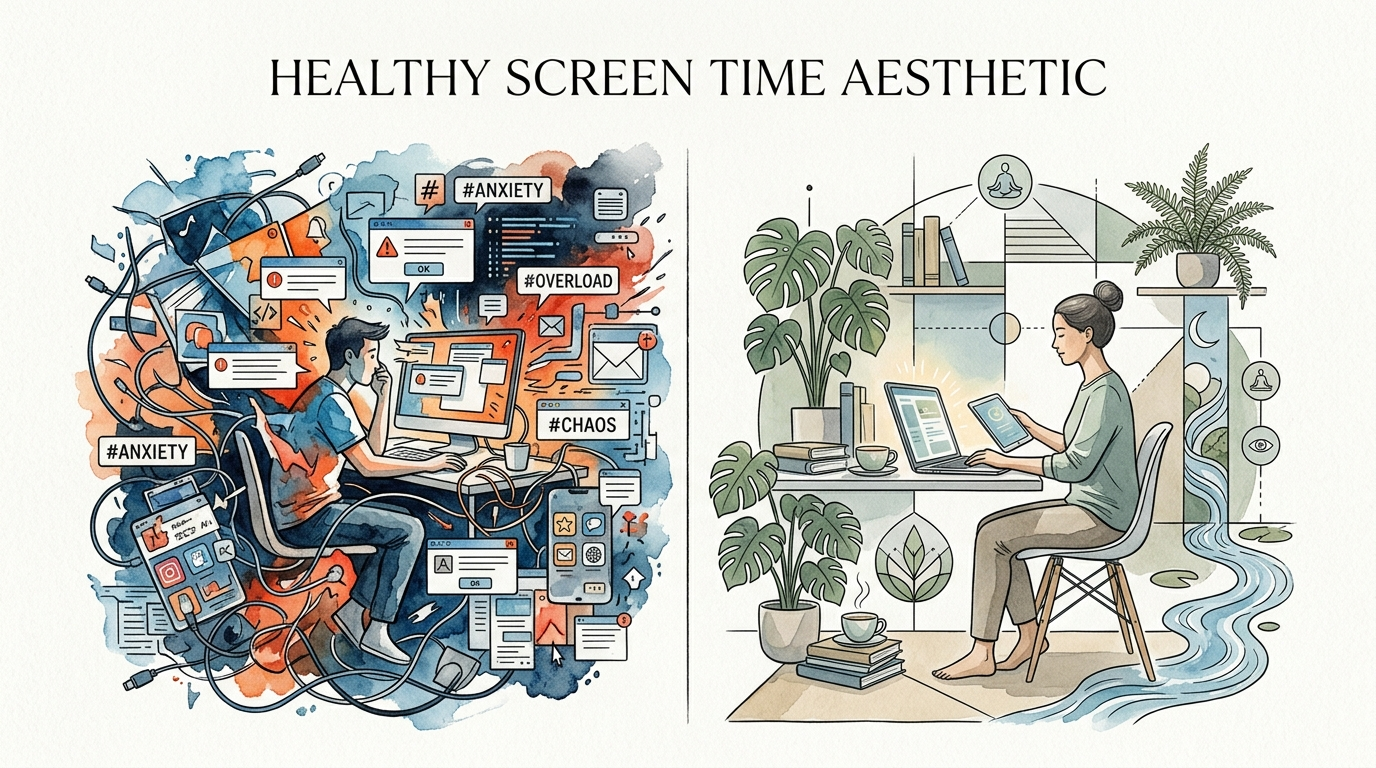
Digital Chaos vs. Mindful Order
Comparing these two digital lifestyles helps highlight why the “default” phone setup is so damaging to mental clarity.
| Feature | Digital Chaos (Default) | Mindful Order (Minimalist) |
|---|---|---|
| Visual Palette | Saturated colors, high contrast. | Grayscale or muted tones. |
| Notifications | Push alerts for every app event. | Strictly human-to-human only. |
| Home Screen | Grid of 20+ colorful brand icons. | Empty space or 3–5 text tools. |
| Brain State | Reactive, scattered, high-arousal. | Proactive, focused, low-arousal. |
| Interaction Style | Endless scrolling and swiping. | Task-based, search-oriented. |
Practical Tips for Long-Term Success
Maintaining a healthy screen time aesthetic requires a few “tuning” habits to ensure you don’t drift back into old patterns.
- The Triple-Click Shortcut: Set your phone so that triple-clicking the side button toggles grayscale on and off. This allows you to see colors when necessary (like taking a photo) and immediately return to focus mode.
- The “Search-Only” Rule: Hide all your apps in the App Library or deep folders. If you want to open an app, you must swipe down and type its name. This forces a conscious decision.
- Scheduled Focus Modes: Use your phone’s built-in automation to trigger different aesthetics at different times. Your phone can be “Mindful” during work hours and “Functional” on the weekends.
- Physical Barriers: Use an actual alarm clock instead of your phone. This prevents the “morning scroll” before you have even gotten out of bed.
Implementing these tips creates a system that supports your willpower instead of testing it. Success is about building an environment where the right choice is also the easiest one.
Advanced Digital Architecture
For those who have mastered the basics, advanced strategies involve using iOS Shortcuts or Android Tasker to create custom home screen widgets. These widgets can show you your daily screen time in large text or provide one-tap access to “Focus Timers.”
Some practitioners use “OLED Black” wallpapers. These wallpapers turn off the pixels on modern screens, saving battery life and further reducing the light emission that keeps the brain in an alert state. You might also consider “App Batching,” where you use a tool to only deliver your non-essential notifications twice a day—once at noon and once at 5:00 PM.
Consider the “Phone-Free Zone” as the ultimate advanced tactic. This isn’t a setting on your device, but a rule for your physical space. Designating the bedroom or the dinner table as a dead-zone for technology reinforces the boundary between your digital tool and your human life.
Scenario: The 7-Day Transformation
Imagine a marketing executive named Sarah. She starts her week with a “Digital Chaos” setup: 150 apps, constant pings, and a 4-hour daily screen time average. She feels perpetually behind and easily frustrated.
On Monday, she enables grayscale and prunes her notifications. By Wednesday, the “muscle memory” of checking her phone every three minutes has begun to fade because there is nothing exciting to see. By Friday, she has moved all non-essential apps into a folder labeled “The Void.”
By Sunday, Sarah’s screen time has dropped to 1 hour and 15 minutes. She reports feeling more present during her morning coffee and finds that she can read a book for 30 minutes without feeling the “itch” to check her messages. The aesthetic change was the catalyst for a total habit shift.
Final Thoughts
The aesthetic of your phone is a silent architect of your daily mood. Choosing a Mindful Order setup is an act of reclaiming your attention from corporations that profit from your distraction. It is a practical, immediate way to lower your baseline anxiety.
Experiment with these settings for at least one week. The first 48 hours will feel strange, but the resulting clarity is worth the temporary discomfort. You may find that you don’t actually “need” half the apps you currently have, and the other half are much more useful when they aren’t constantly screaming for your attention.
The goal is not to hate your phone. The goal is to love your life more than your phone. By simplifying your screen, you provide your mind the space it needs to focus on what truly matters.
Sources
1 uxplanet.org | 2 google.com | 3 trykondo.com | 4 saratogafalcon.org | 5 medium.com | 6 startmywellness.com | 7 medium.com | 8 digitalfengshuiguide.com | 9 betterhumans.pub | 10 digitalminimalist.com | 11 androidpolice.com | 12 flowmagazine.com | 13 cyberbunker.com | 14 youtube.com | 15 mindful.org | 16 neurosity.co | 17 minimalistphone.com | 18 brain.fm | 19 nih.gov | 20 womenshealthmag.com | 21 calm.com | 22 bgr.com | 23 uprisehealth.com