30 day screen?smart kids plan
In 30 days, move them from being consumers of content to creators of their own world.
Passive consumption numbs the brain. Active creation builds it. This 30-day roadmap replaces the dopamine loop with the satisfaction of real skill.
You see it every day. Your child sits on the couch, eyes glazed, thumb flicking through an endless stream of 15-second clips. This is the “zombie mode.” Their brain is in a passive state, absorbing content designed by algorithms to keep them hooked.
It feels like a losing battle. But it doesn’t have to be. Screens aren’t the enemy; the way we use them is. You can pivot your child from a passive spectator to an active architect of their digital world.
This article provides a comprehensive guide to the 30 day screen?smart kids plan. We are moving beyond simple “time limits” and into the realm of digital agency. Let’s build something better.
30 day screen?smart kids plan
The 30 day screen?smart kids plan is a structured transition from passive digital consumption to active skill development. It is not a total ban on technology. Instead, it is a “digital reset” that recalibrates a child’s relationship with their devices.
In the real world, this plan acts like a nutritional pivot. Just as you would swap sugary snacks for protein-rich meals to fuel a body, this plan swaps “digital junk food”—like mindless scrolling—for “digital nutrition”—like coding, animating, or designing.
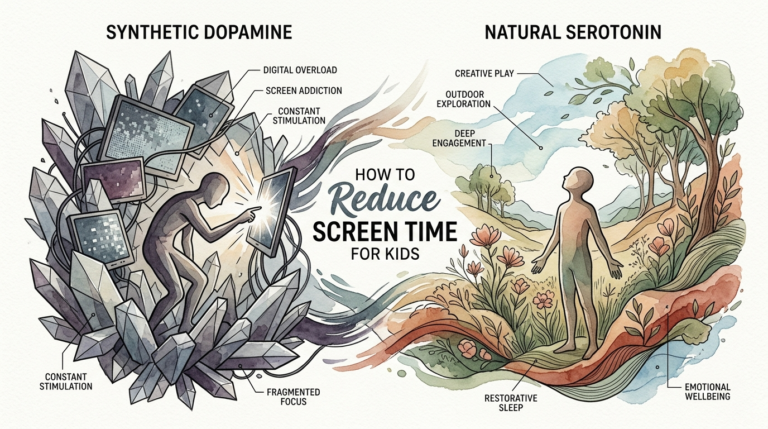
This plan exists because modern apps are engineered for retention, not reflection. Short-form videos and “autoplay” features bypass the brain’s executive function. They create a high-intensity dopamine loop that leaves kids feeling irritable and unfocused when the screen finally turns off.
By following this 30-day roadmap, you are teaching your child digital literacy. They learn that a tablet isn’t just a TV; it’s a canvas, a recording studio, and a laboratory.
Phase 1: The Awareness Detox (Days 1–7)
You cannot change what you do not measure. The first week is about identifying triggers and breaking the immediate dopamine cycle.
Start by logging the hours. Use the built-in screen time tools on your devices to see exactly where the time is going. You might be surprised to see that “just a few videos” actually totals three hours of passive watching.
Next, establish “Tech-Free Zones.” The dining table and bedrooms are non-negotiable. Research shows that keeping devices out of bedrooms significantly improves sleep quality and reduces late-night scrolling.
Lead by example. If you are constantly checking your phone during family time, your child will follow suit. Commit to a “Family Power Down” hour where everyone—including parents—puts their devices in a central charging station.
Phase 2: The Boundaries Reset (Days 8–14)
During the second week, you move from observation to active management. This is where you set the new rules of the road.
Introduce “Screen-Free Mornings.” No devices until after breakfast and getting dressed. This allows the brain to wake up naturally without an immediate hit of digital stimulation.
Shift the focus from “how much” to “what kind.” Start categorizing screen time. Passive time (watching) should be limited, while Active time (creating) is given more flexibility.
Expect the “Boredom Panic.” When the constant stream of entertainment stops, your child will get bored. This is a good thing. Boredom is the precursor to creativity. Don’t rush to entertain them; let them sit with the quiet until their imagination kicks in.
Phase 3: The Creative Pivot (Days 15–21)
This is the core of the plan. You are now introducing the tools that turn the tablet into a creation engine.
Replace one hour of YouTube with one hour of “Project Time.” Give them a goal. This could be building a complex structure in Minecraft Creative Mode, recording a podcast on GarageBand, or creating a stop-motion animation with their LEGOs.
Provide the right “Starter Kits.” If they like drawing, introduce them to Procreate or Canva. If they like stories, show them Night Zookeeper for writing. If they like games, introduce block-based coding through Scratch.
Focus on the “Show Your Work” philosophy. At the end of each day, have a 5-minute showcase. Let them explain what they built and how they solved a problem. This reinforces the satisfaction of completion.
Phase 4: The Mastery Integration (Days 22–30)
In the final week, you consolidate these new habits into a sustainable lifestyle. The goal is a “New Normal.”
Encourage “Deep Work.” Help them stick with one project for several days rather than jumping between apps. This builds the “focus muscle” that passive scrolling often destroys.
Incorporate “Real-World Bridges.” If they created a digital recipe, cook it in the kitchen. If they designed a digital character, help them draw it on paper. This breaks the “Video Deficit” and helps them transfer digital skills to physical reality.
Review the progress. Compare the Screen Time report from Day 30 to Day 1. The total time might even be the same, but the *quality* of that time will be drastically different. You are no longer raising a consumer; you are raising a creator.
Benefits of Active Digital Engagement
The shift from passive to active screen time offers measurable cognitive and emotional advantages.
One of the most immediate benefits is improved focus. Passive scrolling trains the brain to expect instant gratification every few seconds. Active creation, such as debugging a line of code or editing a video, requires sustained attention and “slow dopamine.”
Social skills also see a boost. When kids create, they often want to collaborate or share their work with others. This leads to more meaningful interactions compared to the isolation of “zombie mode.”
Finally, active engagement builds “Creative Agency.” Children realize they can manipulate the digital world rather than just being a product within it. They start asking “How did they make that?” instead of just “What happens next?”
Challenges and Common Mistakes
The biggest mistake parents make is going “Cold Turkey” without a plan. If you simply take the devices away, you create a vacuum of boredom and resentment. You must replace the screen time with high-quality alternatives.
Parental burnout is another hurdle. It takes more energy to help a child start a coding project than it does to let them watch a movie. Start small. You don’t have to be a tech expert to support them; you just need to be an interested audience.
Don’t ignore the “15-minute hump.” When a child switches from a high-dopamine app to a creative tool, they will often feel frustrated for the first 15 minutes. Their brain is “coming down” from the intense stimulation. Stay the course; the engagement will kick in once they get past the initial resistance.
Avoid using screens as a primary emotional regulator. If a child learns that a tablet is the only way to deal with sadness or boredom, they lose the ability to self-soothe. Use the screen as a tool for growth, not a digital pacifier.
Limitations and Practical Constraints
Not all screen time can be “active.” School requirements often necessitate passive reading or watching instructional videos. This plan should account for “Digital Utility”—time spent getting things done—versus “Digital Play.”
Age is a major factor. The American Academy of Pediatrics (AAP) suggests that children under 18 months avoid screens entirely, except for video chatting. For toddlers, the “Video Deficit” means they struggle to learn from 2D screens. The 30-day plan is most effective for school-aged children and teens.
Environmental limitations also matter. If you live in a small space or have limited access to high-speed internet, some creative tools might be harder to use. Look for “Offline-First” apps that allow creation without a constant Wi-Fi signal.
Finally, remember that perfection is not the goal. There will be days when everyone is tired and “zoning out” to a movie is exactly what the family needs. The plan is about changing the *default* behavior, not eliminating relaxation.
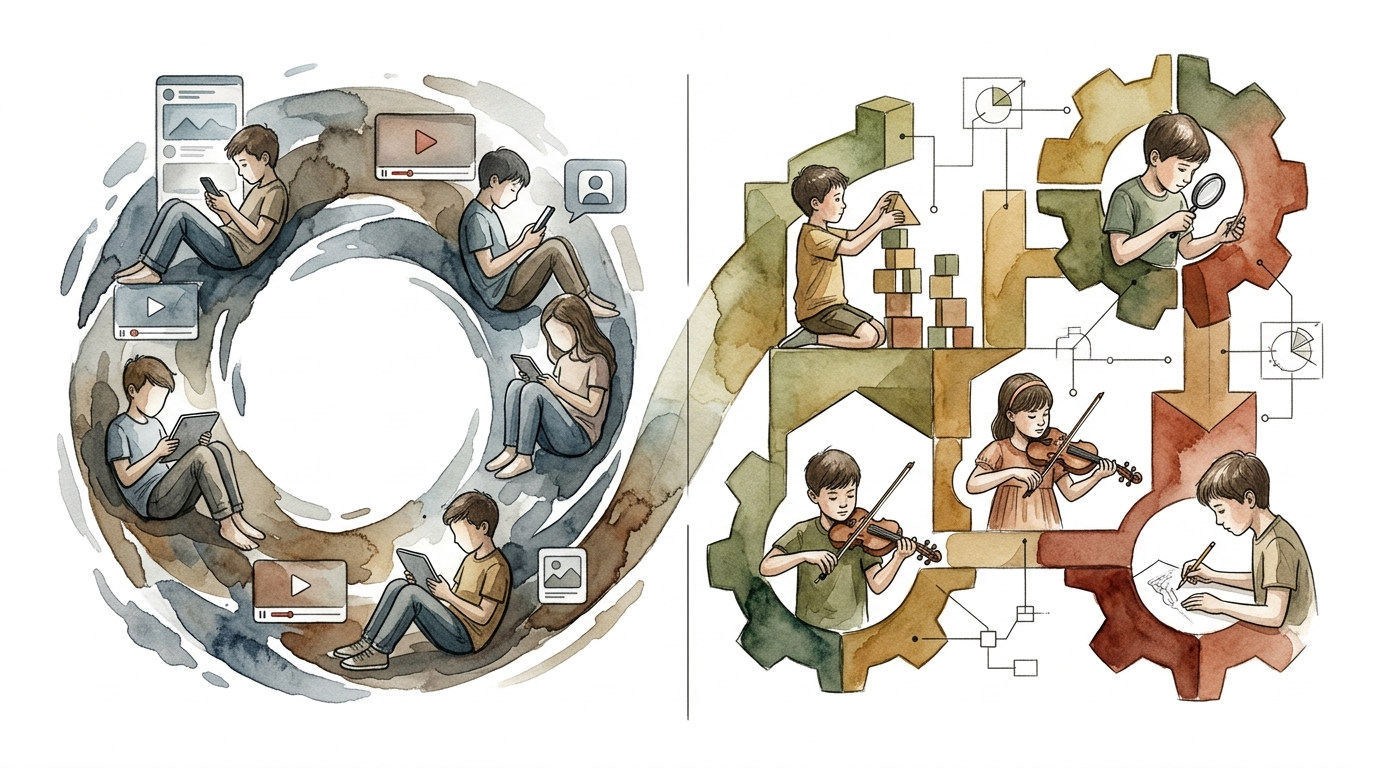
Passive Scrolling Loop vs Active Skills Development
Understanding the difference between these two states is crucial for long-term success.
| Feature | Passive Scrolling Loop | Active Skills Development |
|---|---|---|
| Dopamine Type | Instant / High Intensity | Delayed / Low Intensity |
| Cognitive State | Reactive (Zombie Mode) | Proactive (Architect Mode) |
| Skill Acquisition | None (Consumption only) | High (Coding, Art, Logic) |
| Attention Span | Shortens (Fragmented) | Lengthens (Deep Work) |
| Emotional Impact | Irritability / Brain Fog | Satisfaction / Confidence |
Practical Tips for Success
Environment design is your most powerful tool. If the tablet is the easiest thing to reach, they will reach for it. Keep creative supplies—paper, markers, instruments, or building blocks—in plain sight.
Curate the home screen. Move “toxic” apps like YouTube or TikTok into folders on the last page. Place creative tools like Scratch or Swift Playgrounds on the first page. This creates a “friction” for passive use and a “path of least resistance” for creation.
Use the “1:1 Rule.” For every hour of passive consumption, require one hour of active creation. This teaches children that they must “earn” their relaxation through mental effort.
Foster a “Digital Apprenticeship.” Sit with them. Ask questions. “How did you make that character move?” “Why did you choose that color?” You don’t need to know the answers; you just need to encourage the thinking process.
Advanced Considerations: The Creator Economy
As children get older, the 30 day screen?smart kids plan can evolve into a lesson in digital entrepreneurship.
For teens, creating content isn’t just a hobby; it’s a career path. Transitioning from watching influencers to understanding “Content Strategy” is a high-level skill. Teach them about video editing, lighting, and storytelling.
Introduce them to “Professional Tools.” If they have mastered basic apps, move them to industry standards like Adobe Premiere (editing), Blender (3D modeling), or Python (programming). This turns “screen time” into “resume building.”
Discuss “Digital Citizenship.” Active creators need to understand copyright, online safety, and respectful feedback. Use their creative projects as a starting point for these critical conversations.
Real-World Example: The Minecraft Architect
Consider a 10-year-old who spends four hours a day watching “Let’s Play” videos on YouTube. They are in a deep passive loop.
Using the 30-day plan, the parent moves them to Minecraft Creative Mode. Instead of watching someone else build, they are given a challenge: “Build a replica of our house including your bedroom.”
By Day 15, the child is no longer watching videos; they are searching for “Minecraft building tutorials” to solve specific problems. They are moving from passive consumption to “Intentional Search.”
By Day 30, they have completed the project. They have practiced spatial reasoning, problem-solving, and persistence. The screen time hasn’t decreased, but the neurological impact has shifted from “draining” to “building.”
Final Thoughts
The 30 day screen?smart kids plan is a journey from digital dependency to digital mastery. It recognizes that technology is an integral part of the modern world but refuses to let it be a mind-numbing distraction.
By following this roadmap, you are giving your child the most valuable gift in the digital age: attention. You are teaching them that their ideas have value and that they have the tools to bring those ideas to life.
Start today. Log the hours. Set the boundaries. Watch as your child moves from a passive consumer to a confident creator of their own world. The transition isn’t always easy, but the satisfaction of seeing them build something real is worth every minute of the effort.
Sources
1 sparkstudio.co | 2 stillwareltd.com | 3 lumestory.app | 4 michaelgrose.com | 5 substack.com | 6 screenwiseapp.com | 7 childrenandscreens.org | 8 wonjo.kids | 9 kubrio.com | 10 raisekidswhothink.com | 11 lelycee.org | 12 childrenshospital.org | 13 kindercare.co.nz | 14 rssing.com | 15 compasschildcare.com | 16 tiptopbrain.com | 17 cambermentalhealth.org | 18 bklynlibrary.org