screen?smart kids daily routine
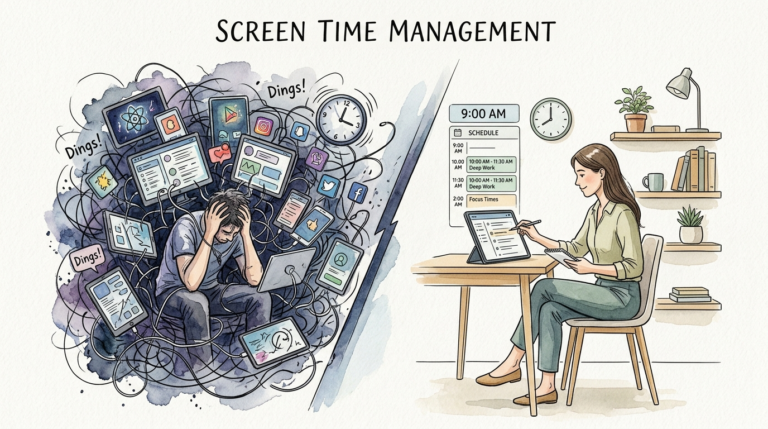
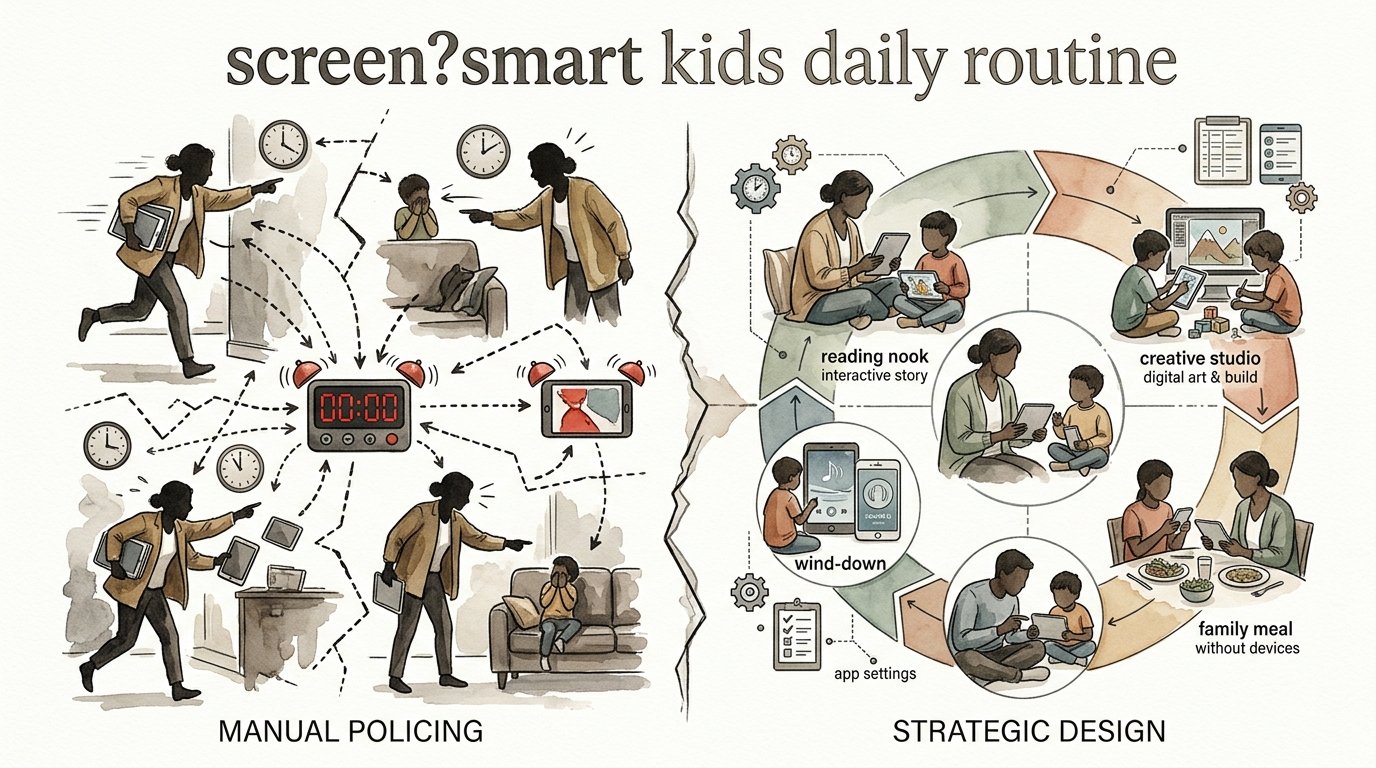
Stop being the ‘Screen Police’ and start being the architect of their day. Are you tired of the constant ‘5 more minutes’ negotiation? Switching from manual monitoring to a strategic environment changes everything. Here is the daily routine that builds self-regulation.
When parents act as “Screen Police,” they are essentially trying to override a child’s biology with authority. This creates a friction-filled relationship where the parent is the barrier to dopamine, and the child is the constant negotiator. Moving toward strategic design means creating a home “architecture” where the routine itself manages the screen, not your voice.
screen?smart kids daily routine
A screen-smart daily routine is a structured framework that uses environmental cues and pre-set “anchors” to guide a child’s digital habits. Instead of reacting to when a child asks for a tablet, the day is designed so the child knows exactly when technology fits into their life. This approach focuses on building self-regulation, which is the ability to monitor and manage energy levels and emotions effectively.
Recent research highlights that higher screen use is often associated with changes in the brain’s white matter, which acts as the communication network for attention, emotional regulation, and executive functioning. When children follow a screen-smart routine, they aren’t just “following rules”; they are practicing the neural pathways required for impulse control. This routine exists to transition screens from being a “pacifier” or a constant distraction into a tool that has a specific time and place.
In the real world, this looks like a child finishing their homework and then checking a visual schedule to see if it is “Digital Time” yet. It shifts the burden of “No” from the parent’s mouth to the clock on the wall. It allows for high-quality engagement with technology while ensuring the brain has plenty of time for serotonin-boosting activities like outdoor play and face-to-face social interaction.
The Biological “Why” Behind the Routine
The developing brain, particularly the prefrontal cortex, is responsible for self-control and planning. This area is still under construction until the mid-twenties. Digital games and social media are intentionally designed with “unpredictable incentives” and “endless scrolling” that remove natural stopping cues. Without a routine, the child’s brain is effectively outmatched by the world’s most sophisticated engagement algorithms.
Designing the Blueprint: How to Build the Routine
Creating a strategic routine requires looking at the day as a landscape of energy. You want to place high-intensity digital activities where they won’t interfere with critical biological functions like sleep or focused learning.
1. Establish the “Digital Anchors”
Identify fixed points in the day that are always screen-free. The most common anchors include the first hour after waking up, all mealtimes, and the hour before sleep. By setting these anchors in stone, you reduce the decision fatigue of “Can I play now?” during these times.
2. Use “Earned Time” vs. “Baseline Time”
Some families find success with a “baseline” amount of time—say, 30 minutes—that is guaranteed every day. Any additional time is “earned” through non-screen contributions like chores, reading, or physical activity. This teaches children the value of “digital currency” and encourages them to prioritize the content they actually care about.
3. Implement the “Charging Station” Rule
Architecture matters. If a tablet is charging on the bedside table, the temptation is too high. Designate a central “docking station” in a common area like the kitchen. All devices go to “sleep” at a specific time and stay in their “beds” overnight. This physical boundary is often more effective than any verbal reminder.
4. Practice “Active Transitions”
The hardest part of any routine is the moment the screen turns off. Instead of shouting from the other room, use “Yoda-style” instructions—short, clear, and delivered while making eye contact. Give warnings at the 10-minute and 5-minute marks to help their nervous system prepare for the shift in stimulation levels.
The Role of “High-Quality” Content
Not all screen time is created equal. A screen-smart routine prioritizes interactive and creative content over passive scrolling. Research shows that while fast-paced, high-stimulation content can lead to irritability, interactive media used with parental involvement can actually support learning. Encourage apps that allow for building, coding, or creating rather than just consuming.
The Benefits of Strategic Design
The primary advantage of becoming an “architect” is the restoration of the parent-child relationship. When the environment enforces the rules, you are no longer the “bad guy.” You become a partner in helping them navigate their day.
Improved Executive Functioning
Children who learn to wait for their “Digital Time” are practicing delayed gratification. This strengthens the prefrontal cortex, leading to better focus and higher impulse control in school and social settings.
Better Emotional Regulation
Transitions become smoother because they are predictable. Meltdowns often occur when a child feels a sudden loss of control or a “dopamine crash.” A routine provides the predictability that a child’s nervous system needs to stay regulated.
Higher Quality Sleep
By architecting a “Digital Sunset” (turning off screens at least 60 minutes before bed), you allow the body’s natural melatonin production to take place. This leads to deeper, more restorative sleep, which in turn leads to better behavior the following day.
Challenges and Common Mistakes
Even the best blueprints face construction delays. The transition from Policing to Architecture is rarely a straight line.
The “One More Level” Trap
Parents often fall into the trap of being “too flexible.” While flexibility is a life skill, being inconsistent with the routine early on teaches children that the “architecture” is actually negotiable. If the rule is 30 minutes, but you regularly allow 45 because you are busy, the child will continue to push for 50.
Using Screens as a Bribe
Using technology as a reward for every minor positive behavior can inadvertently give the screen too much power. It makes the screen the “ultimate prize,” which can make other life activities feel dull by comparison. It is better to treat screen time as a standard part of the day that occurs under specific conditions.
The “Technoference” Factor
This occurs when a parent’s own screen use interrupts interactions with the child. If you are architecting a screen-smart day for your child but are constantly on your own phone during “family anchors,” the child will perceive the routine as unfair. Modeling is the most powerful tool in your kit.
Limitations and Realistic Boundaries
Strategic design is not a magic wand. There are situations where a routine may need to be temporarily suspended or modified.
Neurodivergence and Sensory Needs
Children with ADHD or ASD often have “diminished response inhibition,” making it physically harder for them to pause before acting. For these children, a standard routine might need more visual supports, like sand timers or vibrating watches, and much longer transition periods. They may also use screens as a vital tool for sensory regulation, which requires a more nuanced approach.
Travel and Illness
When a child is sick or you are on a 10-hour flight, the “architecture” of a normal day usually collapses. It is okay to allow more screen time during these exceptions. The key is to communicate that this is a “Special Scenario” so they understand the normal routine will return once the situation changes.
Environmental Constraints
If you live in a small space where the “docking station” is always in sight, or if you have older siblings with different rules, the “architecture” becomes harder to maintain. In these cases, focus on “Digital Hygiene” habits rather than strict physical boundaries.
Manual Policing vs. Strategic Design
| Factor | Manual Policing | Strategic Design |
|---|---|---|
| Parental Energy | High (Constant monitoring/yelling) | Low (Routine does the work) |
| Conflict Level | Frequent (Negotiations/meltdowns) | Reduced (Predictability creates calm) |
| Long-term Skill | Compliance (Doing what they are told) | Self-Regulation (Internalizing habits) |
| Child’s Agency | None (They feel “watched”) | High (They choose how to use their time) |
Practical Tips for Immediate Implementation
If you want to start today, choose one or two of these best practices to fold into your home.
- The “Bridging” Strategy: When screen time is ending, don’t just take the device. Sit with them for the last 2 minutes. Ask them what they are watching or doing. This “co-viewing” builds a bridge between their digital world and the real world, making the transition less jarring.
- Visual Countdowns: Use a physical timer (like a kitchen timer or a Time Timer) that shows time disappearing. This provides a concrete representation of “5 minutes left” for children who haven’t mastered abstract time concepts yet.
- The “Brain-First” Order: Encourage a routine where “Production” comes before “Consumption.” This means creative work (drawing, building, homework) is completed before passive entertainment (YouTube, Netflix).
- Digital Contracts: For older children, sit down and write a family media agreement. Let them have a voice in what the consequences should be if the routine is broken. When they help build the rules, they are more likely to respect them.
Advanced Considerations for Digital Literacy
Serious practitioners of this method understand that the goal isn’t just “less time,” but “smarter engagement.” As children grow, the routine should evolve from controlling time to teaching digital citizenship.
Helping children understand *why* they feel irritable after a gaming session is a form of emotional insight. Teach them about “persuasive design”—the way apps use red dots and “likes” to keep them clicking. When a child understands the “why” behind the routine, they begin to develop a “digital nutritionist” mindset, where they can judge for themselves whether a certain type of content is “junk food” for their brain or a “healthy meal.”
Scaling this for teenagers requires shifting from a “docking station” to “Check-In” times. A teenager might have their phone for most of the day, but the routine includes a 9 PM check-in where the phone stays in the kitchen. This respects their growing independence while maintaining the biological anchors necessary for health.
Scenario: The Saturday Morning Test
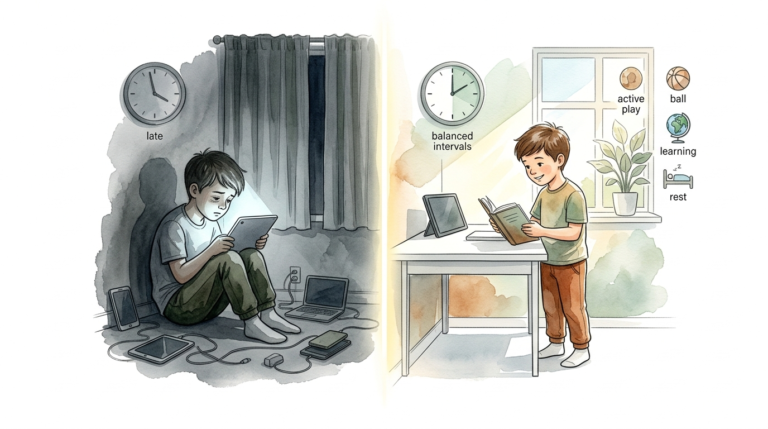
Imagine it’s Saturday morning. In a “Policing” household, the child wakes up, grabs an iPad, and hides under the covers. Two hours later, the parent discovers them, yells, and a massive fight ensues as the tablet is snatched away.
In a “Strategic Design” household, the Saturday routine is pre-established. The child knows that Saturday mornings start with a screen-free breakfast and 30 minutes of outside play or reading. After that, they have a “Block” of 90 minutes for their favorite game. At 10:30 AM, the kitchen timer goes off. Because they knew exactly when it was starting and ending, they save their game and move to the next activity—perhaps a family errand—without a power struggle. The “architected” day prevented the conflict before it could even begin.
Final Thoughts
Transitioning from the ‘Screen Police’ to a strategic architect is about playing the long game. It moves the focus from short-term compliance to long-term self-regulation. By building a routine that respects both the child’s biology and the realities of a digital world, you create a home environment where technology is a tool for growth rather than a source of constant battle.
Start small by choosing one “anchor” today—perhaps making mealtimes 100% device-free for everyone. Notice the shift in connection and the reduction in “5 more minutes” requests. Over time, these small structural changes will build a foundation of digital wellness that your children will carry into adulthood. The goal isn’t to eliminate screens, but to design a life where they don’t hold the remote.
Sources
1 connectedfamilies.org | 2 komusodesign.com | 3 youtube.com | 4 brainbalancecenters.com | 5 cbwchc.org | 6 medlineplus.gov | 7 kansascitymomcollective.com | 8 verizon.com | 9 mayoclinic.org | 10 washington.edu | 11 youtube.com | 12 youtube.com | 13 youtube.com