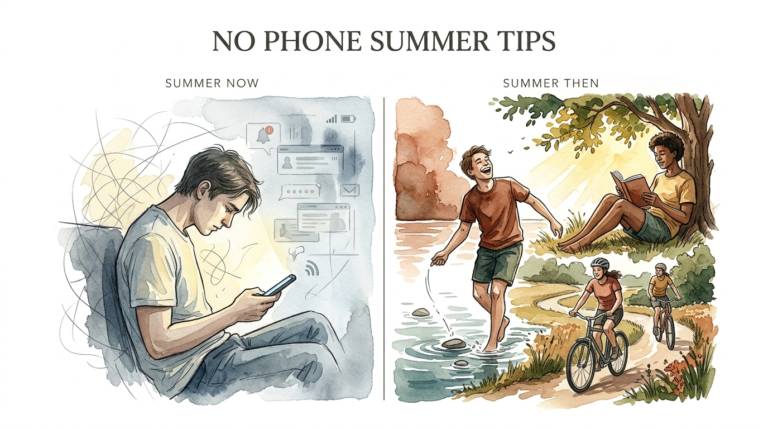
screen time boundaries
You don’t need a monthly subscription to get your family back. We spend so much on apps to track our kids’ time, but the best boundaries are free. It’s about presence, not just passwords. Here is how to set boundaries that stick without the monthly fee.
The digital age has turned our living rooms into charging hubs. We check our phones an average of 96 times per day, often before we even say good morning to the people sitting across from us. It is easy to feel like the only solution is to buy a $15-a-month tracking app to “fix” the problem. But software cannot replace a conversation.
Tracking apps often turn parents into digital detectives. This creates a cat-and-mouse game where kids look for loopholes and parents look for alerts. Real change happens when we stop trying to control every click and start building a family culture that values being present. You can reclaim your home without a premium subscription.
This guide will walk you through the shift from surveillance to connection. We will look at how to use the powerful tools already built into your devices and how to layer those with habits that actually stick. It is time to stop paying for “peace of mind” and start building it yourself.
screen time boundaries
Screen time boundaries are the invisible guardrails that keep technology from running over your family life. Think of them as a “home operating system.” Instead of a locked door that someone is always trying to pick, a boundary is an agreed-upon path. It defines where technology belongs and, more importantly, where it does not.
In the real world, boundaries are everywhere. We have fences around yards and lanes on the highway. We do not view these as punishments; we view them as safety measures that allow us to move freely within a safe space. Digital boundaries work the same way. They provide the structure needed so that kids (and adults) can enjoy the internet without falling into a dopamine loop.
The need for these boundaries has never been higher. Recent data shows that 98% of two-year-olds are already using screens daily. By the time they reach their teenage years, many are logging over eight hours of screen time every single day. Without clear boundaries, the phone becomes the first and last thing a human sees in a 24-hour cycle.
Boundaries are different from “restrictions.” A restriction is a hard “no” imposed from above. A boundary is a shared standard. When you set a boundary, you are teaching your child how to manage their own brain. You are showing them that life happens in the physical world, and the digital world is just a tool we use occasionally.
How to Set Up a Free Digital Defense System
You already own the best parental control software on the market. It is baked directly into the operating systems of your iPhones, iPads, and Android devices. Most people never go past the basic settings, but these tools are incredibly robust when you know how to use them.
Mastering Apple Screen Time
If your household runs on iOS, you have a powerhouse at your fingertips. Go to Settings > Screen Time. This is your command center. You can set “Downtime,” which acts as a global kill-switch for apps during specific hours, like 8:00 PM to 7:00 AM. This ensures the phone is a brick during sleep hours.
The “App Limits” feature allows you to put a timer on specific categories. You might allow unlimited educational apps but cap social media at 45 minutes. The best part? You can manage this from your own phone via Family Sharing. You do not need to sneak into their room at night to check their usage.
Leveraging Google Family Link
Android users have access to Google Family Link, which is completely free and often more granular than Apple’s offering. It allows you to approve or block apps from the Play Store before they are even installed. You can see exactly how much time is spent on YouTube versus homework apps.
One of the best features in Family Link is the “Bonus Time” button. Instead of fighting over “five more minutes,” you can remotely grant a specific window of extra time for a task to be finished. It turns a conflict into a controlled negotiation. It also lets you lock the device instantly for “Dinner Time” with one tap.
Building the “Phone Hotel”
Habits are stronger than software. A physical “Phone Hotel” is a central charging station—usually in the kitchen or hallway—where all devices sleep at night. No exceptions. This prevents the “vampire scrolling” that happens under the covers, which research links to 15 to 25 minutes of lost sleep for every hour of nighttime use.
Make the Phone Hotel a “VIP lounge” for devices. When a phone goes into the hotel, it is not “away”; it is “charging for tomorrow.” This simple physical boundary eliminates the need for expensive monitoring apps because the device is physically out of reach during the most vulnerable hours.
Benefits of Behavioral Boundaries
Choosing habits over paid tracking apps offers rewards that go far beyond saving money. The most significant benefit is the preservation of trust. When kids feel “stalked” by invasive software, they become masters of deception. When they are guided by boundaries, they learn self-regulation.
Improved Mental Health: Constant surveillance is stressful for a developing brain. Boundaries provide a predictable environment where a child knows the rules. This reduces the anxiety associated with “getting caught” and replaces it with the confidence of meeting expectations.
Better Sleep Quality: Blue light from screens suppresses melatonin. By enforcing tech-free zones in bedrooms, you are physically protecting your family’s sleep cycles. Better sleep leads to better moods, higher grades, and less friction during the day.
Cognitive Development: Screens are designed to be “passive” consumption. Boundaries force “active” play. Whether it is reading a book, building with Legos, or playing outside, these activities build the prefrontal cortex—the part of the brain responsible for impulse control and decision-making.
Challenges and Common Pitfalls
Setting boundaries is easy; keeping them is the hard part. The biggest mistake parents make is “The Great Inconsistency.” If you enforce a rule on Monday but let it slide on Thursday because you are tired, the boundary vanishes. Kids are experts at testing weak spots in a system.
Parental Hypocrisy: This is the silent killer of any digital boundary. You cannot tell your child to get off TikTok while you are scrolling Instagram at the dinner table. Children do what they see, not what they are told. If you want a tech-free dinner, your phone must be in the Phone Hotel too.
The “Negotiation Trap”: Kids will often try to “lawyer” their way out of a boundary. They will claim they need the phone for a “school project” or to “talk to a friend about a problem.” Stick to the system. If the boundary is “No phones after 8 PM,” then the school project can wait until morning. Exceptions quickly become the new rules.
Emotional Meltdowns: Digital addiction is real. When you first implement these free boundaries, expect a “detox” period. There might be anger, boredom, or sadness. This is not a sign that the boundary is failing; it is a sign that the brain is recalibrating its dopamine levels. Stay the course.
Limitations of Free Tools
While free habits and built-in tools are powerful, they have realistic constraints. Apple Screen Time, for example, is notorious for having “loopholes” that savvy teens can find—such as changing the system clock or using Siri to bypass app blocks. Google Family Link can be easily disabled by a child once they turn 13 in certain jurisdictions.
Environmental factors also play a role. If your child’s school requires heavy tablet use for homework, “screen time” numbers will naturally look high. It becomes difficult to distinguish between “good” educational time and “bad” entertainment time without manual oversight. Free tools are great at measuring quantity, but they aren’t always great at filtering quality.
Safety is another area where free tools may fall short for some. Built-in tools rarely scan for “tone” or “sentiment” in messages. They won’t alert you if your child is being bullied or if they are searching for self-harm content. If you are in a crisis situation with a child who is already at risk, the “presence over passwords” approach may need to be temporarily supplemented with more intensive tools.
Comparison: Paid Tracking Apps vs. Free Connection Habits
| Feature | Paid Tracking Apps (e.g., Bark, Aura) | Free Connection Habits |
|---|---|---|
| Annual Cost | $60 – $150+ | $0 |
| Primary Mechanism | Surveillance and Alerts | Trust and Dialogue |
| Child’s Response | Often leads to “hacking” or hiding | Builds self-regulation skills |
| Setup Difficulty | High (Installing profiles, PC sync) | Low (Simple built-in settings) |
| Longevity | Ends when the subscription stops | Lasts a lifetime as a life skill |
Practical Tips for Immediate Digital Peace
Implementing boundaries does not have to be a major event. You can start small and layer the habits as you go. The goal is to make “real life” more attractive than the “digital life.”
- The First Hour Rule: No one touches a screen for the first 60 minutes after waking up. Use this time for breakfast, conversation, or planning the day. This prevents the “reactive” brain state that starts with checking notifications.
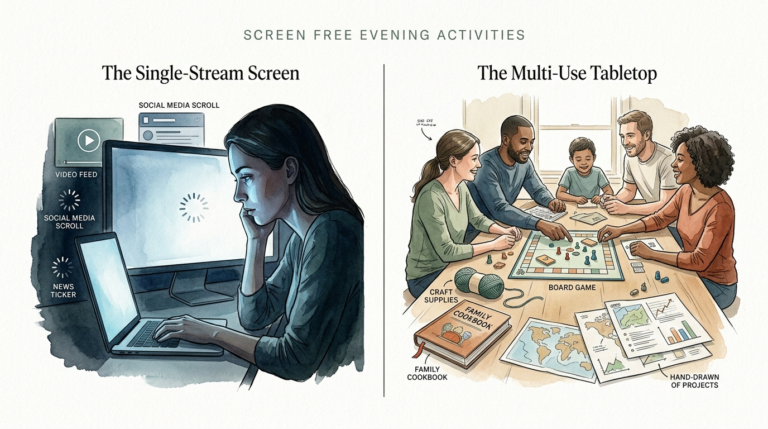
- The “Analog Sunday”: Pick one day a week (or even just a four-hour window) where all screens go in the Phone Hotel. Re-introduce board games, hiking, or cooking together. It “resets” the dopamine baseline for the whole family.
- Blue Light Awareness: Enable “Night Shift” on all devices to turn on automatically at sunset. It won’t stop the scrolling, but it will reduce the physiological impact on sleep quality.
- The 1:1 Connection: Spend 15 minutes a day with each child with zero devices in sight. This “micro-presence” builds more trust than any monitoring app ever could.
Advanced Strategies: Hacking the Brain’s Reward Loop
For parents who want to go deeper, it helps to understand the “Dopamine Slot Machine” inside every smartphone. Apps are designed to give “variable rewards.” You don’t know if the next scroll will show a funny video or a notification from a friend. This uncertainty is what makes screens addictive.
To combat this, you can “gray-scale” the phone. Turning the display to black and white (found in Accessibility settings) makes the apps significantly less stimulating. The brain is less likely to crave a screen that looks like a 1950s newspaper. It is a simple “hack” that reduces compulsive checking without changing a single rule.
Another advanced technique is the “Digital Sabbath.” This is a 24-hour total fast from the internet once a week. This is challenging for adults and children alike, but it provides a profound sense of mental clarity. It forces the family to find ways to be bored. Boredom is the birth of creativity; when the screen stops providing the entertainment, the child’s brain has to start generating its own.
Example Scenario: The Nighttime Routine
Let’s look at how this works in a real home. Meet Sarah, a 14-year-old who used to stay up until 2 AM scrolling through TikTok. Her parents tried a paid app, but she figured out how to use a VPN to bypass the filters. The house was a constant battlefield of “I need my phone for my alarm” and “You’re ruining my life.”
The parents shifted to a free boundary system. First, they bought a $10 analog alarm clock for Sarah’s room. This removed her “legitimate” reason for having the phone at night. Second, they established the “10 PM Hotel Rule.” At 10 PM, every phone—including the parents’ phones—goes into the charging station in the kitchen.
The first week was rough. Sarah was irritable and claimed she couldn’t sleep. But by week three, the results were undeniable. Because she wasn’t seeing blue light and “social comparisons” right before bed, she fell asleep faster. Her morning mood improved. Most importantly, the “detective work” stopped. Her parents didn’t have to check logs; they just had to check the kitchen counter.
Final Thoughts
You don’t need to be a tech genius to save your family’s connection. The most effective tools are not hidden behind a paywall; they are found in your own consistency and your willingness to put your own phone down first. Technology is a guest in your home, and guests should never be allowed to run the house.
Start by identifying one “sacred space” in your home where screens are never allowed—like the dining table. Once that boundary is firm, add another. Build your “Phone Hotel” tonight. The goal isn’t to be a “Luddite” who hates technology; the goal is to be a parent who values presence over digital noise.
Remember, your child will not remember the app that blocked their access, but they will remember the parent who looked them in the eye and listened. Reclaim your time, reclaim your money, and most importantly, reclaim your family. You have everything you need to start right now.
Sources
1 medium.com | 2 youtube.com | 3 timily.app | 4 raisingdigitalcitizens.com | 5 youtube.com | 6 pcmag.com | 7 sueatkinsparentingcoach.com | 8 embassy.camp