summer screen time rules for kids
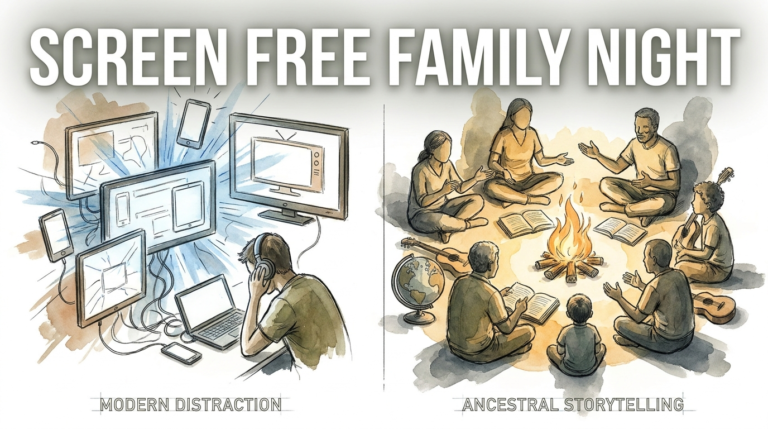
Don’t let the summer vanish into a screen; turn that device into a launchpad for new skills. Summer is the perfect time for kids to explore, but that doesn’t mean banning screens. Shift from passive ‘consumption’ to active ‘production’—using tech to learn coding, art, or DIY skills.
Most parents view summer as a battleground between the great outdoors and the glowing tablet. It often feels like a zero-sum game where one must die for the other to live. But what if the tablet became the very tool that helped your child build a robot, design a fashion line, or code their first game? This isn’t about giving up on screen limits; it’s about upgrading the quality of those digital hours.
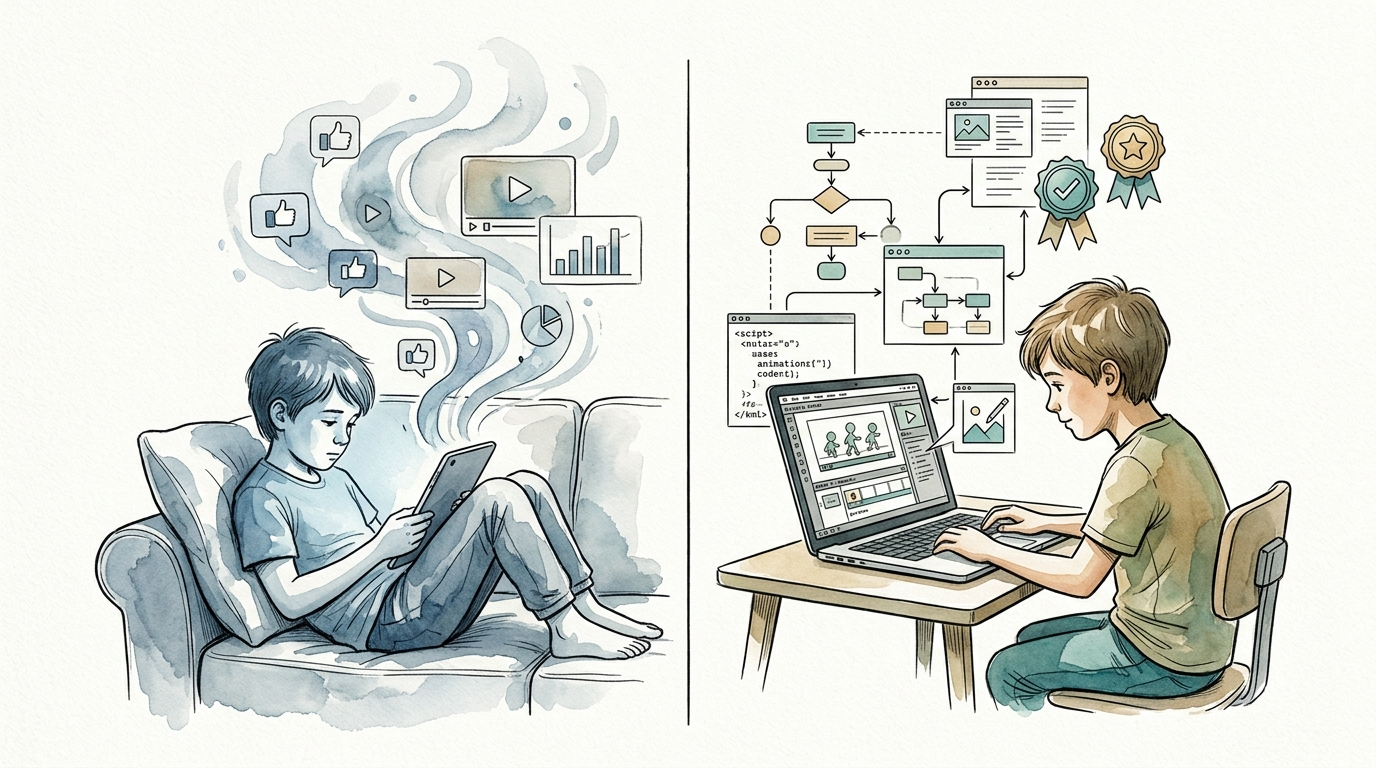
Digital wellness isn’t just about how many minutes a child spends staring at a pixel. It is about what their brain is doing during those minutes. Passive scrolling numbs the mind, while active creation ignites it. This guide will show you how to flip the switch from mindless consumption to meaningful production.
summer screen time rules for kids
Defining summer screen time rules for kids requires a shift in perspective. Instead of viewing rules as a “fence” to keep kids out, think of them as a “track” to keep them moving in the right direction. Traditional rules focus on time limits—for example, “two hours and you’re done.” Modern, skill-building rules focus on the **type** of engagement.
In the real world, tech professionals don’t just “use computers”; they solve problems with them. Establishing rules that prioritize active creation mimics this professional reality. This might mean implementing an “80/20” rule: 80% of screen time must be spent creating, while 20% can be spent on pure entertainment.
These rules exist to prevent the “brain drain” that often happens during the 10-week summer gap. When children engage in active screen time, they use critical thinking, spatial reasoning, and logic. A child building a complex structure in Minecraft Education Edition is doing something fundamentally different than a child watching “unboxing” videos on YouTube.
Think of it like a digital diet. Junk food is fine in moderation, but a body needs protein to grow. Active screen time is the protein of the digital world. It builds the mental muscles kids need for the upcoming school year and beyond.
How to Transition from Consumer to Creator
Making the move from passive watching to active making doesn’t happen overnight. You need a system that makes the “creator” path more attractive than the “consumer” path. Start by auditing the apps currently on your child’s device. If 90% of them are for watching or simple gaming, the environment is rigged against creativity.
The first step is to curate a “Creator Toolbox.” For younger kids, this might include **ScratchJr** for basic coding or **Toca Boca World** for digital storytelling. For older children, introduce more robust platforms like **Canva** for graphic design, **Tinkercad** for 3D modeling, or **GarageBand** for music production.
Establish a “Digital Creation Station.” This doesn’t have to be a fancy desk. It just needs to be a dedicated space where the goal is production. When a child sits in this spot, they know they are there to work on their “project.” Projects give screen time a beginning, a middle, and a tangible end.
Encourage “Project-Based Learning.” Ask your child, “What do you want to make this week?” Maybe they want to create a family newsletter, a stop-motion animation using their LEGO sets, or a custom world in Roblox Studio. Having a goal shifts the motivation from “killing time” to “achieving a result.”
The Advantages of Active Creation
Active screen time offers measurable cognitive benefits that passive scrolling simply cannot match. When a child codes a simple program, they are learning the “if-then” logic that governs much of our modern world. This develops computational thinking—the ability to break large problems into smaller, manageable steps.
Digital creation also builds a sense of self-efficacy. There is a profound psychological shift that occurs when a child realizes they can manipulate the digital world rather than just being a spectator in it. This confidence often spills over into other areas of life, like school projects or sports.
Collaboration is another hidden benefit. Many creative platforms allow for shared projects. Whether it’s two friends working on a shared Google Doc for a story or a group collaborating on a Minecraft build, they are learning modern communication skills. These are the same skills used in the professional hybrid workforces of today.
Finally, creating digital artifacts allows kids to build a portfolio. Instead of having nothing to show for their summer but a high score on a mobile game, they have a folder full of art, videos, and code. This provides a massive head start for future academic and career opportunities.
Navigating the Hazards of Digital Summer
Even with the best intentions, the “creation” path has its pitfalls. One common mistake is the “frustration wall.” Professional tools like Adobe Premiere or Python coding have steep learning curves. If a child is thrown into the deep end without support, they will quickly retreat back to the comfort of passive YouTube watching.
Another trap is the “pseudo-creation” trap. Some apps claim to be creative but are actually just “digital coloring books” with limited options. These don’t challenge the brain; they just mimic the repetitive motions of passive gaming. Always look for tools that offer open-ended possibilities, often called “low floor, high ceiling” tools.
Parents often struggle with the “just five more minutes” syndrome. Even creative work can be addictive. Coding a game can lead to the same hyper-focus and subsequent meltdowns as playing one. It’s important to remember that creation is still “brain-heavy” work that requires breaks to prevent burnout and eye strain.
Don’t ignore the physical cost. Sitting in a slumped position for four hours while editing a video is just as bad as sitting for four hours watching one. The challenge is to keep the energy high and the posture healthy, even when the project is exciting.
Reality Checks and Constraints
Not every home is equipped with high-end workstations or professional software, and that’s okay. The biggest limitation is often the hardware. A basic tablet might run Scratch, but it won’t handle 4K video editing or complex 3D rendering. You have to match the project to the equipment available.
Age appropriateness is another boundary. A 7-year-old has different cognitive limits than a 15-year-old. Pushing a young child into complex text-based coding too early can kill their interest in STEM entirely. It is better to master a “block-based” language like Scratch than to fail at a “pro” language like C++.
Environmental factors also play a role. If the house is loud and chaotic, creative focus is impossible. Deep work requires quiet. If you can’t provide a quiet space, the child will likely default to the easy, loud, and flashy world of passive social media.
Balance is the ultimate constraint. No matter how educational the screen time is, kids still need vitamin D and face-to-face social interaction. Skill-building tech time should supplement a healthy lifestyle, not replace it. If the tech is eating into sleep or outdoor play, the “skill-building” label doesn’t make it healthy.
Mindless Scrolling vs. Skill-Building
Understanding the difference between high-value and low-value screen time is easier when you see the direct comparisons.
| Feature | Mindless Summer Scrolling | Skill-Building Tech Time |
|---|---|---|
| Mental State | Passive, “Autopilot” mode. | Active, Problem-solving mode. |
| Outcome | Forgotten content, Dopamine crash. | Tangible project, Sense of pride. |
| Brain Engagement | Low; primary visual processing. | High; logic, spatial, and creative. |
| Social Impact | Isolation or “Comparison trap.” | Collaboration or “Peer teaching.” |
| Future Value | Zero; purely consumptive. | High; builds portfolio and literacy. |
A Parent’s Blueprint for Digital Mastery
Success begins with a shared Family Media Plan. Instead of handing down a list of “thou shalt nots,” sit down and co-create a document that outlines the goals for the summer. Give your child a seat at the table. If they feel like the architect of their own rules, they are far more likely to follow them.
Use “Screen Tickets” for younger kids. Give them a set amount of “passive” tickets and unlimited “creation” tickets. This incentivizes them to choose the skill-building path when they want to use their devices. It also teaches them to value their time and budget their entertainment.
Model the behavior you want to see. If you spend your evening scrolling through news feeds, your child will do the same. If they see you using your laptop to edit photos, learn a language, or manage a budget, they see tech as a tool for adult productivity.
Set up “Show and Tell” Fridays. Every Friday afternoon, have each family member show one thing they “made” on a screen that week. This creates a positive feedback loop. The social praise from a parent for a finished project is a much healthier dopamine hit than the likes on a TikTok post.
Advanced Mastery for Tech-Savvy Teens
For older kids who have moved past the basics, the goal should be “professionalization.” This means moving away from “walled gardens” like Roblox and toward industry-standard tools. Introduce them to **Python** or **JavaScript** for coding, the **Adobe Creative Cloud** for design, or **Unity** for game development.
Introduce the concept of “Digital Ethics.” As teens create content, they need to understand copyright, AI-generated imagery, and online safety. Discussing the ethics of how they build their projects is just as important as the technical skill of building them.
Encourage them to find “Micro-Internships” or volunteer their skills. Maybe a local animal shelter needs a basic website, or a neighborhood sports team needs a highlight reel. Applying their digital skills to solve real-world problems for others is the ultimate level of mastery.
Help them curate a “Professional Digital Identity.” This isn’t about social media fame. It’s about creating a simple website or a GitHub repository to host their work. This mindset shifts them from “teen with a tablet” to “junior developer” or “aspiring designer.”
Real-World Creators in Action
Consider the case of a 12-year-old named Leo. Last summer, Leo spent four hours a day playing Minecraft. This summer, his parents introduced a rule: he could play for one hour only after he spent one hour in “Creative Mode” working on a specific architecture challenge. By August, Leo hadn’t just “played”; he had built a 1:1 scale model of his middle school and learned how to use “Redstone” to create complex automated doors.
Another example is Maya, age 14. She loved watching makeup tutorials on YouTube. Her parents challenged her to create her own channel—not for the public, but just for the family. She had to learn how to script a video, use a ring light, and edit clips in **DaVinci Resolve**. She finished the summer with five high-quality videos and a deep understanding of lighting and pacing.
In both cases, the device didn’t change, but the purpose did. The “scrolling” was replaced by “solving.” The result wasn’t just a quieter house for the parents, but a more confident, skilled child.
Final Thoughts
Transforming summer screen time is about more than just avoiding “brain rot.” It is about recognizing that we live in a world where digital literacy is the new baseline for success. By encouraging kids to move from consumers to creators, you are giving them the keys to the kingdom.
Don’t be afraid of the screen; be afraid of the empty hours spent in front of it. When you provide the right tools, set clear expectations, and offer a little bit of guidance, the tablet stops being a distraction and starts being a workshop.
Start small. Pick one tool, set one goal, and see what happens. You might be surprised to find that when given the choice to create something amazing, your child might just forget to scroll.
Sources
1 nsw.gov.au | 2 edsurge.com | 3 techhealthyfamilies.com | 4 substack.com | 5 gozen.com | 6 mindfulpedsandteens.com | 7 childrenandscreens.org | 8 chapelhillacademy.net | 9 betterscreentime.com | 10 bainhwc.com