screen time tracker printable monthly
You can’t manage what you don’t measure. Bring order to the digital chaos. When you track it, you change it. This simple monthly printable turned screen-time into a goal-oriented game for my kids.
Managing technology in a modern household often feels like a losing battle. Devices are everywhere, and the “just five more minutes” plea is the soundtrack of our afternoons. Most parents are exhausted from being the “screen police.” We want our kids to be tech-literate, but we also want them to have childhoods filled with sunshine, books, and boredom-induced creativity.
The problem isn’t the technology itself. It is the lack of visibility. Digital consumption is invisible, making it incredibly easy for minutes to turn into hours. By moving the data from a hidden setting on a phone to a physical, screen time tracker printable monthly on the refrigerator, you change the psychology of the entire house.
When you introduce a visual system, you stop being the villain. The tracker becomes the neutral arbiter of truth. It provides a clear roadmap for when screens are allowed and, more importantly, when they are not. This guide will show you exactly how to implement a monthly tracking system that builds discipline and returns the “Visual Order” to your home.
screen time tracker printable monthly
A screen time tracker printable monthly is a physical document designed to log, monitor, and regulate the amount of time a child or adult spends on digital devices over a 30-day period. Unlike digital apps that run in the background, a printable tracker requires active participation. It is a tangible representation of a family’s digital values.
In the real world, these trackers serve as a bridge between “Digital Chaos” and intentional living. Recent data from the American Academy of Child and Adolescent Psychiatry shows that children aged 8-18 in the United States spend an average of 7.5 hours a day using screens for entertainment. When half of a teenager’s day is spent in front of a blue light, the need for a visual intervention becomes a necessity rather than a luxury.
Think of this printable like a budget for your time. Just as you wouldn’t spend money without checking your bank balance, a monthly tracker ensures you aren’t “overspending” your life on a scrolling feed. It provides a daily grid where users can check off hours, color-code activities, or log specific goals. It is used on refrigerators, command centers, and bedroom doors as a constant, silent reminder of life beyond the glass.
Visual trackers work because they tap into parallel processing. While a digital list on a phone requires you to scroll and interpret data sequentially, a physical 30-day grid allows the brain to take in the entire month’s patterns at a glance. You can immediately see if the “Screen Slide” is happening on weekends or if school nights are becoming digital marathons.
How to Implement Your Monthly Tracking System
Starting a tracking system requires more than just a printer and a pen. You need a strategy that moves from parental enforcement to child-led accountability. Follow these steps to set up a system that actually sticks.
Step 1: The Definition Phase. Before you print anything, define what counts as “screen time.” Are school assignments on a laptop included? What about family movie nights or FaceTime with Grandma? Most experts suggest focusing the tracker on “recreational” or “passive” screen time. This includes YouTube, gaming, and social media. Clear definitions prevent arguments later in the month.
Step 2: Set the Monthly Goal. Based on age-appropriate guidelines, decide on a daily limit. For children aged 2-5, the American Academy of Pediatrics recommends limiting non-educational screen time to about 1 hour per weekday. For older kids, the limit might be 2 hours. Multiply this by 30 to see the “Monthly Time Budget.”
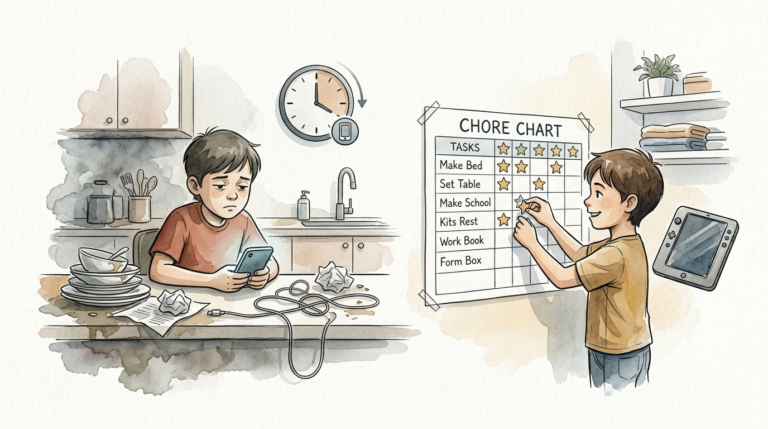
Step 3: Establish the “Before-Screen” Checklist. A tracker is most effective when it is tied to responsibilities. Create a list of “Must-Dos” that must be checked off before the device is even touched. Common items include:
- Bed is made and room is tidy.
- Homework or reading for 20 minutes is complete.
- Outdoor play or physical activity for 30 minutes.
- One helpful chore for the household.
Step 4: The Daily Check-In. Every evening, have your child fill in their screen time tracker printable monthly. Use stickers, colored markers, or simple checkmarks. This ritual is the “Accountability Loop.” It forces the child to reflect on their usage. If they went over their limit, discuss why it happened without judgment and plan for a “low-screen” day tomorrow.
Step 5: The Monthly Review. At the end of the 30 days, look at the completed tracker together. Identify patterns. Did a specific game cause a spike in usage? Were rainy days the hardest? Use this data to adjust the rules for the following month. This turns the process into a collaborative experiment rather than a punishment.
Benefits of Physical Tracking Over Digital Apps
While most devices have “Screen Time” settings built-in, they are notoriously easy to ignore. A screen time tracker printable monthly offers psychological advantages that software simply cannot replicate. The primary benefit is the reduction of cognitive load. When the rules and the progress are visible on the wall, the child doesn’t have to keep checking their phone to see how much time is left—a behavior that often leads to more scrolling.
Physical trackers provide a “Dopamine Win.” Checking off a box or placing a sticker on a tracker provides a small, tactile burst of satisfaction. This rewards the behavior of not being on the screen. Over time, the brain begins to associate the physical tracker with a sense of accomplishment, helping to break the “Stimulation Loop” caused by high-intensity digital content.
Another major advantage is modelling. When parents also use a tracker, it shows the child that digital wellness is a family value, not just a rule for kids. Research suggests that parents’ screen habits are a top predictor of their children’s usage. A monthly printable for the whole family levels the playing field and fosters a culture of intentionality.
Finally, a physical log builds executive functioning skills. Children learn to plan their day, prioritize tasks, and manage a finite resource (time). These are life skills that extend far beyond the iPad. By physically marking the time, they develop a spatial understanding of how a day is structured, something that is often lost in the “timeless” nature of infinite scrolling.
Challenges and Common Mistakes
The most frequent pitfall is The Convenience Trap. It is tempting to use screens as a “babysitter” during busy moments, such as when you’re making dinner or on a conference call. When this happens, the tracker is often ignored, and the system breaks down. To avoid this, acknowledge that some days will be “Heavy Screen Days” and mark them as such on the tracker rather than pretending they didn’t happen. Honesty is the key to long-term success.
Dangling Screen Time as the Ultimate Reward is another common error. When you tell a child, “If you do your chores, you get the iPad,” you are signaling that the iPad is the most valuable prize in their world. This actually increases the “pull” of the device. Instead, use the tracker to log “Earned Free Time.” During free time, the child can choose a screen, but they could also choose LEGOs or drawing. The goal is to make the screen just one of many options.
Consistency is the hardest part. Many families start strong in Week 1 but forget by Week 3. This is why the tracker must be placed in a high-traffic area. If it’s buried under a pile of mail, it doesn’t exist. Treat the tracker as a sacred part of the kitchen “Command Center.”
The “In a Minute” Battle is a classic screen-time hurdle. A “minute” in digital time feels like seconds to a child but hours to a parent. Using a tracker alongside a physical kitchen timer can solve this. When the timer dings, the tracking log is updated immediately. This removes the “zombie face” transition period where kids struggle to disconnect from the blue light.
Limitations of Monthly Printables
A screen time tracker printable monthly is a powerful tool, but it is not a silver bullet. It requires a level of parental involvement that may not be sustainable for every family. If you are in a season of extreme stress or transition, a manual tracking system might feel like “one more thing” on a burning to-do list. In these cases, a digital block might be a better temporary bridge.
As children enter their teenage years, the “Visual Order” of a refrigerator chart may meet resistance. Teens crave independence and privacy. For this age group, a physical tracker might need to move inside their personal planner or a digital version they manage themselves. The goal shifts from “monitoring” to “self-regulation.”
Practical constraints also exist. A paper tracker cannot stop a child from sneakily using a device in the middle of the night. It relies on a foundation of trust. If that trust is broken, the tracker needs to be supplemented with physical hardware solutions, like a “charging station” in the kitchen where all devices must sleep at night.
Comparison: Paper Trackers vs. Digital Apps
Choosing the right tool depends on your family’s specific needs. Below is a comparison of the two primary methods for managing screen time.
| Feature | Screen Time Tracker Printable Monthly | Digital Parental Control Apps |
|---|---|---|
| Visibility | High (Always visible on a wall/fridge). | Low (Hidden in settings menus). |
| Cost | Zero/Low (Cost of paper/ink). | Often requires monthly subscriptions. |
| Engagement | Active (Child must physically mark it). | Passive (App runs automatically). |
| Psychology | Focuses on “Earned Free Time” & goals. | Focuses on “Blocking” & restrictions. |
| Skill Building | Teaches time management & discipline. | Does the work for the child. |
While apps are efficient for hard limits, they don’t teach the “why” behind the rules. A screen time tracker printable monthly is an educational tool. It turns a restriction into a conversation about health, focus, and balance.
Practical Tips for Success
To make your tracker more effective, try these optimization techniques:
- Gamify the Month: Set a “Family Reward” if everyone stays within their monthly budget. A trip to the zoo or a pizza night works wonders for motivation.
- Color-Coding: Use green for educational/creative time (coding, digital art) and red for passive consumption (TikTok, YouTube). This helps kids see that not all screen time is created equal.
- The 20-20-20 Rule: Include a reminder on the printable. Every 20 minutes of screen time, look at something 20 feet away for 20 seconds. This protects eye health.
- Designate Screen-Free Zones: Ensure the tracker reflects that certain areas (dining table, bedrooms) are always 0-minute zones.
- Use “Screen Tokens”: For younger kids, pair the monthly tracker with physical tokens. Each token represents 30 minutes. When they spend a token, they mark the box on the printable.
Advanced Considerations: Content Quality vs. Quantity
Serious practitioners of digital wellness know that what you watch is often more important than how long you watch. A child spending two hours learning to code on a screen is having a vastly different experience than a child spending two hours watching “unboxing” videos. If your screen time tracker printable monthly shows high usage, don’t panic immediately. Look at the quality.
Consider adding a “Value Rating” to your tracker. After a screen session, have the child rate the activity from 1-5. Did they feel energized and smarter (a 5), or did they feel “brain-dead” and grumpy (a 1)? This builds metacognition—the ability to think about their own thinking. When a child realizes that certain apps consistently make them feel like a “1,” they are more likely to self-limit in the future.
Scaling this for multiple children requires a “Visual Dashboard.” Instead of one tracker, have a centralized board with color-coded rows for each family member. This creates a healthy sense of “Digital Citizenship.” It also allows siblings to encourage each other to stay off their devices and play together.
Real-World Scenario: The Summer Break Slide
Consider the “Miller Family.” Every June, their routine collapses. Without school, the kids’ screen time jumps from 2 hours a day to 6 hours. Tempers flare, and the house feels like a “digital swamp.”
In July, the Millers introduced a screen time tracker printable monthly. They didn’t ban screens; they just made them visible.
- They printed a large calendar-style tracker for the fridge.
- They set a “Morning Goal”: No screens until 10:00 AM.
- They used a “1-for-1” rule: For every hour spent outside, they earned 30 minutes of screen time.
By the second week of July, the kids were self-policing. They were checking the weather and planning outdoor games specifically to “fund” their evening gaming session. The “Digital Chaos” was replaced by a “Visual Order” that the kids actually enjoyed because it gave them a sense of control over their leisure time.
Final Thoughts
A screen time tracker printable monthly is more than just a piece of paper. It is a commitment to being present. It is an admission that we are all susceptible to the “Stimulation Loop” of modern technology and that we need visual cues to keep us grounded. By bringing measurement to the chaos, you empower your family to make better choices.
Start small. Don’t worry if the first month isn’t perfect. The goal is awareness, not perfection. The act of marking the paper is the victory. Over time, you will find that the “just five more minutes” arguments fade away, replaced by a clear understanding of balance. Experiment with different designs, find what works for your kids’ ages, and watch how a little visual order changes the energy of your entire home.
If you’re looking to deepen your household organization, consider pairing your screen tracker with a weekly meal planner or a chore-rotation system. When the invisible systems of your life become visible, the stress of modern parenting begins to lift.
Sources
1 mumlyfe.com.au | 2 veryspecialtales.com | 3 dailymom.com | 4 aap.org | 5 biermanautism.com | 6 healthychildren.org | 7 aacap.org | 8 starkhelpcentral.com