screen time management aesthetic
Your environment dictates your habits. Make focus the default. Screen management isn’t just about willpower; it’s about architecture. By creating a dedicated ‘home’ for devices, you remove the visual cue to scroll. Pro-level parenting starts with a ‘Pro’ environment.
screen time management aesthetic
Digital minimalism is no longer a niche hobby for tech enthusiasts. It has evolved into a full-scale interior design movement known as the screen time management aesthetic. This approach treats technology like any other utility—useful, but potentially intrusive if not properly housed. Instead of phones scattered across kitchen counters and tablets tucked into sofa cushions, this aesthetic demands intentionality. It creates a visual landscape where human connection and deep work take center stage, while glass and silicon remain secondary.
Real-world application of this aesthetic focuses on “friction.” Standard homes are designed for maximum digital convenience, which often leads to constant overstimulation. A screen-managed home uses design to create healthy friction. It makes it easier to pick up a book or a guitar than to pick up a smartphone. This shift in domestic architecture addresses the “almost constant” online presence reported by nearly 30% of adults. It isn’t about banning technology, but rather about re-homing it to restore the psychological sanctuary of the home.
The Blueprint: Designing Your Device Architecture
Building a high-functioning digital environment requires more than just a power strip. It demands a rethink of how signals enter and inhabit your space. Start by identifying “Digital Entry Points.” These are the physical locations where devices naturally pile up. For most families, this is the kitchen island or the entryway.
Integrated charging drawers represent the gold standard for this system. Using in-drawer outlets keeps devices out of sight while they power up. This simple architectural change removes the visual “ping” that happens every time you see a notification light or a glossy screen. If a renovation isn’t in the cards, stylish docking stations made of natural materials like walnut or leather can serve as a central “dock.”
Establish a “Bedtime for Devices” protocol. Choose a location outside of the bedrooms for all phones and tablets to reside after 8:00 PM. This habit aligns with 2025 wellness trends that prioritize lowering cortisol levels and reclaiming the first hour of the day for phone-free activity. Analog tools should replace screens in these high-value zones. Keep journals, physical books, or even high-quality audio players in the spaces once occupied by charging cables.
The Psychological Payoff of Aesthetic Boundaries
Removing the visual cue of a smartphone can immediately lower background anxiety. Studies show that the mere presence of a smartphone on a table reduces cognitive capacity, even if the phone is turned off. A dedicated “home” for your tech restores your ability to engage in deep work and meaningful connection.
Mental Clarity and Focus
Constant pings and vibrant colors are designed to hijack your dopamine system. An aesthetic that hides these triggers allows your brain to settle into a “low-arousal” state. This state is essential for creativity and problem-solving. Pro-level practitioners often report that their productivity doubles simply because they aren’t fighting the invisible pull of a nearby screen.
Strengthened Relationships
Screen-free zones like the dining table or the living room sofa encourage face-to-face interaction. When devices have a specific home elsewhere, the temptation to “just check one thing” during a conversation vanishes. Families who adopt this system often find that the “Standard Chaos” of dinner meltdowns and distracted parenting is replaced by a calmer, more present atmosphere.
Common Pitfalls: Why Systems Fail
Most people attempt screen management using only willpower. Willpower is a finite resource that usually runs out by 6:00 PM. Architecture is infinite. A common mistake is focusing on “monitoring” rather than “mentoring.” If you rely solely on parental control apps while leaving devices scattered throughout the house, your children will naturally find workarounds.
Another error involves “The Junk Drawer Mentality.” Shoving cords and devices into a cluttered drawer creates a sense of shame or frustration. The aesthetic must be beautiful to be sustainable. If the charging station feels like a chore, you won’t use it. High-quality materials and organized cabling ensure the system feels like an upgrade, not a restriction.
Avoid the “Cold Turkey Trap.” Sudden, drastic bans often lead to rebellion or “digital bingeing.” Successful systems are implemented gradually, starting with one room or one specific time block. This allows the family to adjust to the new rhythm without the shock of a total tech blackout.
Limitations of the Aesthetic Approach
No physical system is a silver bullet for digital addiction. Design can nudge behavior, but it cannot replace the need for honest conversations and personal discipline. If the underlying culture of the home remains hyper-connected, devices will eventually migrate back to the bedside table.
Environmental constraints also play a role. Renters may not be able to install in-drawer outlets or wall-mounted docks. Small apartments may lack the space for a dedicated “tech dock.” In these cases, the system must be adapted using portable, high-quality storage boxes or “Tech-No” bins that can be tucked away in a closet.
Expect a learning curve. Your brain is wired to seek the dopamine hit of a notification. Even with a perfect aesthetic setup, you will likely find yourself walking toward the charging dock out of habit. Consistency is the only way to re-wire these neural pathways.
The Comparison: Standard Chaos vs. Pro Systems
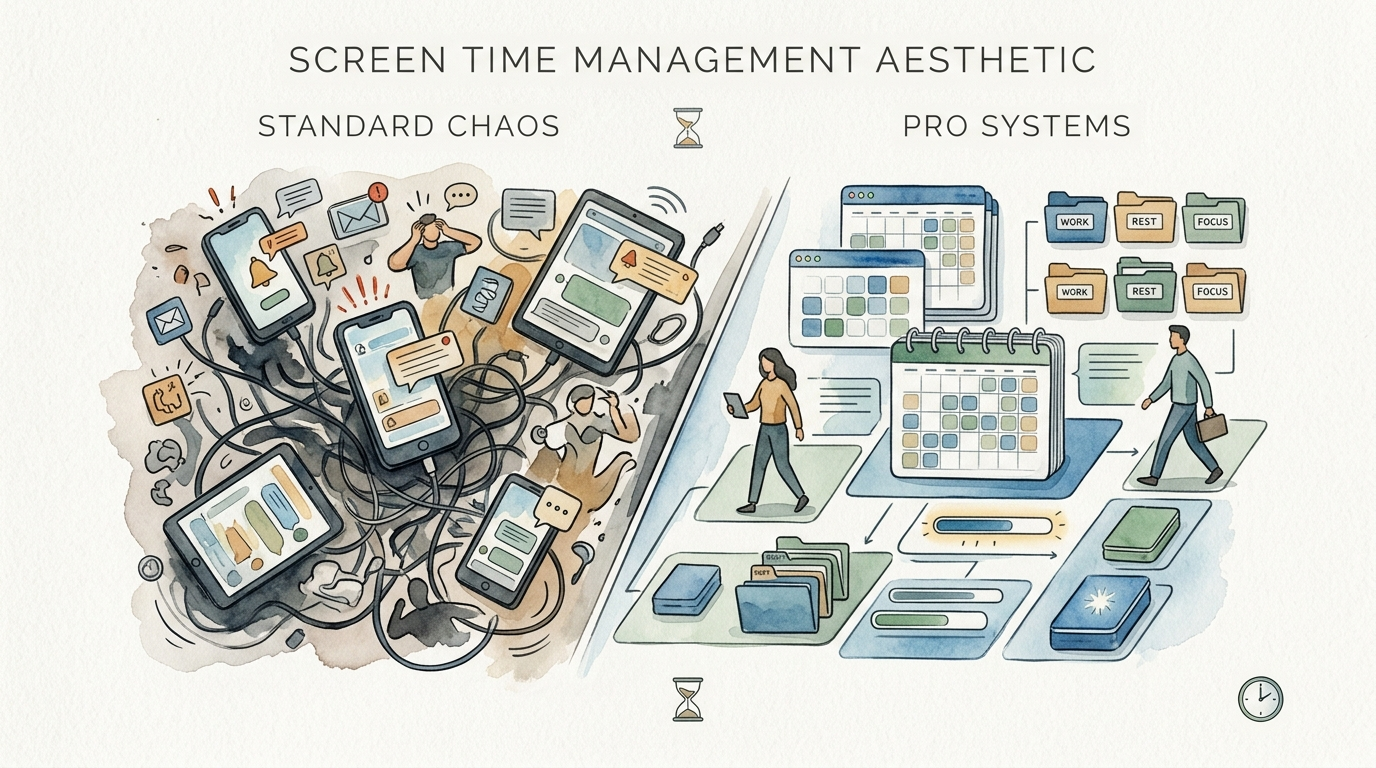
The difference between a home in “Standard Chaos” and one using a “Pro System” is often invisible until you look at the habits of the people living there.
| Feature | Standard Chaos | Pro Systems |
|---|---|---|
| Device Storage | Scattered on counters, beds, and tables. | Centralized “Dock” or hidden charging drawers. |
| Visual Cues | Constant notifications and glowing screens. | Tech is invisible until intentionally accessed. |
| Parenting Style | “Stab and Grab” (sudden confiscations). | Predictable boundaries and architectural cues. |
| Mental State | Reactive, overstimulated, fragmented. | Proactive, focused, present. |
| Maintenance | High daily stress and “cord hunting.” | Low daily friction due to engineered layout. |
Practical Tips for Immediate Optimization
Small changes can yield massive results. You don’t need a total home renovation to start the screen time management aesthetic.
- Grayscale Your Life: Turn your phone screen to grayscale. This removes the dopamine-inducing “candy colors” and makes the device instantly less attractive.
- The Entryway Hand-Off: Place a beautiful wooden bowl or dock near the front door. Drop your phone there the second you walk in to signal that “Home Time” has begun.
- Analog Alternatives: Replace your bedside phone with a dedicated alarm clock. Keeping the phone in another room prevents late-night scrolling and ensures a peaceful wake-up.
- Cable Management: Use cord sleeves or under-desk trays to hide wires. Visual clutter equals mental clutter.
- Timed Lockboxes: For high-temptation periods, use a lockable tech box. This is particularly effective during focused study sessions or family game nights.
Advanced Considerations for Serious Practitioners
Serious practitioners of digital minimalism often look toward “Signal Shielding” or “Faraday Nooks.” These are specific areas in the home where Wi-Fi signals are intentionally dampened or blocked to create a truly dead zone for connectivity. While this may seem extreme, it provides a physical barrier that no app can bypass.
Scale your system by integrating it into your home’s lighting and audio. Smart home systems can be programmed to dim the lights and start a “low-tech” playlist at a certain hour, signaling a transition to offline activities. This uses environmental cues to nudge your biological clock toward rest.
Performance-minded families might even consider “Tech-Free Retreats” within the home—dedicated rooms with zero power outlets. These spaces are reserved for conversation, reading, and meditation. This level of architecture moves beyond simple organization and into the realm of habit-shaping design.
The ‘Tech Dock’ Scenario in Practice
Imagine a family of four. In the “Standard Chaos” model, mornings start with everyone checking notifications before their feet hit the floor. Breakfast is a silent affair of four people staring at four different rectangles. In the “Pro Systems” model, the morning looks entirely different.
The parents wake up to analog alarms. Phones are still in the kitchen “Tech Dock” where they were placed at 8:30 PM the night before. Because the devices aren’t within arm’s reach, the parents spend the first 30 minutes of the day talking and planning. The kids come downstairs and see the kitchen island is clear of cables and clutter.
The Tech Dock is a beautiful walnut cabinet with built-in charging. Devices only come out once the “Morning Routine” is complete. This system removes the need for constant nagging. The environment itself tells the kids what is expected. Focus is the default because the architecture supports it.
Final Thoughts
The screen time management aesthetic is about more than just hiding cables. It is a commitment to reclaim the physical and mental space that technology has slowly occupied over the last decade. By treating your home like an ecosystem, you can engineer habits that lead to deeper focus, better sleep, and more meaningful relationships.
Success in this area doesn’t require perfection. It requires a willingness to experiment with your environment and a refusal to accept digital clutter as the status quo. Start with a single “docking zone” and observe how your behavior changes when the visual cue of a screen is removed.
Embrace the beauty of a low-tech home. When you make focus the default, you stop fighting against your devices and start living with them on your own terms. Your environment is the most powerful tool you have—use it wisely.
Sources
1 nytstnd.com | 2 esafekids.com.au | 3 thesuccessfinder.com | 4 rijularora.com | 5 anker.com | 6 houzz.com | 7 routledge.com | 8 thislittlehomeofmine.com | 9 castlepinesconnection.com | 10 bjorns.com | 11 outdoormovementproject.com | 12 thejoltapp.com | 13 dockingdrawer.com | 14 dockingdrawer.com | 15 htgtfurniture.com | 16 mother.ly | 17 reddit.com | 18 chargie.org | 19 decoist.com