screen time limit facetime
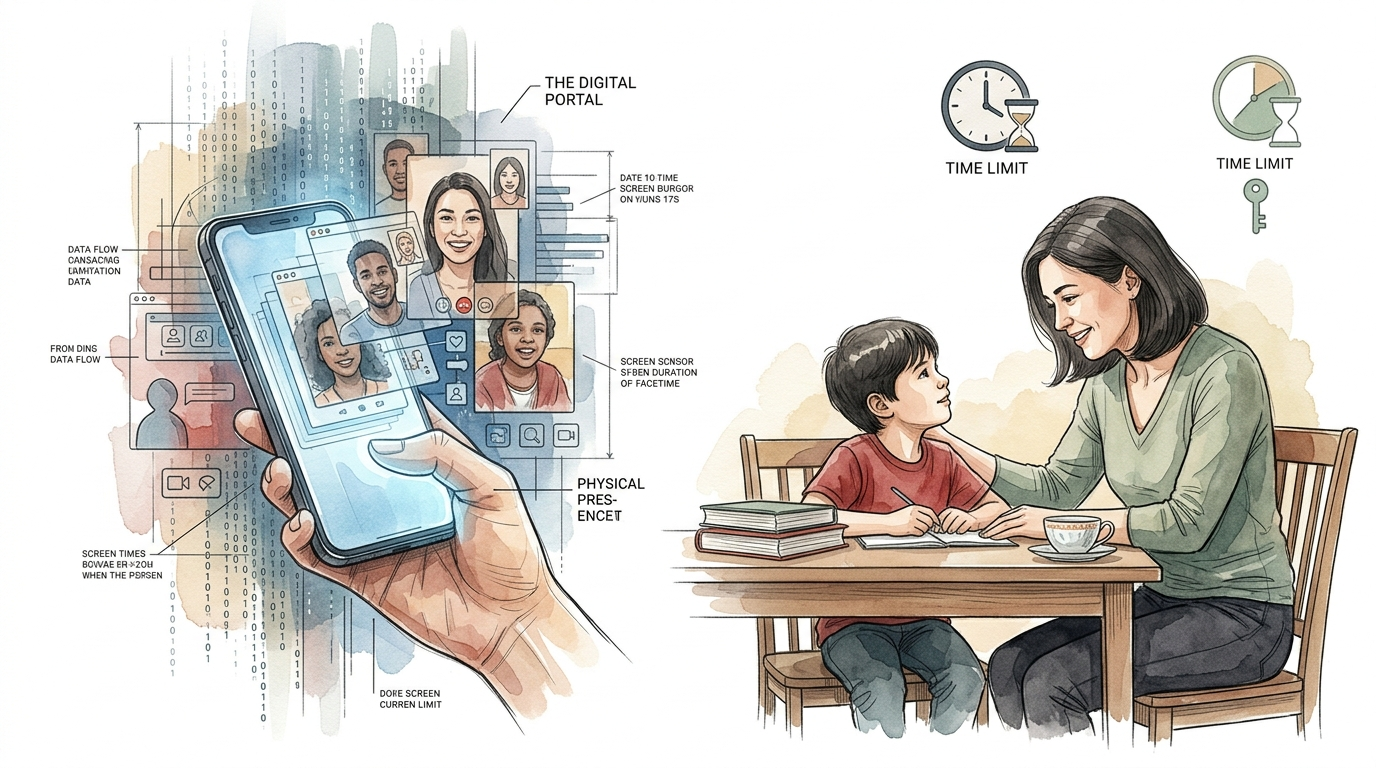
Even digital connection has its limits. Prioritize the physical. We often think FaceTime is ‘better’ screen time, but it can still be overstimulating. Balancing the modern digital portal with ancestral face-to-face contact is key for healthy development.
Technology has transformed how we maintain relationships. Grandparents can watch their grandchildren take their first steps from thousands of miles away. Parents traveling for work can read bedtime stories through a glowing glass pane. This “digital portal” offers a lifeline of connection that previous generations never had.
Yet, this convenience comes with a cost. While video chatting is far superior to passive television, it is not a complete substitute for being there. The human brain evolved for physical presence, sensory richness, and the subtle cues of three-dimensional space. Navigating this balance requires intentionality and clear boundaries.
Establishing a healthy digital culture starts with understanding the tools. We often assume that because FaceTime is interactive, it doesn’t “count” toward screen time. Recent research suggests otherwise. While it provides valuable “serve and return” interaction, the neurological load is still significant for developing minds.
screen time limit facetime
A screen time limit for FaceTime is a specific boundary set on the duration or frequency of video calls. Unlike passive media consumption, such as watching cartoons, video chatting is considered “socially contingent” interaction. This means the person on the screen responds to the user in real-time, which is why organizations like the American Academy of Pediatrics (AAP) often exclude it from strict time caps for very young children.
The concept exists because even interactive screens emit blue light and require intense visual focus. In real-world situations, a toddler might use FaceTime to speak with a parent stationed overseas. An older child might use it for hours to hang out with friends after school. Without a limit, these sessions can “crowd out” essential activities like physical play, sleep, and face-to-face family time.
Think of it like a digital bridge. It is a wonderful way to cross a distance, but you wouldn’t want to live on the bridge itself. Setting a limit ensures the bridge is used for its intended purpose—connection—without becoming the primary environment for growth.
The 5 C’s of Digital Wellness
Modern guidance has shifted away from rigid minute-counting. Experts now point to a more nuanced framework often called the “5 C’s.” This approach helps parents and individuals decide if a FaceTime session is healthy or if it’s time to hang up.
Child
Every child responds to digital stimulation differently. Some children are energized by a video call, while others become irritable or “revved up.” Observe how your specific child handles the transition. If they struggle to regulate their emotions after a call, the duration might be too long for their current developmental stage.
Content
What is happening during the call matters more than the minutes on the clock. A call where a grandparent reads a book or plays a game is high-quality. A call where the device is simply left on the floor while the child plays alone is less beneficial. High-quality content involves active engagement and meaningful conversation.
Calm
Monitor the emotional state of the user. Video calls can be overstimulating due to audio delays, frozen screens, and the lack of physical touch. If the session leads to “device dysregulation”—where the nervous system becomes hyper-aroused—it is time to implement a stricter screen time limit for FaceTime.
Crowding Out
This is the most critical metric. Is the digital portal replacing physical presence? If FaceTime sessions are taking the place of outdoor play, homework, or family dinners, the balance is off. The goal is for technology to supplement life, not replace it.
Communication
Use the call as a teaching moment. Talk to the child about who they are seeing and what they are doing. This helps bridge the gap between the two-dimensional screen and the three-dimensional world. For adults, this means being present during the call rather than multitasking.
How to Set Technical Limits on iOS
Apple provides robust built-in tools to manage these boundaries. You do not need third-party apps to set a screen time limit for FaceTime. These settings allow you to control access for yourself or a child’s device managed through Family Sharing.
- Access Screen Time: Open the Settings app on your iPhone or iPad and tap on “Screen Time.”
- Turn on Screen Time: If it isn’t already active, tap “Turn On Screen Time” and follow the prompts to identify the device as yours or your child’s.
- Set a Passcode: Always use a Screen Time Passcode. This prevents the user from simply tapping “Ignore Limit” when the time is up.
- App Limits: Tap “App Limits,” then “Add Limit.” Find the “Social” category and select “FaceTime.” You can then set a daily time allowance in minutes or hours.
- Communication Limits: This unique feature allows you to choose who the child can FaceTime with. You can limit communication to “Contacts Only” to ensure safety.
- Downtime: Schedule “Downtime” (e.g., 7:00 PM to 7:00 AM) to block FaceTime entirely during sleep hours. Only “Always Allowed” apps will work during this period.
Regularly reviewing the “Activity Report” in the Screen Time menu helps you stay aware of usage patterns. If you notice FaceTime hours creeping up, you can adjust the limits instantly from your own device using the Family Sharing menu.
Benefits of Strategic Video Chatting
When used with a clear screen time limit, FaceTime offers powerful advantages for development and mental health. It is fundamentally different from watching a video because it requires social participation.
Serve and Return Interaction: This is the fundamental building block of brain development. A child makes a sound or gesture, and the adult on the screen responds. This back-and-forth strengthens neural connections. Research shows that toddlers as young as 17 months can learn new words through video chat because of this “social contingency.”
Emotional Bonds: Digital connection allows for “relationship time.” It helps children recognize the faces and voices of distant relatives. This creates a sense of belonging and family identity that would be impossible with just phone calls or photos. For adults, it reduces feelings of isolation and supports mental well-being during periods of separation.
Educational Support: FaceTime can be a tool for remote learning and tutoring. The interactive nature allows for immediate feedback. A teacher can see a student’s work in real-time, making it an efficient “digital portal” for skill acquisition.
Challenges and Common Mistakes
The most frequent error is treating FaceTime as a “babysitter.” Because it is interactive, parents often feel less guilt about leaving a child in front of the screen. However, without an adult present on the child’s side to help “translate” the experience, the child may become confused or frustrated.
Overstimulation: Video calls are sensory-heavy but socially thin. The brain has to work harder to decode facial expressions and tone of voice because of digital compression and lag. This can lead to “Zoom fatigue” or what some experts call Electronic Screen Syndrome (ESS). Symptoms include dilated pupils, irritability, and a “moth to a flame” obsession with the screen.
The “Exit Meltdown”: Transitions are hard. When the screen time limit for FaceTime is reached, many children experience a sudden emotional crash. This happens because the high-dopamine stimulation of the call is suddenly removed. Without a “wind-down” routine, this transition can become a daily battleground.
Ignoring Physical Cues: Users often stay on calls long after they have become tired or disengaged. Because we value the connection, we ignore the physical discomfort of staring at a bright light or sitting in a fixed position. This leads to physical strain and mental exhaustion.
Limitations of the Digital Portal
The digital portal is powerful, but it has hard boundaries. It cannot replicate the sensory richness of physical presence. Understanding these limitations helps us appreciate why face-to-face contact remains the gold standard for human development.
Lack of Co-Presence: In a physical room, you share the same air, the same temperature, and the same peripheral environment. This “shared space” allows for spontaneous, non-verbal communication. On FaceTime, the view is restricted to a small box. You cannot see what is happening just out of frame, which creates a cognitive disconnect.
Sensory Deprivation: You cannot touch, smell, or truly make eye contact through a screen. True eye contact requires looking at the camera lens, but we naturally look at the eyes on the screen. This means both parties are technically looking slightly away from each other. For infants, this lack of direct eye contact can make the interaction feel “uncanny” or less satisfying.
Depth Perception Issues: Young children struggle to understand that the two-dimensional image represents a three-dimensional person. They may try to offer a physical toy to the screen or become distressed when they cannot touch the person they see. This cognitive load is why the screen time limit for FaceTime is so important—it prevents the brain from being “stuck” in a confusing 2D/3D loop for too long.
Practical Tips for a Better Connection
Optimizing how you use the digital portal can make the sessions more meaningful and less draining. Small adjustments to the environment and the routine can yield significant improvements in digital wellness.
- Curate the Background: Keep the area behind the screen simple. A cluttered background increases the visual load on the person watching, leading to faster fatigue.
- Use a Stand: Avoid walking around with the device. Shaky video is a major cause of overstimulation and “motion sickness” for the viewer. Prop the iPad or iPhone on a stable surface at eye level.
- The “Three-Minute Warning”: Always give a verbal countdown before ending the call. This helps the nervous system prepare for the transition away from the screen.
- Parallel Play: You don’t have to talk the whole time. Sometimes just having the screen on while both people do their own thing (like drawing or building LEGO) creates a sense of “being together” without the pressure of constant conversation.
- Dim the Brightness: Reduce the screen brightness to the lowest comfortable level. This lessens the impact of blue light on the eyes and the brain’s circadian rhythm.
Advanced Considerations: The Neuroscience of Connection
For those looking to deepen their understanding, we must look at the neurochemical differences between digital and physical presence. Physical touch and proximity trigger the release of oxytocin and help regulate the autonomic nervous system in ways that screens cannot fully replicate.
Mirror Neurons: These specialized brain cells fire both when we perform an action and when we see someone else perform it. They are the basis of empathy and social learning. While mirror neurons do fire during video calls, the “latency” (lag) in digital signals can disrupt the synchronization between two people. This “micro-lag” is almost imperceptible but forces the brain to work overtime to stay in sync.
Vagal Tone: Being in the physical presence of a calm, regulated person helps regulate our own nervous system through a process called “co-regulation.” This happens through subtle vibrations in the voice and physical proximity. A screen time limit for FaceTime ensures that children still spend the majority of their time in these co-regulating physical environments.
Scaling Boundaries: As children grow, the nature of the limit should change. For a toddler, 20 minutes might be the max. For a teenager, the limit might be less about minutes and more about “no screens after 9:00 PM.” The goal is to move from parental control to self-regulation as the child’s prefrontal cortex develops.
Real-World Scenarios
Consider two different approaches to using the digital portal. These examples illustrate how intentionality changes the outcome.
Scenario A: The Unregulated Stream. A parent leaves an iPad on the kitchen table with a grandparent on the line for two hours. The toddler occasionally looks at the screen but mostly plays on the floor. By the end, the child is irritable, rubbing their eyes, and has a massive meltdown when the iPad is finally turned off. The screen has become a background “noise” that overstimulates without providing consistent connection.
Scenario B: The Intentional Ritual. The family sets a 15-minute “Grandpa Time” every Sunday at 4:00 PM. They sit together on the sofa. Grandpa reads one short book. The parent helps the child point to pictures on the screen. They say a clear “Goodbye” and then immediately go outside for a 10-minute walk. The child is happy, feels connected, and transitions easily because the session was focused and the ending was expected.
Scenario B uses the screen time limit for FaceTime as a tool for success. It prioritizes the quality of the “portal” while protecting the child’s physical and emotional needs.
Final Thoughts
FaceTime is a bridge, not a destination. It is a remarkable tool that allows us to maintain the “ancestral” need for family connection across modern distances. However, we must remember that the digital portal is a low-resolution version of reality. It can supplement our social lives, but it cannot replace the deep, regulating power of physical presence.
By implementing a clear screen time limit for FaceTime, you protect the nervous system from overstimulation. You ensure that digital “relationship time” remains a positive experience rather than a source of stress. The goal is to use the technology to enhance your life, not to let the technology define the boundaries of your world.
Experiment with these strategies. Observe your children and your own energy levels. Find the “sweet spot” where connection feels vibrant and the transition back to the physical world feels seamless. Digital wellness is not about deprivation; it is about choosing the most nourishing forms of contact for the human spirit.
Sources
1 clevelandclinic.org | 2 kidshealth.org | 3 byu.edu | 4 jelliesapp.com | 5 pathways.org | 6 psychologytoday.com | 7 drroseann.com | 8 youtube.com | 9 aap.org