screen time limit youtube
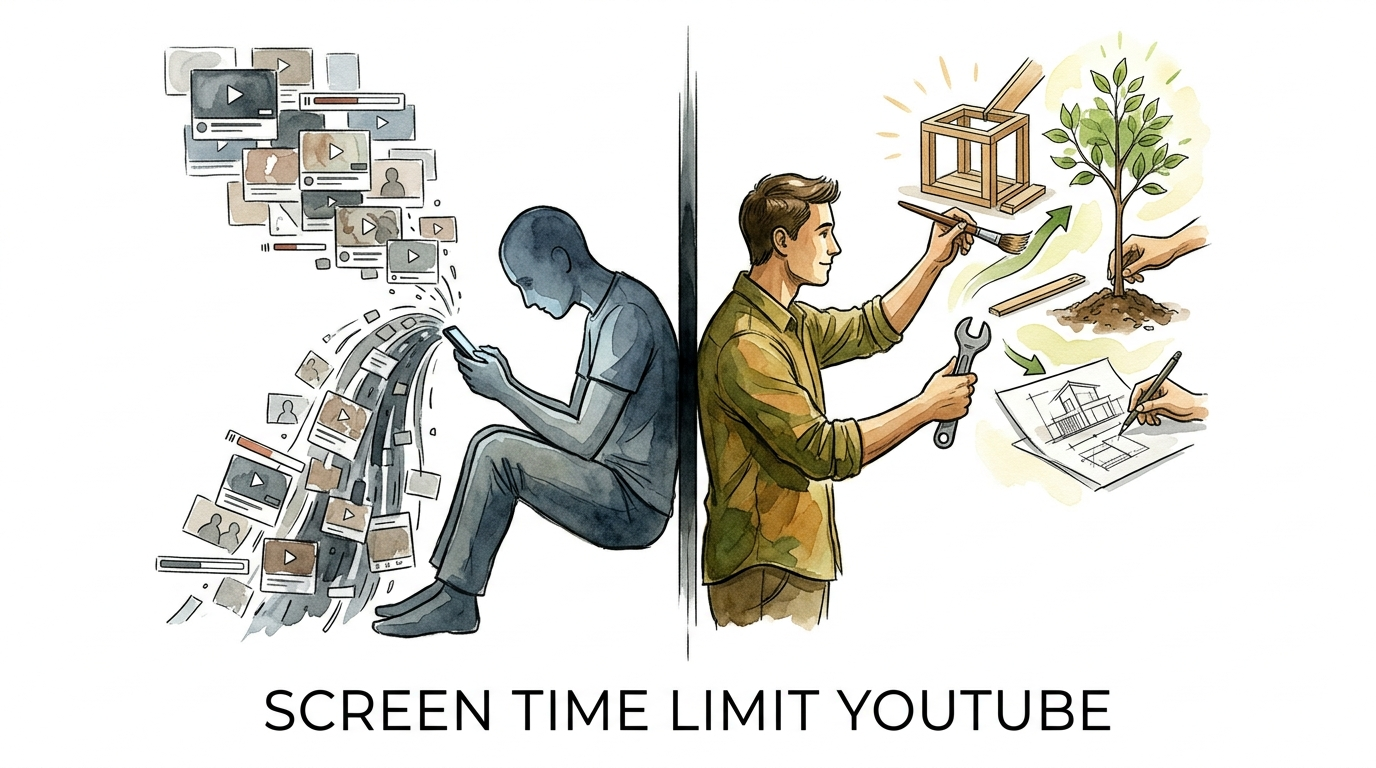
Stop watching others live. Start living your own skills. YouTube is a library of ‘dead’ content if you never use it. We’re limiting the scroll and maximizing the ‘doing.’ Here is how we turned screen time into skill time.
Most of us open YouTube with the best intentions. Maybe you want to learn how to fix a leaky faucet or master a new coding language. Then the algorithm takes over. Two hours later, you are watching a video about the history of salt. This transition from active learning to passive consumption is what turns a powerful tool into a time sink.
Real skill mastery requires more than just observation. It requires action. When you watch a video without applying the knowledge, that content becomes ‘dead.’ It stays in your short-term memory for an hour and then vanishes. To turn that around, you need a hard boundary. You need to take control of your digital environment before the engineers in Silicon Valley do it for you.
Transforming your relationship with video content starts with a single, decisive step: setting a screen time limit. This isn’t about restriction for the sake of punishment. It is about creating a vacuum that you can fill with real-world practice, physical movement, and genuine creation.
screen time limit youtube
A screen time limit youtube setting is a digital boundary designed to break the cycle of infinite scrolling. At its core, it is a self-imposed or parent-controlled timer that shuts down the app or warns you when you have reached a specific usage threshold. These tools exist because the platform is architecturally designed to keep you watching “just one more video” through sophisticated reward mechanisms.
YouTube employs a variable-ratio reinforcement schedule, much like a slot machine. You never know if the next video in your feed will be a boring ad or a life-changing piece of insight. This unpredictability keeps your brain in a state of constant seeking, also known as “dopamine-scrolling”. Setting a limit forces a moment of conscious choice, pulling you out of the “zombie state” and back into reality.
In the real world, these limits are used by professionals to protect their deep work sessions and by parents to ensure children develop healthy digital habits. Without a hard stop, the “autoplay” feature and the endless sidebar of recommendations can hijack your decision-making process for hours. By implementing a limit, you are effectively telling the algorithm that your time is more valuable than its ad revenue.
Modern devices offer several ways to implement this. You can use built-in operating system tools like Apple’s Screen Time or Android’s Digital Wellbeing. Additionally, the YouTube app itself has internal features like “Take a Break” reminders and “Bedtime” notifications that pause playback after a set duration. These tools are the first line of defense against the “brain rot” associated with excessive, passive consumption.
How to Set Your Digital Boundaries
Taking control of your time requires a multi-layered approach across all your devices. Whether you are on a smartphone, tablet, or desktop, you can build a fortress that keeps the algorithm at bay. Follow these steps to lock down your screen time today.
Setting Limits on Android Devices
Android’s Digital Wellbeing suite is one of the most robust tools for app management. It provides a visual dashboard of your usage and allows for hard shutdowns of specific apps. To set a timer, open your phone’s Settings and navigate to Digital Wellbeing & Parental Controls. From there, tap on the dashboard to see your individual apps. Find YouTube, tap the hourglass icon, and set your daily limit. Once the time is up, the app icon will turn gray, and it will not open again until midnight.
Managing YouTube on iOS (iPhone and iPad)
Apple users can leverage the Screen Time feature to create strict boundaries. Go to Settings and then Screen Time. Select App Limits and then Add Limit. You can find YouTube under the “Entertainment” category. Choose your time limit and ensure “Block at End of Limit” is toggled on. If you want to be extra strict, have a trusted friend or family member set a Screen Time passcode so you cannot simply hit “Ignore Limit” when the urge to scroll hits.
Using Built-in YouTube App Features
The YouTube app itself contains wellbeing tools that work across all platforms. Tap your profile picture and go to Settings, then General. You will see two critical options: “Remind me to take a break” and “Remind me when it’s bedtime”. You can set the break reminder to trigger every 15, 30, or 60 minutes. When the time is up, the video will pause, and a friendly popup will remind you to step away. For users aged 13–17, these reminders are often turned on by default to encourage mindful viewing.
Desktop and Browser Control
Controlling YouTube on a laptop or desktop requires browser extensions because the website is designed to be as distracting as possible. Extensions like Unhook or DF Tube (Distraction-Free YouTube) allow you to hide the entire homepage feed, the sidebar recommendations, and even the comments section. This forces you to use the search bar for a specific purpose rather than browsing aimlessly. You can also use extensions to set “Focus Modes” that block the site entirely during work hours.
Benefits of Mastering Your Time
When you stop the scroll, you regain your most valuable asset: attention. The benefits of limiting your YouTube consumption go far beyond just saving time. It is a fundamental shift in how your brain processes information and interacts with the world.
Increased Learning Efficiency: Research shows that active learning—where you are hands-on and solving problems—is significantly more effective than passive watching. By limiting screen time, you force yourself to stop watching the tutorial and start actually doing the work. This “struggle” to apply what you’ve learned is what actually solidifies knowledge in your long-term memory.
Restored Dopamine Baseline: Constant exposure to high-stimulation video content desensitizes your reward system. This makes ordinary, real-life activities feel boring or difficult. When you pull back from the endless stream of “Shorts” and viral clips, your brain resets. You start finding joy in reading, practicing a musical instrument, or working on a physical craft again.
Improved Mental Health: Excessive social media and video consumption are linked to increased anxiety, depression, and feelings of loneliness. Much of this comes from “upward social comparison”—watching others live curated, perfect lives. Reclaiming that time for real-world social interaction and self-improvement builds genuine self-esteem rather than the fleeting “hits” of digital validation.
Better Sleep Hygiene: The blue light from screens and the psychological stimulation of video content are enemies of a good night’s sleep. Using “Bedtime Reminders” on YouTube ensures you aren’t falling down a rabbit hole at 2:00 AM. Better sleep leads to better focus, which in turn makes it easier to resist the urge to scroll the following day.
Challenges and Common Mistakes
Implementing a screen time limit youtube strategy isn’t always a smooth ride. The human brain is incredibly good at negotiating its way back into bad habits. Understanding these pitfalls is the only way to overcome them.
The “Ignore Limit” button is the most common point of failure. Most screen time tools allow you to add “one more minute” or “ignore for the day.” This is a trap. The moment you bypass the limit once, you have told your brain that the boundary isn’t real. To avoid this, use the “Lock” feature or have someone else hold the password. Treat the limit as a non-negotiable contract with yourself.
Replacement addiction is another significant hurdle. If you block YouTube, you might find yourself spending those extra hours on TikTok, Instagram, or Reddit. This is why you must have a “Living Skill” ready to go. You aren’t just taking away a bad habit; you are filling that space with something better. If you don’t have a plan for the reclaimed time, the vacuum will pull you back into another digital distraction.
Many people also make the mistake of going “Cold Turkey” and then relapsing hard. If you currently spend five hours a day on YouTube, jumping immediately to 15 minutes might be too much of a shock. Instead, use a “laddering” approach. Reduce your limit by 30 minutes every few days until you reach your goal. This allows your dopamine receptors to adjust gradually without causing severe irritability or FOMO (Fear Of Missing Out).
Limitations and Realistic Constraints
While screen time limits are powerful, they aren’t a magic wand. There are situations where a hard limit may not be the ideal solution or may require a more nuanced approach. Recognizing these boundaries helps you build a system that actually lasts.
One major limitation is professional or educational necessity. If you are a video editor, a content creator, or a student taking a specific online course, YouTube is your workplace. A hard time limit can interrupt your productivity. In these cases, it is better to use “Environmental Design”—such as browser extensions that hide the feed but allow for search—rather than a total time cap. You need the tool, not the distractions.
Shared devices also pose a challenge. If a family uses one tablet, a single screen time limit might cut off a child’s educational video because an adult spent time watching news earlier. This requires setting up separate profiles or using account-level restrictions like YouTube Kids for younger members. Without individual accountability, limits often lead to frustration and abandonment of the system.
Finally, technology can be bypassed. From clearing browser cookies to using a “private” or “incognito” window, a determined mind can find ways around digital blocks. This highlights the most important limitation: software cannot replace self-discipline. These tools are crutches meant to help you walk; eventually, you must develop the mental strength to walk on your own.
Passive Scrolling vs. Living Skill Mastery
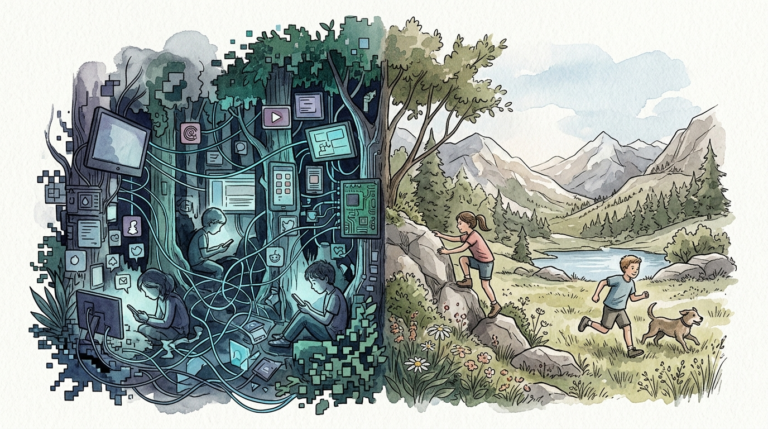
To understand why we are fighting the algorithm, we need to compare the two modes of existence. One is a consumer-driven loop; the other is a creator-driven path. This table illustrates the measurable differences in how these two approaches impact your life.
| Metric | Passive Scrolling (Dead Content) | Skill Mastery (Living Skills) |
|---|---|---|
| Knowledge Retention | Low (forgotten within 24 hours) | High (cemented through practice) |
| Brain State | Passive Beta/Theta (Zombified) | Active Alpha/Gamma (Flow State) |
| Mood Impact | Fleeting pleasure followed by guilt | Deep satisfaction and competence |
| Physical Activity | Sedentary (couch/bed) | Active (hands-on, moving, creating) |
| Long-term Value | None (Zero ROI on time) | High (New abilities, career growth) |
Practical Tips for High-Octane Learning
Once you have set your screen time limit youtube, you need to make the most of the minutes you have left. Use these optimization techniques to turn every second of video into a building block for your future.
The 1-to-1 Execution Rule: For every minute you spend watching a tutorial, you must spend at least one minute practicing what was shown. If you watch a 10-minute video on cooking techniques, get in the kitchen for 10 minutes. This prevents the “illusion of competence” that comes from merely watching someone else do something well.
Curate Your Subscriptions: The algorithm is trained to show you what you will watch, not what you should watch. Go through your subscription list and delete every channel that is purely “entertainment” or “drama.” Only keep the ones that teach you, inspire you to act, or provide high-level industry insights. Treat your feed like a curated textbook, not a television channel.
Disable Autoplay and Search Only: Turn off the “Autoplay” toggle immediately. This forces a moment of friction where you have to decide if the next video is actually worth your time. Better yet, bookmark the “Uploads” page of your favorite educational creator or use a “Search Only” extension. This bypasses the addictive homepage entirely.
Use the Scheduled Digest: Instead of getting a notification every time a new video is posted, set up a “Scheduled Digest” in your YouTube settings. This bundles all your notifications into a single update at a time of your choosing (like 6:00 PM). This prevents the “ping” of a new video from derailing your focus during the day.
Advanced Digital Architecture
For serious practitioners, basic app timers might not be enough. You may need to re-engineer your entire digital environment to ensure that YouTube serves you, rather than the other way around. This involves moving beyond the app and into network-level and psychological strategies.
DNS-Level Filtering: You can use services like NextDNS or Pi-hole to block YouTube’s recommendation servers while still allowing the video player to work. This is a “nuclear option” that requires some technical setup but provides a near-perfect distraction-free environment. It removes the thumbnails and the sidebar at the source, making the site look like a simple, utilitarian library.
Analog Habit Stacking: Link your YouTube time to a physical requirement. For example, “I only watch woodworking videos while I am in the garage with my tools out.” Or “I only watch coding tutorials when my IDE is open.” By physically linking the consumption to the environment of the skill, you make it almost impossible to slip into passive scrolling.
The “Search and Destroy” Method: Never go to the YouTube homepage. Instead, use Google Search to find a specific video title and click directly to it. When the video ends, close the tab immediately. This “surgical” approach to content consumption ensures that you are the one initiating the interaction, not the algorithm.
Example: From Consumer to Creator
Let’s look at Sarah, a marketing professional who wanted to learn how to play the guitar. Initially, she spent two hours every evening watching “Top 10 Guitar Riffs” and “Why This Guitar is a Rip-off” videos. She knew a lot about guitar trivia, but she couldn’t play a single chord. She was stuck in the “Dead Content” loop.
Sarah implemented a strict 45-minute screen time limit youtube. She also installed the Unhook extension to hide everything except her search results. Her new routine: she would search for a specific lesson (e.g., “how to play a G major chord”), watch it for 5 minutes, and then spend the remaining 40 minutes practicing that one chord. She stopped watching the gear reviews and started focusing on the mechanics.
Within three months, Sarah had moved from a passive consumer to a beginner guitarist. She had spent less total time on the platform than before, but her “Doing-to-Watching” ratio had flipped from 0:100 to 80:20. By creating a digital boundary, she forced her brain to engage with the physical world, turning “Dead Content” into a “Living Skill.”
Final Thoughts
We are living in an age of unprecedented access to information, but that information is often wrapped in layers of addictive design. The screen time limit youtube you set today is not just a timer; it is a declaration of independence. It is a choice to value your potential over your entertainment.
The goal isn’t to delete YouTube or live in a cave. The goal is to use the tool as it was intended: as a bridge to mastery. When you limit the scroll, you create space for the “doing.” You allow yourself the luxury of being a beginner, the frustration of practice, and the eventual triumph of a skill well-learned.
Start today. Set your timer. Hide your recommendations. And most importantly, as soon as you learn something new, close the laptop and go do it. Your skills are waiting to be lived. Don’t leave them trapped in a video player.
Sources
1 richmondfunctionalmedicine.com | 2 medium.com | 3 blok.so | 4 youtube.com | 5 indiatimes.com | 6 youtube.com | 7 google.com | 8 google.com | 9 blog.youtube | 10 youtube.com | 11 reddit.com | 12 childrenofthedigitalage.org | 13 youtube.com | 14 youtube.com | 15 edutopia.org | 16 bitsboard.com | 17 youtube.com | 18 useboomerang.com | 19 useboomerang.com | 20 google.com